
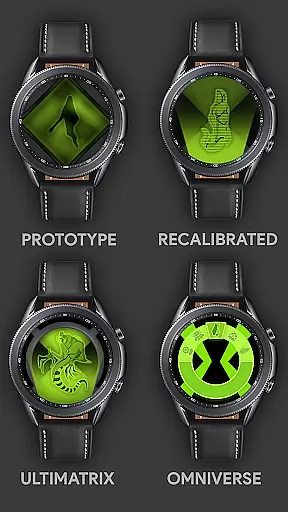
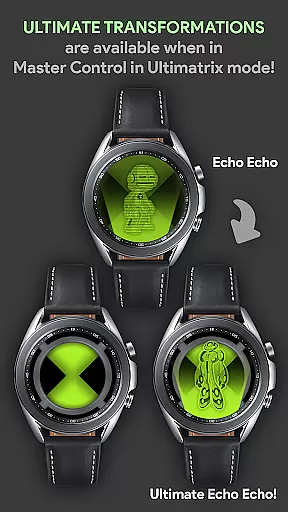





Alien Watch is a feature-rich simulation app that transforms your Wear OS smartwatch into the iconic Omnitrix device from Ben 10. With multiple modes like Prototype, Recalibrated, and Omniverse, users can access authentic alien transformations, DNA scanning, and customizable features. The app offers an immersive experience for fans of the franchise, allowing them to relive childhood memories directly from their wrist.
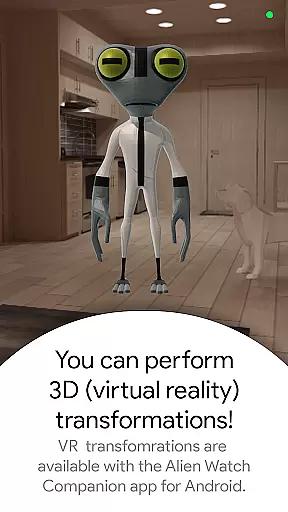
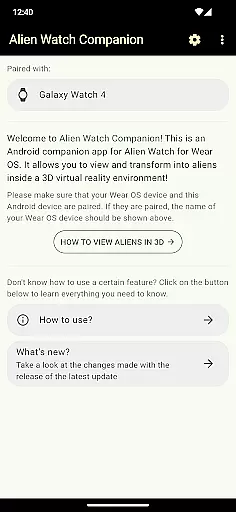
The app's core functionality includes 3D transformations, voice commands, and various game-like mechanics such as step goals to unlock aliens. It supports advanced features like Fusion Transformations, Ultimate Transformations, and even Albedo mode. To fully utilize all advertised capabilities, both Android and Wear OS versions are required, making it ideal for users who own compatible devices and are seeking an interactive fan experience.
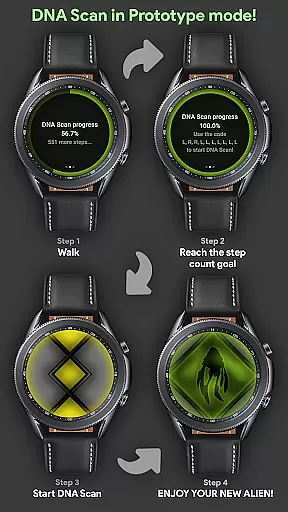
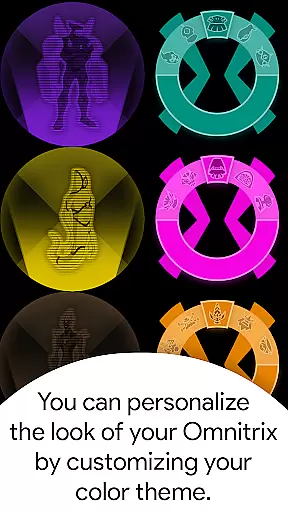
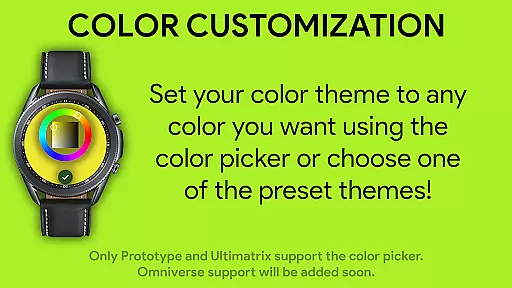
Alien Watch stands out with its diverse range of modes and sub-modes designed to replicate the Omnitrix experience. Prototype Mode allows users to perform DNA scans to unlock aliens either by walking or entering activation codes, while also supporting Virtual Reality transformations for a 3D view of characters. Recalibrated Mode enhances this further with Ultimatrix functionalities, including ultimate transformations and color customization options.
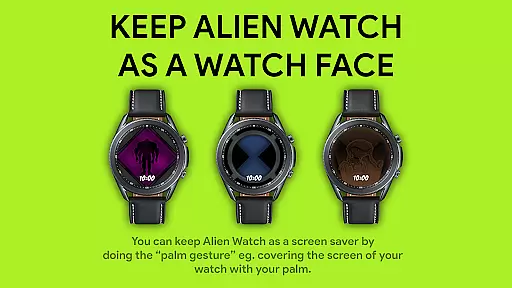
Omniverse Mode introduces randomizer functions where users receive a new alien every 15 seconds, along with additional aesthetic customizations like Albedo mode. Unique sound effects add another layer of immersion, as each transformation triggers character-specific voice lines. Advanced gestures such as palm covering enable temporary watch face activations, ensuring seamless integration into daily use. These innovative implementations create a deeply engaging simulation environment tailored specifically for fans.
Alien Watch offers an intricate economic system that mirrors the complexity of resource management found in simulation games. The app includes multiple modes such as Prototype, Recalibrated, and Omniverse, each with unique sub-modes that dynamically respond to user actions. This creates a personalized experience where players can unlock aliens through activities like walking or by entering codes, simulating trade-offs and strategic planning.
The DNA Scan feature exemplifies this depth by allowing users to unlock more aliens either by achieving step count goals or using activation codes. Once completed, these achievements can be submitted to a Leaderboard, adding a competitive element akin to managing economies within simulations. Such interactions ensure continuous engagement while providing immediate feedback on progress.
Users benefit from this sophisticated system through enhanced immersion and replayability. By integrating various ways to interact with the app's contentu2014be it via physical activity or strategic code usageu2014Alien Watch ensures that every decision impacts the overall gameplay experience. This fosters a sense of accomplishment and investment in the gameu2019s universe.
This dynamic feedback loop not only enhances user satisfaction but also encourages long-term use. Players are motivated to explore different strategies for unlocking features and advancing on leaderboards, mirroring the intricate balance required in real-world economic systems. Thus, Alien Watch stands out by offering a richly layered simulation environment right on your wrist.
In Alien Watch, resource management is balanced through diverse transformation modes and customization options, ensuring players have multiple pathways to achieve their objectives. The app provides three main modesu2014Prototype, Recalibrated, and Omniverseu2014each presenting distinct challenges and opportunities for resource allocation. This variety allows users to tailor their experience based on personal preferences and play styles.
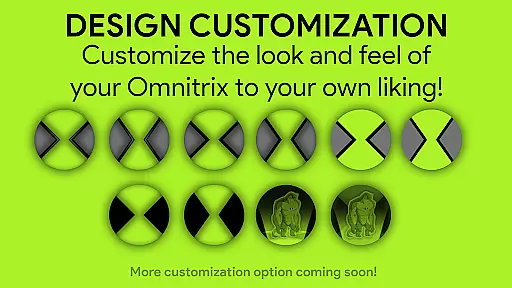
For instance, Prototype mode includes features like DNA Scan and Virtual Reality transformations, which require strategic planning to unlock additional aliens. Meanwhile, Recalibrated mode supports color customization and ultimate transformations, giving users control over both aesthetic and functional aspects of gameplay. These choices mimic the careful balancing act required in effective resource management scenarios typical of simulation games.
Players gain significant advantages from this balanced approach as they navigate through various modes. They learn to optimize resources efficiently, whether it's deciding between walking to unlock aliens or utilizing codes for instant access. Such decisions enhance critical thinking skills while keeping the gameplay fresh and engaging.
Ultimately, Alien Watch excels in delivering a well-rounded simulation experience by maintaining equilibrium among its many features. Users enjoy a harmonious blend of strategy, creativity, and interaction, making each session uniquely rewarding. This thoughtful design ensures sustained interest and enjoyment, setting Alien Watch apart in the realm of wearable gaming apps.
Highly detailed simulation
Multiple interactive modes
Customizable features
Authentic fan experience
Regular updates
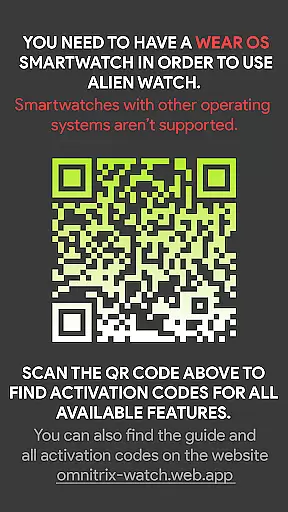
Requires Wear OS
Dependent on companion app
Complex setup process
Limited free features
Battery intensive

Multiverse in shambles? There's a goat for that. Play on mobile now!
 4.60
4.60
Ready to be a billionaire and build your bank empire? Start your adventure now!
4.60
Experience multiple vehicles in a single driving simulator game.
4.40
Work hard and you may reach the top of the video game industry.
4.80
Big Tractors, Big Farms, 1000+ Acres, American Sheds, all on an American Map!
4.40
Decorate with stickers! DIY home decor and cute room design fun!
4.40
Make a Wizard's journey to find the Philosopher's Stone in an Incremental RPG!
4.80
Create incredible parks in the original rollercoaster sim enhanced for mobile.
3.80
Gas station simulator. Play & earn money offline. Grow petrol station business!
4.40
Demon Castle Building Dungeon Management Simulation
4.90
Experience satisfying ASMR makeup with skincare in calming salon makeover games
4.80
Help your child, in a story-driven nurture game based on true events
4.80
Advanced 3d bow simulator app for hunters, using real archery ballistics.
4.50
Laugh, play, take care, learn and relax with the cutest virtual friend
4.50
Incredible Sandbox Playground - Beats Ragdolls
4.50
Idle Mining Tycoon | ASMR Auto Dig For Gold. Offline Gem Digging Miner Simulator
4.20
Build and explore your city as mayor! Create and simulate your own metropolis.
4.20
Final Fantasy Tactics: The War of the Lions has arrived for GooglePlay!
4.10
Survive, explore, and invent wild machines in a world ruled by robots!
4.2


User Reviews