
Brightwheel is a comprehensive childcare management software designed to streamline operations for early education providers. This all-in-one platform combines essential tools like billing, attendance tracking, family communication, and lesson planning into a single, user-friendly interface.
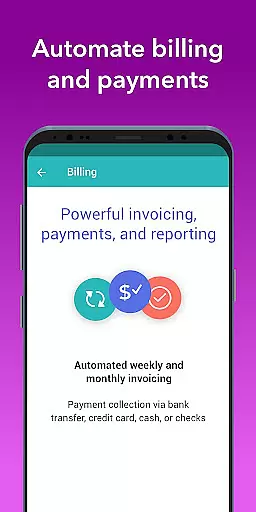
The application's standout features include automated billing and payments, real-time family communication, photo and video sharing, and detailed reporting. With advanced security measures and 99% uptime, it ensures reliable performance while simplifying administrative tasks. Brightwheel allows educators to focus more on children by reducing time spent on administrative duties.
Whether managing daily activities or planning curriculum, brightwheel provides seamless integration across all devices, making it an invaluable tool for modern childcare centers.
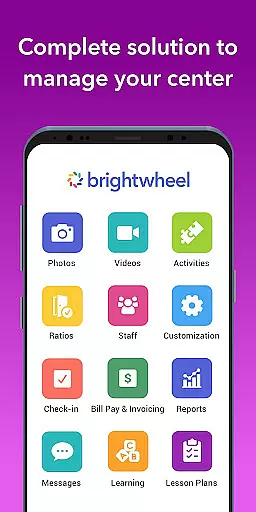
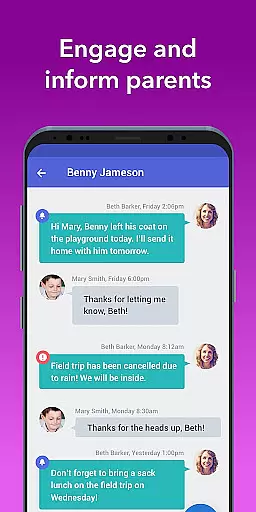
Brightwheel offers an extensive range of features tailored for early education providers. Its all-in-one platform includes billing and finance management, allowing customizable reports and expense tracking. The app facilitates real-time family communication through centralized messaging, newsletters, and alerts.
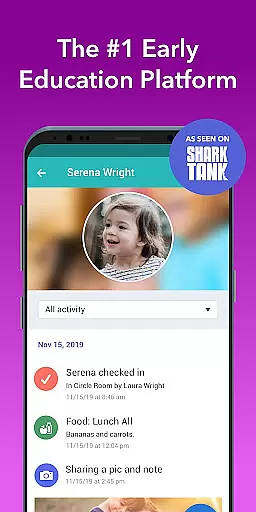
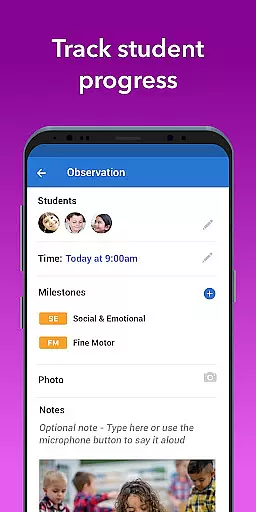
One of the key highlights is its ability to capture and share photos and videos instantly. Teachers can log daily activities such as naps, meals, and bathroom visits, which are then shared with families via personalized feeds. Additionally, the lesson planning feature supports curriculum development, while assessment tools help track student progress using pre-loaded state standards.
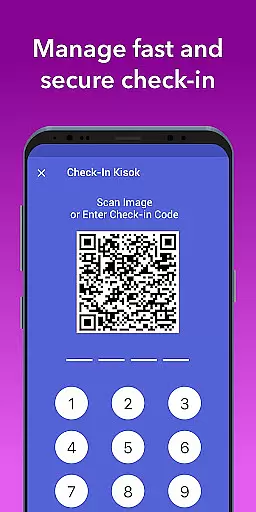
With functionalities like admissions management, attendance tracking, and robust reporting, brightwheel ensures compliance and operational efficiency. Its real-time syncing capability keeps data consistent across multiple devices, providing a reliable and secure experience for both staff and families.
In the realm of early education, content accuracy and authority are paramount. Brightwheel stands out by providing a reliable platform that educators and families can trust. The app's curriculum tools are designed with input from educational experts, ensuring alignment with state standards and best practices in early childhood education.
Brightwheel's dedication to authoritative content is evident in its comprehensive approach to child development tracking. Teachers can make detailed observations and assessments using pre-loaded state standards and DRDP tools. This ensures that every progress report shared with families is not only accurate but also meaningful in the context of each child's learning journey.
The platform goes beyond just tracking; it facilitates communication between educators and families. By centralizing messaging, newsletters, and alerts, brightwheel creates a transparent environment where parents are always informed about their child's activities and developmental milestones. This level of transparency reinforces the credibility of the information shared through the app.
Moreover, brightwheel's commitment to quality support further enhances its authoritative stance. With 24/7 access to chatbot assistance, tutorials, webinars, and a community forum, users have continuous access to resources that help them maximize the app's potential while maintaining data integrity and educational value.
Brightwheel revolutionizes personalized learning paths by offering tools that cater to individual student needs. Through its lesson planning feature, educators can create customized curricula that adapt to each child's unique pace and interests. This flexibility allows teachers to enhance program quality while keeping students engaged and motivated.
The app's digital lessons come alive with hands-on learning materials provided by Experience Curriculum. These resources enable teachers to design interactive activities that resonate with young learners. By tagging students in photos and videos during these activities, educators can easily document progress and share achievements with families, creating a more personalized connection.
Brightwheel's assessment tools play a crucial role in shaping personalized learning experiences. Educators can note progress and activities using pre-loaded state standards, ensuring that each child's development is tracked against recognized benchmarks. This systematic approach helps in identifying areas where additional support or enrichment may be beneficial.
Furthermore, real-time syncing across all devices ensures that personalized learning plans are consistently up-to-date. Whether accessed via web or mobile, teachers and parents always have the most current information at their fingertips. This seamless integration supports ongoing collaboration between educators and families, ultimately fostering an environment where every child can thrive.
User-friendly interface
Comprehensive feature set
Reliable performance
Advanced security
Excellent customer support
Premium features costly
Occasional bugs
Limited offline access
Steep learning curve
Dependent on internet

Learn and joke with the Silly Turkey!
 4.4
4.4
Your guide to thousands of satellites and spacecraft in orbit around Earth!
3.90
Learning the ancient Viking language made simple
4.70
Perform physics experiments with your phone. (by the RWTH Aachen University)
4.70
Listen, request and record pronunciations in more than 450 languages. Everywhere
3.90
Our most popular app series returns, better than ever!
3.90
SkyView®, an augmented reality space app, brings stargazing to everyone!
4.40
Reading for kids has never been easier. Learn phonics, letter tracing & more!
4.70
Educational Activities for 2-8
3.70
Turn scrolling hours into improving your knowledge, communication, intelligence
4.50
Latest TLC Practice Questions! Multiple languages available!
4.50
Welcome to the Speak Navajo Language Application - Volume 1
4.50
Intuitive Transformer Lab - By a Lineman, For Linemen & Apprentices
4.50
An interactive enhancement of the Sesame Street classic.
4.50
The Fighter Verses Bible memory system helps you memorize God's Word.
4.50
Practice Casino Roulette Payouts for Table Game Dealers and Croupiers
4.40
Explore the City of the Sun in Augmented Reality
3.70
Quiz App to help case managers studying for CCMC Certification, 200+ Questions
3.40
Study the questions most likely to be asked during the Oral & Practical Exams.
2.80


User Reviews