
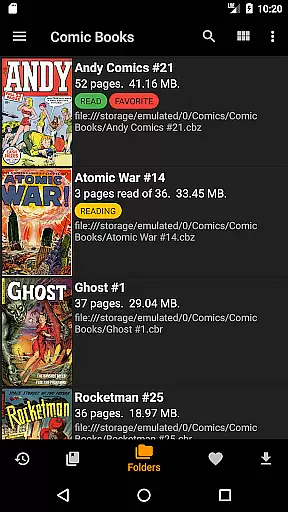
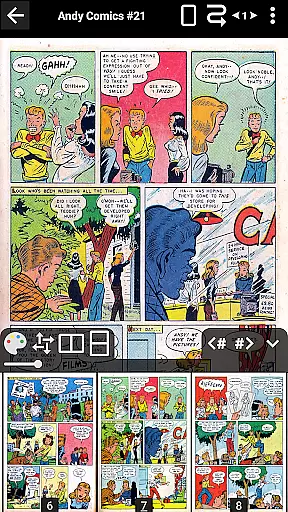
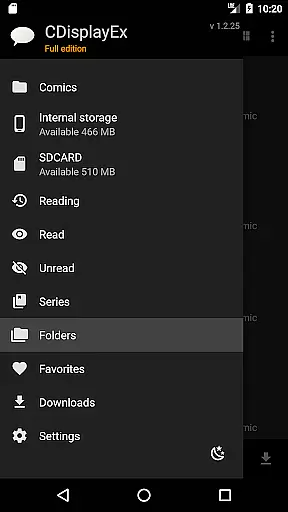
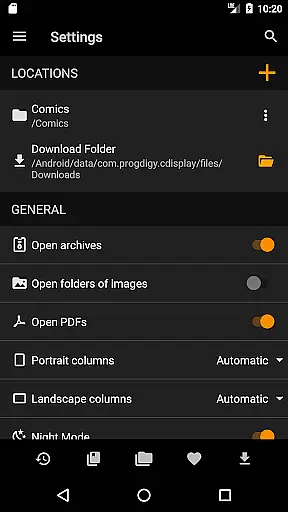
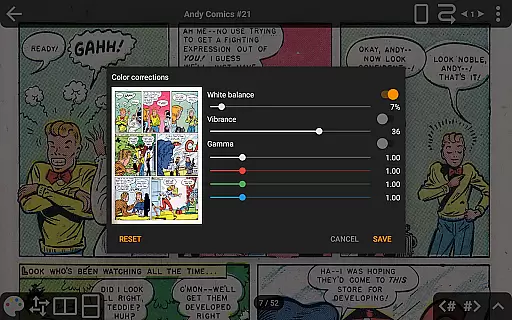
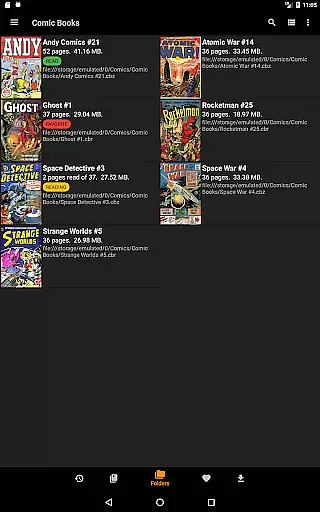
CDisplayEx Comic Reader is a premier comic book reader designed for enthusiasts who demand both performance and versatility. This application supports all major comic formats including CBR, CBZ, and PDF files, making it the go-to solution for reading Manga and other graphic novels. Engineered for speed, it loads comics instantly and ensures a fluid, comfortable reading experience.
Beyond its core functionality, CDisplayEx offers advanced features such as access to cloud services like OneDrive, Dropbox, and more in its Pro version. It also includes continuous page scrolling, advanced scaling options, and network file opening without full downloads. With integrated library management, users can organize their collections by series and receive recommendations for their next read, ensuring an unparalleled user experience.
CDisplayEx Comic Reader stands out with its comprehensive feature set tailored for comic enthusiasts. The app's ability to handle all comic formats ensures that users can enjoy their entire library without compatibility concerns. Its instant loading capability and smooth navigation make reading seamless and enjoyable.
The Pro version enhances this experience further with exclusive features such as advanced page scaling, continuous horizontal and vertical scrolling, and support for bookmarks and S-Pen. Additionally, users benefit from night mode, customizable interface language, and ad-free browsing. Integrated library management allows users to organize their collections efficiently, while network share connectivity and search functionalities ensure easy access to comics stored across various locations.
CDisplayEx Comic Reader offers an extensive and versatile comic library that supports all major comic book formats including .cbr, .cbz, and .pdf files. This ensures that users can access a wide variety of comics without worrying about compatibility issues.
The application allows seamless integration with cloud services such as Onedrive, Dropbox, Komga, Kavita, and Mega in its Pro version, enhancing the diversity and accessibility of your comic collection. With these features, users can enjoy a vast array of comics from different sources, all consolidated within the app.
Additionally, CDisplayEx provides advanced library management options. Users can organize their collections by series or easily find the next album to read, making it simple to manage large libraries efficiently. The integrated search function further enhances the experience by allowing users to quickly locate specific volumes.
One of the key strengths of CDisplayEx Comic Reader is its commitment to content authenticity and proper licensing. The app ensures that all comics are read in their original format, preserving the creator's intended layout and design.
While the app itself does not provide licensed content, it offers robust tools for users to manage and read legally acquired comics. By supporting various file types and integrating with multiple cloud storage solutions, it empowers users to maintain a legitimate and high-quality comic library.
Moreover, the Pro version includes features like advanced page scaling and continuous page viewing options, which enhance the reading experience while respecting the integrity of the original content. These functionalities ensure that readers can enjoy their comics in the best possible way, maintaining the authenticity and quality set by the creators.
User-friendly interface
Supports multiple formats
Instant loading speed
Advanced Pro features
Integrated library management
Google Drive access ending
Pro version is paid
Limited free features
Network issues possible
Occasional bugs reported

Follow your favorite manga and get notifications for new chapters!
 4.50
4.50
Become a real PKM Card Maker, create or custom any Poke TCG cards and share them
4.10
Anime TV App: Watch all anime online,anime tv subtitles online with big anime tv
3.80
Your key to unlocking manga and webtoons on the go
3.50
TMOLector is an app to read all kinds of manga and stories!
4.50
You can create comics, manga and manwha using AI with Arcstory comic book maker
2.70
Free Comic Book Collection Management & Price Guide
4.60
AsuraScans read manga, manhua, manhwa, and webtoon
3.90
See the newest comic book releases and manage your comic collection or pull list
4.70
Read comics & manga
4.70
Artists wanting to use decent hand reference on the go, this app is for you!
4.70
Dive into creative online comics, short video, graphic novels and web novels!
4.60
The largest manga, comics, and manhwa community with millions of fans!
4.50
Draw the comics with glow brushes! Easy and relax!
4.40
Read latest manga with this minimal reader with NO ADS.
4.30
The anime tv for fans Sud and Dub
4.20
Browse and read all your comics and mangas from YACReaderLibrary
4.20
A free paradise specially built for comic lovers. When you step into this comic universe full of surprises, it is like opening a door to endless joy. You are immediately immersed in the wonderful world brought by reading and enjoy the infinite charm of reading.
4.0
Welcome to SnapSaga - your ultimate manga and novel destination!
4.3


User Reviews