
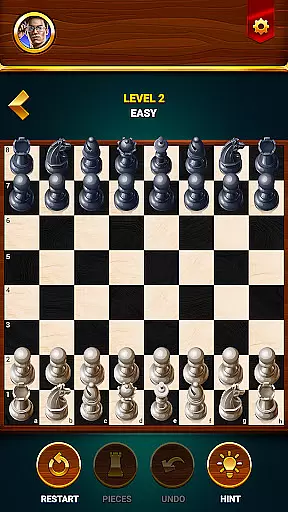


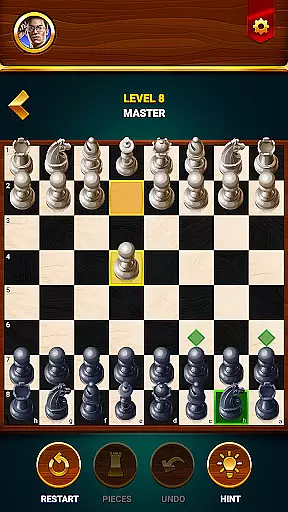

















Chess - Offline Board Game is a premier chess application designed for players of all skill levels, from beginners to seasoned experts. The app offers unlimited free games in both 2D and 3D formats, allowing users to challenge various opponents and refine their strategies. Whether you're looking to play offline against computer-controlled adversaries or engage in friendly matches with another human player, this app has it all.
One of the standout features of Chess Club is its comprehensive learning program. With interactive tutorials, daily puzzles, and lessons on moves, basic concepts, checks, and special maneuvers, users can quickly elevate their game. Additionally, the app provides tools like hints, undo options, and restart capabilities, ensuring that players have everything they need to analyze and improve their performance.
This versatile app also includes competitive events where players can win rewards, statistics tracking to monitor progress, and multi-language support for a global audience. By playing regularly, users can enhance their problem-solving skills, logical thinking, and overall IQ level, making Chess Club an ideal choice for anyone looking to sharpen their mind while enjoying a timeless board game.
Chess - Offline Board Game stands out due to its rich feature set tailored for an optimal user experience. One of the key highlights is the ability to play offline against computer opponents at varying difficulty levels, ranging from beginner to grandmaster. This flexibility allows users to practice and hone their skills without needing an internet connection, providing convenience and accessibility.
In addition to single-player modes, the app supports two-player game modes, enabling friends to compete directly with each other. Daily chess puzzles and tactics offer valuable practice opportunities, helping users develop strategic thinking and one-move checkmate techniques. The built-in learning program further enhances this experience by offering step-by-step tutorials, tips, and recommendations, which are invaluable for newcomers and intermediate players alike.
Other notable features include visual preferences for 2D or 3D chess figures, hint functionalities for guidance during tough matches, and options to undo or restart games as needed. Comprehensive statistics provide insights into win rates, lost games, and draws, while multi-language support ensures that players from different regions can enjoy the game in their preferred language. These robust features collectively make Chess Club a top choice for chess enthusiasts worldwide.
Authenticity and flexibility in chess rules are crucial for both casual players and serious competitors. Chess - Offline Board Game ensures that all traditional chess rules are faithfully implemented, providing a genuine experience akin to playing on a physical board. This adherence to rule authenticity allows players to seamlessly transition between digital and real-world chess games without confusion.
The app also introduces thoughtful flexibility in its gameplay options. Players can choose between 2D or 3D game modes, adjust difficulty levels, and even utilize helpful features like hints and undo options. These enhancements don't compromise the integrity of the rules but rather offer players the freedom to customize their experience based on their skill level and learning preferences.
This combination of strict rule adherence and flexible gameplay options creates an optimal environment for improving chess skills. Beginners can learn the fundamentals without feeling overwhelmed, while advanced players can refine their strategies against increasingly challenging opponents. The app's approach to rule implementation ultimately serves the dual purpose of education and entertainment.
The quality of AI opponents in chess applications directly impacts the user's learning curve and engagement level. Chess - Offline Board Game features sophisticated AI technology that creates dynamic and challenging opponents across various skill levels. From beginner-friendly matches to grandmaster-level challenges, the AI adapts its strategy and complexity to provide appropriate competition for each player.
What sets this app apart is its ability to simulate realistic human-like gameplay patterns. The AI doesn't just follow predetermined moves but demonstrates adaptive thinking, forcing players to develop genuine strategic responses. This feature is particularly valuable for users who want to practice and improve their skills without always requiring a human opponent.
The progressive difficulty system ensures that players remain engaged and motivated to improve. As users advance through different levels, they encounter increasingly complex strategies and tactics from the AI opponents. This carefully calibrated challenge system helps players naturally develop their skills while maintaining the excitement and satisfaction of achieving victories against progressively stronger opponents.
User-friendly interface
Comprehensive learning tools
Offline play capability
Diverse game modes
Multi-language support
Limited advanced strategies
Few customization options
Occasional bugs reported
Ads may disrupt gameplay
Some features require purchase

Handcrafted Sudoku puzzles by the most popular Sudoku channel!
 4.50
4.50
Discover the digital adaptation of Tokaido, the boardgame phenomenon!
4.30
Pop Color – A Relaxing Zen Color Game
4.90
Trade stickers & Get dice
4.70
Dominoes online! Classic board games - Fives, Threes, Block and Draw Dominos!
4.40
Solo RPG Engine & GM Emulator
4.50
The legendary naval combat game sails onto mobile and tablet.
3.50
The official award-winning domino building strategy game comes to life!
4.80
The Offline Version of Sudoku classic puzzle game without advertisements.
4.80
Plan, Build, Conserve
4.80
Control a team of heroes battling evil villains across dynamic environments!
4.70
Celebrate Christmas joy with fun paint by number & happy holiday coloring book!
4.70
The deck-building board game adventure !
4.70
Large Numbers Coloring Book for Seniors. Color by number for zen and relax.
4.60
The official digital version of the world's favourite explosive cat-based game!
4.60
online interactive board games
4.50
The Family Game Night Classic
4.40
Build an empire in around eight minutes!
4.20
Take command and turn your faction into the most powerful in all of Europa!
3.80


User Reviews