
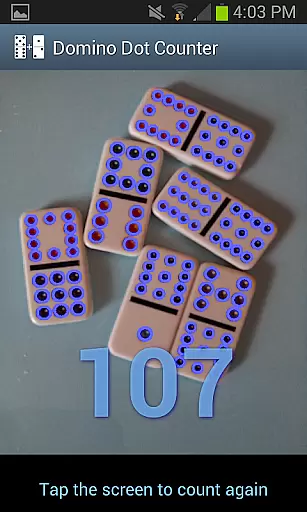
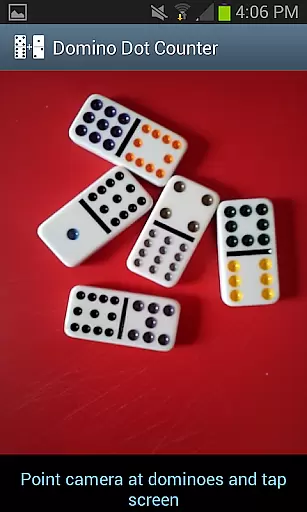
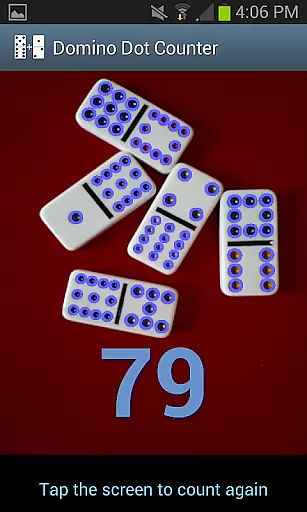
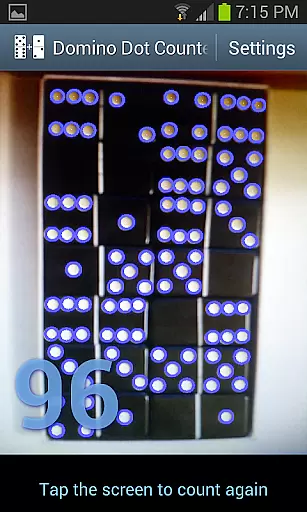
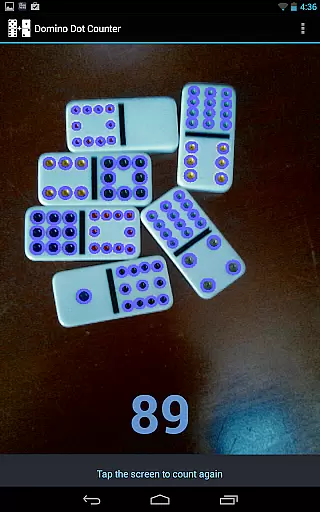
Domino Dot Counter is a casual gaming app designed to enhance your domino experience by automatically summing up the dots on a group of dominoes using your phone's camera. This innovative tool not only simplifies scorekeeping but also adds an element of fun and accuracy to your game.
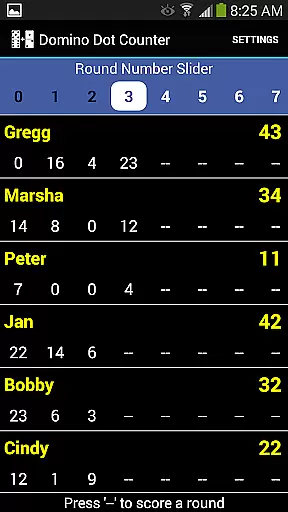
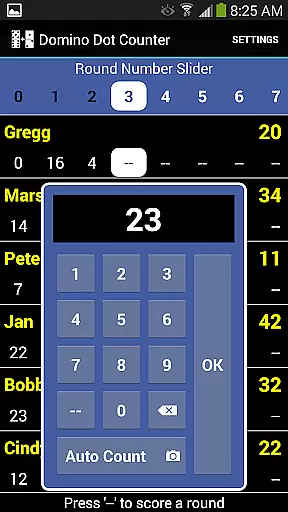
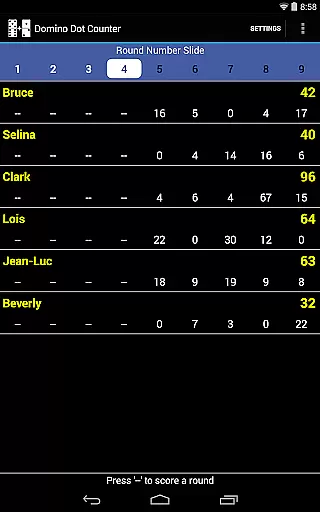
The latest version includes a complete score application, allowing you to keep track of scores for 2 to 8 players. With features like AUTO COUNT, adding up the dots on a large number of tiles at the end of a round has never been easier. Just point the camera at the dominoes, tap anywhere on the screen, and let the app do the rest.
Whether you're playing Mexican Train or any other domino game, Domino Dot Counter ensures that you spend less time counting and more time enjoying the game with friends and family.
Domino Dot Counter stands out with its unique AUTO COUNT feature, which uses advanced image recognition technology to count the dots (a.k.a. pips) on dominoes. This feature is particularly useful when dealing with a large number of tiles, making it perfect for games like Mexican Train.
Beyond its core functionality, the app offers versatile scorekeeping options. You can add or delete players mid-game, customize player names, and manage rounds flexibly. The app keeps track of completed rounds and warns against re-scoring, ensuring fair play.
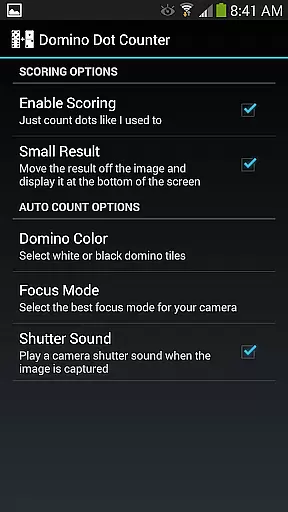
For optimal performance, users are advised to hold the camera horizontally over the dominoes and play on a solid-colored surface. Additionally, those who prefer the original Domino Dot Counter experience can disable scoring in the settings menu, catering to diverse user preferences.
Domino Dot Counter exemplifies core gameplay simplicity by offering an intuitive solution to a common problem in domino games. The challenge of manually counting dots on a large number of tiles is replaced with an innovative AUTO COUNT feature.
This functionality allows players to simply point their phone's camera at the dominoes laid out on a table and tap the screen to get an instant total. This seamless interaction eliminates tedious calculations, making the game more accessible and enjoyable for all ages.
The app supports 2 to 8 players, providing flexibility for different group sizes while maintaining straightforward controls. Players can add or delete participants mid-game and customize names with a long press, ensuring a personalized yet uncluttered experience.
With its easy-to-use interface and practical features like round tracking and score warnings, Domino Dot Counter streamlines the gaming process. This lets players focus on the enjoyment and social aspects of playing dominoes without being bogged down by complex scoring mechanics.
Session length flexibility is a key aspect of Domino Dot Counter, accommodating various play styles and time constraints. Whether you have a quick break or an extended period to enjoy a game, this app adjusts to your schedule.
Players can start new rounds and add more as they wish, allowing games to last for as long or as short as desired. The ability to count up or down in rounds offers strategic depth while adapting to both brief and lengthy gaming sessions.
A convenient slider at the top of the interface enables navigation through numerous rounds when they cannot all be displayed simultaneously. This ensures that no matter how many rounds you play, managing them remains hassle-free.
Additionally, if you need to pause and resume your game later, the app keeps track of completed rounds and scores. This way, you can return to your game right where you left off, enjoying the freedom to play at your own pace without losing progress or momentum.
Accurate dot counting
User-friendly interface
Flexible score management
Supports multiple players
Customizable settings
Requires solid background
Camera alignment crucial
Limited to domino games
Occasional miscounts
No offline support

RPG Adventure in the Caribbean as Pirate or Trader.
 4.60
4.60
Blend & Match! Mix colors on paper, compare with objects, aim for perfect match!
4.30
Save the Candy Bears! Match, pop, and blast through fizzy match-3 puzzles!
4.60
Style your hair with Hair salon, Spa Beauty salon - Make up doll game
4.50
"My PlayHome School" expands the PlayHome world into the classroom!
4.30
Control Global Flights, Test Your ATC Skills!
4.30
Catch a fish.
4.3
Join LeeFoxie in a fun tower defense! Cute towers, tricky enemies, endless fun.
4.3
Monster Attack! Hide and run cleverly or unleash your inner angry hunter!
4.20
Sort 3D items into boxes and clear the board in this fun, relaxing puzzle game!
4.80
Black hole games - eat tiles, grow bigger, and master the fun
4.80
Zen Koi Pro features single player offline play, and shiny rare koi!
4.70
Manage a fish tank of guppies and other aquarium creatures
4.60
Relax, merge, and shine! Create your own beauty style story with every move.
4.50
Enjoy the craft without the mess
4.50
Go exploring with Duggee!
4.20
A cozy idle farming game, watch tiny guys do tasks around the terrace.
4.20
Classic brain train minigames
4.1
A cozy puzzle city builder for creativity on the go
4.5


User Reviews