
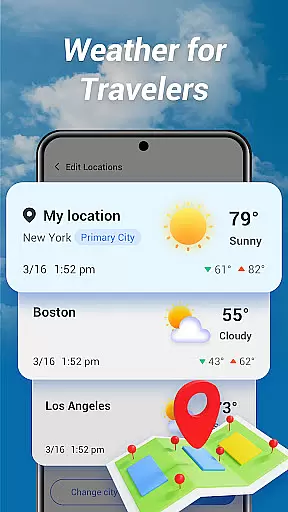
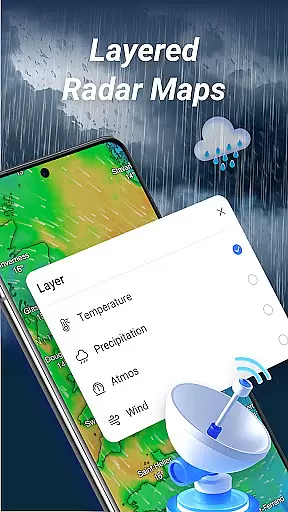
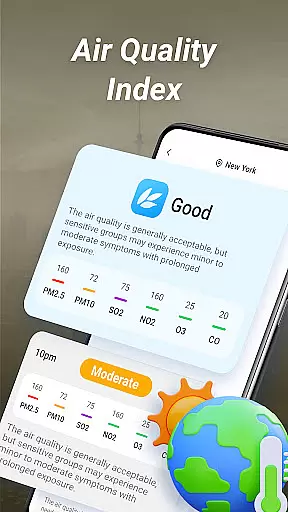
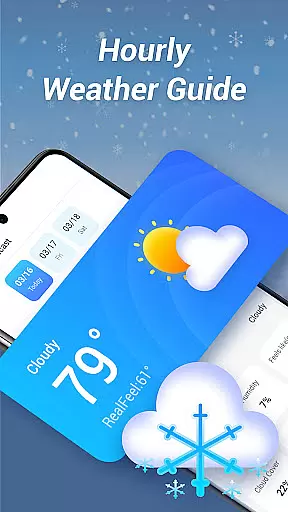
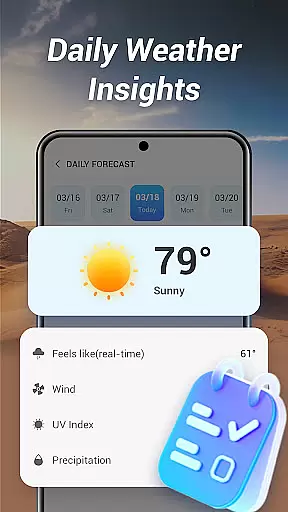
Good Weather is a comprehensive weather application designed to provide users with real-time weather forecasts and live radar maps. The app covers both local and global weather, ensuring you stay prepared no matter where you are. With features like layered live radar, air quality index (AQI) monitoring, and hourly forecasts, it offers detailed insights into current and upcoming weather conditions.
The app's intuitive design emphasizes clarity and usability, presenting weather data in a clean interface that travelers and daily planners will appreciate. Whether you need to track storms, monitor temperature changes, or simply get a summary of the day's weather, Good Weather delivers essential tools to keep you informed and ready for any climate.
Good Weather stands out with its robust feature set tailored for weather-conscious users. The app provides real-time weather updates for any location worldwide, allowing users to access both local and global forecasts effortlessly. Its layered live radar map is particularly impressive, offering multiple data layers such as temperature, humidity, and pressure, enabling deeper analysis of weather patterns.
In addition to standard weather data, Good Weather includes advanced functionalities like air quality monitoring and customizable weather alerts. Users can receive notifications about significant weather changes and track AQI levels to plan their activities safely. The hourly and daily forecast summaries further enhance usability by delivering concise yet detailed outlooks, making this app an indispensable tool for anyone needing reliable weather information.
Accurate weather forecasting is essential for planning daily activities and ensuring safety during adverse conditions. Good Weather delivers precise real-time forecasts by leveraging advanced meteorological data sources and algorithms.
The application provides global and local weather updates, ensuring users receive reliable information whether they are at home or traveling. Its layered live radar system tracks rain, wind, and storms with multiple data layers including temperature, humidity, and pressure.
Users benefit from the app's commitment to data credibility, as it integrates real-time air quality index (AQI) readings and weather alerts. This ensures that individuals can make informed decisions based on verified climate information.
With hourly and daily summaries, Good Weather offers both short-term and long-term forecasting accuracy. The app's dedication to clarity and essential data presentation makes it a trustworthy tool for all weather-related needs.
A comprehensive weather app must provide forecasts across both time and geography. Good Weather excels in this area by offering extensive temporal and spatial coverage for weather predictions.
The app's hourly forecast feature gives detailed updates on temperature, wind speed, humidity, and cloud cover throughout the day. This granular time-based information helps users plan their activities with precision.
Geographically, Good Weather supports queries for any location worldwide. Whether you need local weather data or information for distant travel destinations, the app delivers accurate insights without limitations.
By combining wide-reaching spatial coverage with temporal forecasting, Good Weather ensures users have access to complete weather information regardless of location or timeframe. This dual capability makes it an indispensable tool for travelers and planners alike.
User-friendly interface
Accurate real-time data
Comprehensive weather layers
Customizable alerts
Global coverage
Limited free features
Occasional data delays
High battery usage
Subscription required
Complex for beginners

Ultimate weather forecast + moon phase for Wear OS 5+ (Pixel, Galaxy, et al.)
 4.70
4.70
NOAA radar, weather forecasts, hurricane tracking & customizable alerts.
4.50
Road weather, live radar, wind, snow, and conditions along your driving route.
4.70
Digital Weather Watch Face for Wear OS 5+
4.3
Track lightning strikes with our thunderstorms map, radar and lightning alarm.
4.70
Weather watch face for Wear OS 5+
4.40
Local weather forecast app, your personal 7*24 local weather forecast assistant.
4.90
Weather Forecast, Trending News, Hurricane & Storm Tracker, Alerts & Live Radar.
4.80
Precision Weather, Right at Your Fingertips
4.40
Ultimate Lunar Calendar for 2021!
4.80
View weather widget and map. Wind direction and speed. Tides times and waves
4.70
72-hour weather & daily forecasts with extreme weather alerts
4.60
14-day & 24-hour Forecast | Real-time Alert | Accurate & Fast
4.40
Stay ahead of the weather with Daily Weather
4.10
Stay Ahead Of Changing Weather Conditions
4.00
Check forecasts, watch live news & track storms with FOX Weather.
3.80
Arrive safely! Travel weather forecasts for your entire trip at time of arrival.
3.60
Magnetic Compass meets smart tech: Get directions and weather alerts seamlessly
3.30
The Weather Network TV App - Your weather when it really matters
2.90


User Reviews