
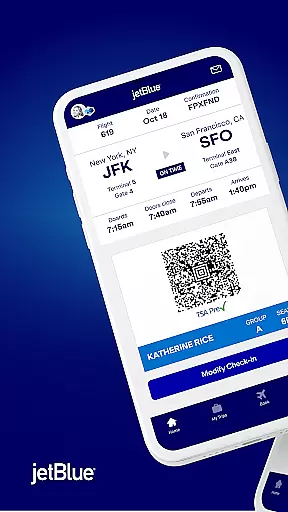
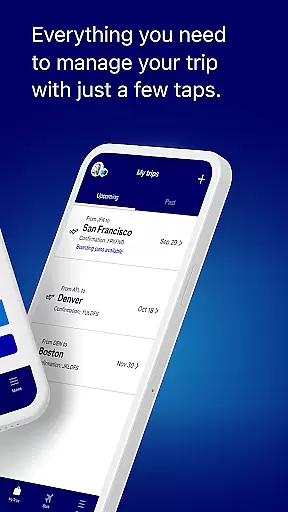
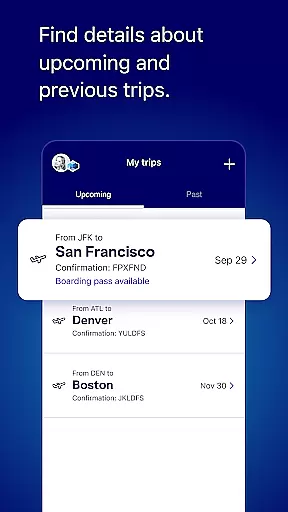
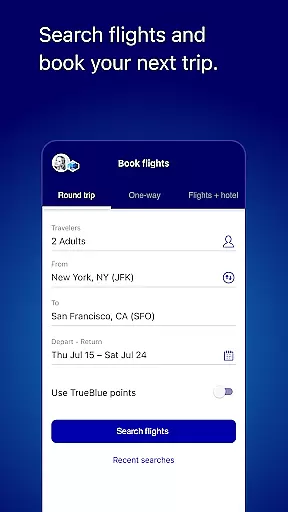
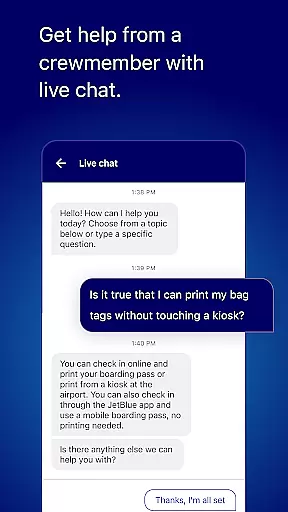
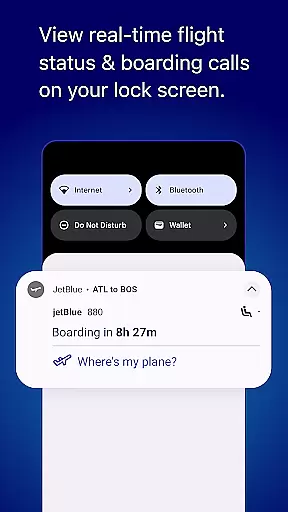
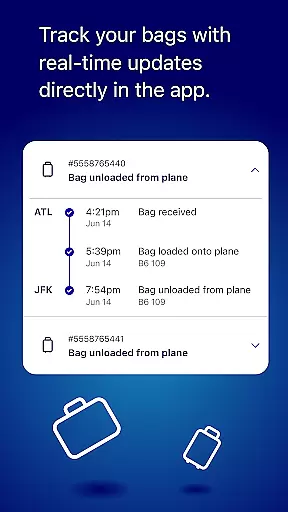
JetBlue's mobile application is designed to streamline the travel experience for passengers, offering a comprehensive suite of tools that cover every aspect of air travel. The app allows users to book flights, manage reservations, and check in seamlessly, ensuring a hassle-free journey.
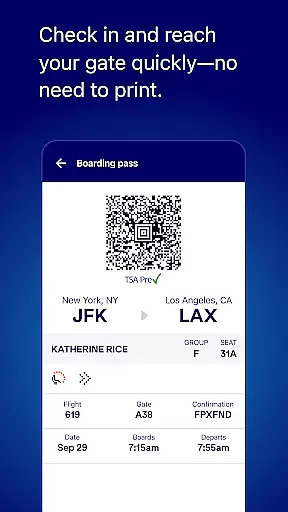
With features like digital boarding passes displayed right on the home screen, live chat support with JetBlue crewmembers, and integration with TrueBlue loyalty program, this app caters to both convenience and personalization. Whether you're planning your next trip or are en route to your gate, JetBlue's app provides essential information and services at your fingertips.
The JetBlue app boasts an array of features tailored to enhance the travel experience. Users can easily search and book flights, select seats, and add extras such as baggage or travel insurance through a user-friendly interface. The day of travel is simplified with quick access to boarding passes and itinerary details.
Additional functionalities include managing trips by updating seat preferences or modifying itineraries, accessing past and upcoming travel plans, and exploring inflight amenities. Integration with third-party services like Paisly enables booking hotels and car rentals, while the My TrueBlue feature allows members to track points and balances.
Moreover, the app offers practical tools such as airport maps, flight trackers, and live chat support, all aimed at providing a seamless and informed travel experience.
When it comes to booking travel, ensuring the authenticity of your reservations is paramount. The JetBlue app provides a secure and reliable booking system that guarantees your flight details are accurate and confirmed.
Through advanced verification mechanisms, every booking made via the app is instantly confirmed and added to your itinerary. This gives you peace of mind, knowing that your travel plans are set in stone.
Additionally, the app offers real-time updates and notifications regarding your booking status. Whether there's a change in your flight schedule or a gate change on the day of travel, you'll be promptly informed.
The integration with TrueBlue adds another layer of assurance, allowing you to track points and balances, making sure that all transactions related to your bookings are transparent and beneficial for future travels.
Understanding the cost associated with your travel is crucial, and the JetBlue app excels in providing price transparency. From the initial search to the final booking, every cost is clearly displayed, leaving no room for hidden fees.
You can easily compare prices across different dates and times, ensuring you get the best deal possible. The app also highlights any additional savings available through promotions or membership benefits like TrueBlue points.
Furthermore, the ability to add extras such as hotels, car rentals, and vacation packages allows for a comprehensive view of your total travel expenses. Each addition is seamlessly integrated into the total cost, presenting a clear picture of your financial commitment.
With all costs visible and explained, you can confidently make decisions about your travel plans, knowing exactly what you're paying for and why.
User-friendly interface
Comprehensive travel management
Live customer support
TrueBlue loyalty integration
Digital boarding passes
Limited international options
Occasional bugs reported
Inflight booking restrictions
Third-party service fees
Geographic limitations

Locate and navigate to local holiday displays
 4.1
4.1
The #1 Parent App in Brevard County
4.5
View US public land boundary maps on your device.
3.70
Every Diners, Drive-in & Dives location in one place! Your guide to Flavortown!
3.00
CLEAR provides a safer, easier way through airports, stadiums, and beyond.
4.20
The travel app that makes booking cheap flights, hotels, and car rentals easy.
4.80
Discover the power of one-way location tracking. Share your location securely.
4.50
One app, 300,000+ travel experiences, tours, and tickets you’ll remember.
4.90
Book flight, car or packages. Instant access to hotel discounts & travel deals
4.80
Find your perfect somewhere with last minute hotel & travel deals!
4.80
Meet Allyz®, your ultimate travel companion
4.70
With the Spirit Airlines app, easily manage all your trips in one place.
4.70
Tickets, hotels, wait times, maps, mobile ordering, Disney PhotoPass & more
4.50
Stack Upside with your current credit & debit rewards for even more cash back!
4.50
Travel light with our easy-to-use mobile app, the perfect flying companion.
4.40
Get real-time traffic, directions, search and find places
4.10
Real-time flight tracking with live maps and flight status updates.
3.70
Mix of explore game, travel mapping & tracking to memorize everywhere you go
3.60
Everything you need for your trip in one place with the Volaris app.
3.60


User Reviews