
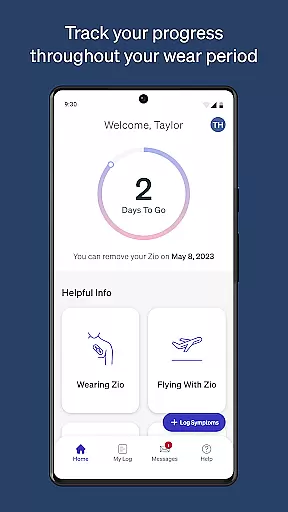
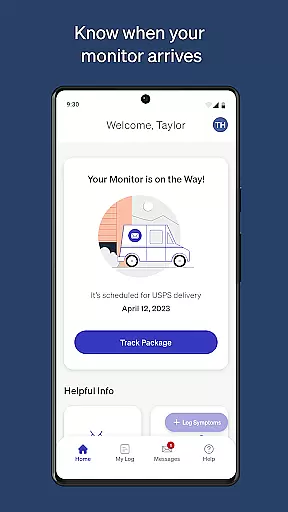
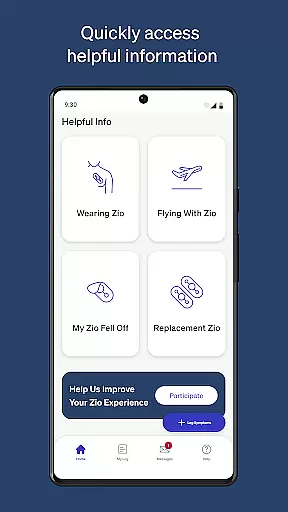
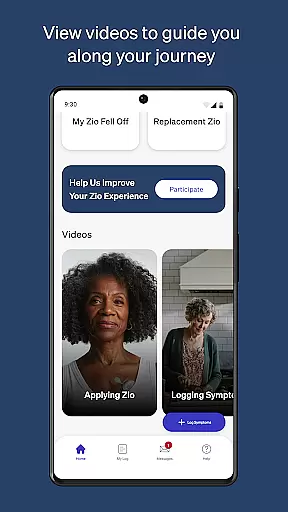
MyZio is a specialized medical application designed to complement the Zio ECG monitor. This app allows users to track the shipping status of their ECG monitors, log and manage symptoms, and access instructional content related to the Zio service. With its user-friendly interface, MyZio ensures that patients can stay informed and engaged throughout their cardiac monitoring journey.
The app offers seamless integration with the Zio ECG monitor, enabling users to register their devices easily and begin symptom tracking without delay. Additionally, it provides valuable resources such as instructional videos, enhancing the overall experience for individuals relying on continuous heart monitoring.
Whether you're at home or on the go, MyZio serves as an essential tool for anyone using the Zio ECG monitor. By delivering timely updates and educational materials, the app empowers users to take control of their health monitoring process effectively.
MyZio stands out with its comprehensive set of features tailored specifically for users of the Zio ECG monitor. One of the key functionalities includes the ability to create a MyZio account at any time, providing flexibility and accessibility for new users. The app also enables real-time tracking of the monitor's shipping status, ensuring users are always informed about their device's whereabouts.
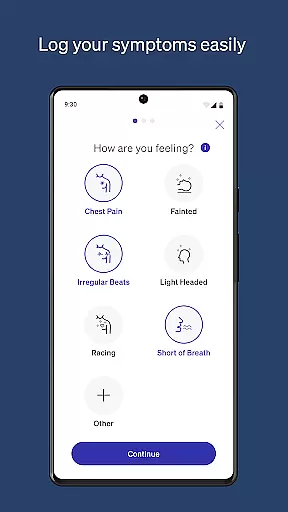
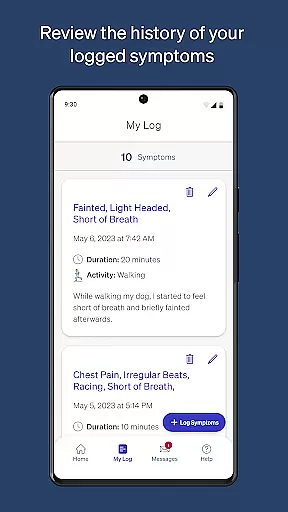
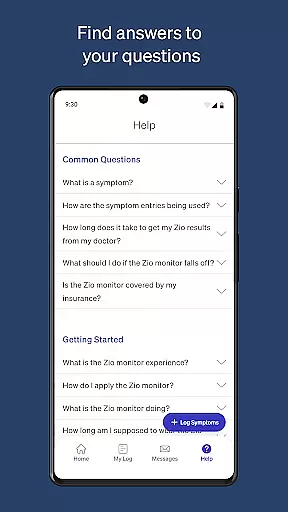
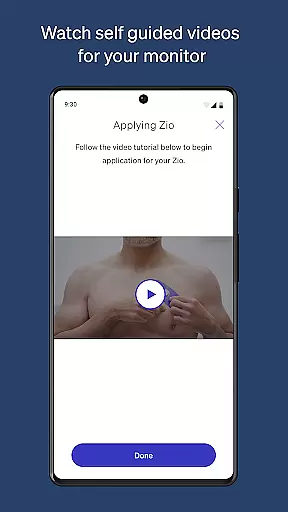
Symptom logging is another critical feature, allowing users to enter, view, and edit their symptoms effortlessly. This functionality not only aids in maintaining accurate health records but also supports healthcare providers in making informed decisions. Furthermore, MyZio grants access to a wealth of information regarding the Zio service, including instructional videos that guide users through every step of their monitoring experience.
By combining these robust features, MyZio enhances the usability of the Zio ECG monitor, offering a seamless and supportive environment for managing cardiac health.
In the realm of mobile health applications, ensuring the credibility of medical content is paramount. MyZiou00ae excels in this area by providing users with verified instructional videos and information about the Zio service. This content is designed to guide users throughout their Zio experience, offering reliable data that has been vetted by healthcare professionals.
The app allows patients to seamlessly register their Zio ECG monitor and start logging symptoms, which are crucial features for maintaining accurate health records. By enabling users to enter and edit their symptoms as needed, MyZio ensures that the information remains up-to-date and reflective of the user's current health status. This functionality not only enhances the reliability of symptom tracking but also supports informed discussions between patients and healthcare providers.
Furthermore, the ability to track the monitoru2019s shipping status adds a layer of transparency and trust. Users can be confident that their health monitoring tools are on the way and will arrive in a timely manner. This feature underscores MyZio's commitment to delivering credible and actionable medical content, reinforcing its role as a trusted companion in cardiac care.
Teleconsultation has become an integral part of modern healthcare, allowing patients to receive medical advice without the need for physical visits. MyZiou00ae enhances this experience by integrating features that facilitate high-quality teleconsultations. Through the app, users can signup for a MyZio account anytime, gaining access to a suite of functionalities designed to streamline communication with healthcare providers.
One standout feature is the seamless registration of the Zio ECG monitor, which simplifies the process of setting up remote monitoring. This ease of use ensures that patients can quickly begin transmitting vital health data to their doctors, thereby improving the efficiency and effectiveness of teleconsultations. The ability to log symptoms directly within the app further enriches these virtual consultations, providing physicians with detailed insights into the patient's condition.
Additionally, MyZio offers instructional videos that help users understand how to make the most out of their teleconsultation sessions. These resources empower patients to take an active role in managing their health, ultimately leading to more productive interactions with healthcare professionals. By combining these elements, MyZio sets a benchmark for teleconsultation quality in the field of cardiac care.
User-friendly interface
Real-time tracking
Comprehensive symptom logging
Instructional content available
Seamless device registration
Limited to Zio ECG users
Market-specific features
Requires internet connection
No offline functionality
Symptom input can be manual

MySafeRide simplifies booking and managing rides for health plan members.
 3.50
3.50
Identify pills, search different drugs, get drug information and much more!
4.50
HealtheLife lets you easily manage your health online.
3.20
OKN Strips, OptoDrum, OKN
4.0
Manage your prescriptions anytime, anywhere with the Publix Pharmacy mobile app.
4.80
Save up to 80% on your pharmacy prescriptions & medications with free Rx coupons
4.70
A comprehensive 3D atlas of the human body
4.80
Your pocket guide to following The Monash University Low FODMAP diet.
4.20
Download OctaApp for easy access to your plasma donation info
4.40
Live vet support by text/video
4.80
Behavioral Health Portal
4.70
Medication reminder, Medicine list, Trackers for BP, glucose, weight, water, etc
4.70
Boost reading, writing, speaking and listening with a scientifically proven app.
4.70
Health Care at Your Fingertips
4.60
Blue Cross and Blue Shield of Texas member information
4.60
The official DSM-5-TR® app
4.50
Secure video appointments
4.50
Control your hearing aids discreetly with the touch of a finger
4.30
Assess and treat left neglect more effectively in stroke and brain injury rehab.
4.30


User Reviews