
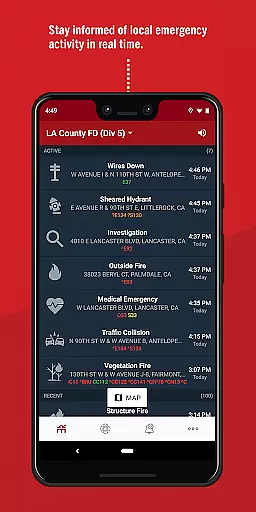
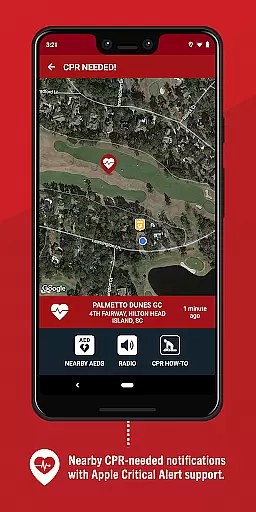
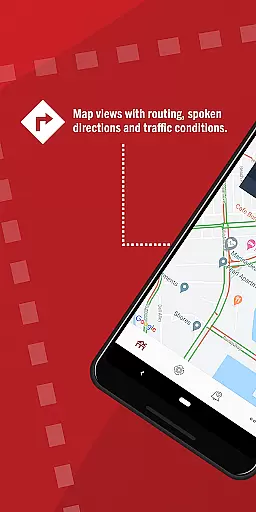
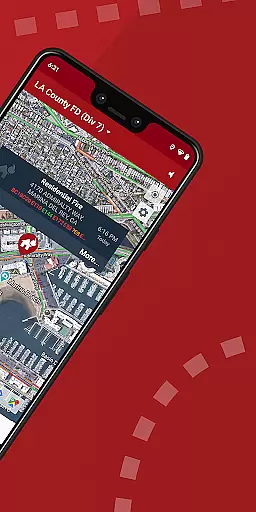
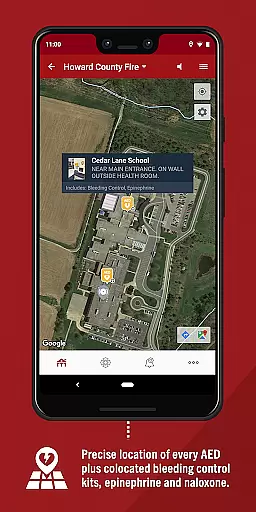
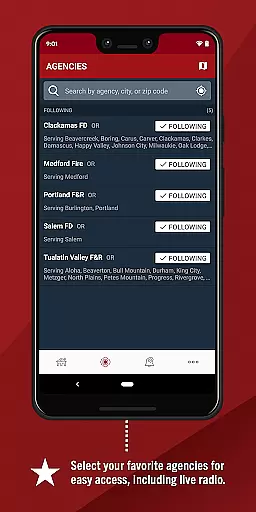
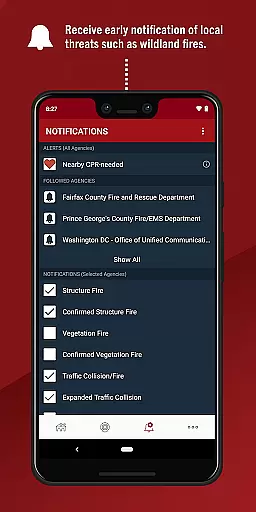
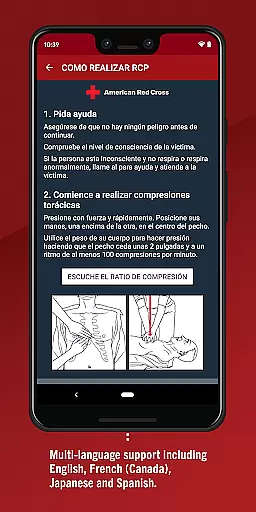
PulsePoint Respond is a revolutionary medical app that connects users to emergency situations in their local community where their help may be needed. Designed primarily for those trained in CPR, the app alerts users when someone nearby is experiencing cardiac arrest and requires immediate assistance. This innovative tool not only bridges the gap between emergency services and the general public but also fosters a proactive 'Culture of Action' within communities.
In addition to its life-saving alert system, PulsePoint Respond provides real-time notifications about significant events that could affect personal safety, such as natural disasters or utility emergencies. Users can also listen to live dispatch radio traffic, providing an extra layer of awareness regarding local emergencies. With coverage spanning thousands of cities, PulsePoint is an invaluable resource for anyone looking to make a difference in critical moments.
PulsePoint Respond stands out with its unique ability to notify users of nearby emergencies where CPR is needed, potentially saving lives before professional responders arrive. The app's notification system extends beyond medical emergencies, keeping users informed about various threats like fires and floods. This comprehensive approach ensures users are well-prepared for different types of crises.
Another key feature is the live dispatch radio feed, which allows users to monitor ongoing emergency responses in real time. The app also empowers individuals to advocate for its adoption in their communities, creating a network of informed citizens ready to act. By integrating cutting-edge technology with community engagement, PulsePoint Respond transforms ordinary citizens into vital links in the chain of survival for cardiac arrest victims.
When it comes to medical emergencies, the credibility of information is crucial. PulsePoint Respond ensures that all its medical content is vetted by healthcare professionals and emergency response experts. This guarantees that users receive accurate and reliable instructions when responding to a cardiac arrest incident.
The app's development team works closely with certified CPR instructors and public safety agencies to ensure that the guidance provided meets the highest standards of quality. This collaboration ensures that every notification sent through the app is not only timely but also medically sound.
For users, this means peace of mind knowing that when they are alerted to perform CPR, they are receiving instructions that could make the difference between life and death. The expert review process ensures that even as new guidelines or techniques emerge, PulsePoint Respond remains up-to-date and effective.
PulsePoint Respond offers an innovative approach to teleconsultation by connecting those trained in CPR with emergencies happening nearby. The quality of these interactions is maintained through real-time notifications that ensure help can arrive as quickly as possible.
While the app does not provide direct video or audio consultations, its ability to instantly connect trained individuals with those in need creates a virtual support network. This network is supported by local emergency services, ensuring that professional help is always on the way.
Users benefit from this high-quality teleconsultation system by being part of a larger community response effort. Knowing that their skills can be called upon at any moment encourages regular training updates and fosters a culture where everyone plays a role in public safety.
Life-saving alerts
Community engagement
Real-time updates
User empowerment
Wide city coverage
Requires training
Limited medical tools
Dependent on location
Notification overload
No direct contact

Want to make it easier to manage your health? We’re with you, wherever you are.
 4.70
4.70
Behavioral Health Portal
4.70
Beat alcohol and drug addiction with a revolutionary treatment program in an app
4.50
Donating blood and platelets is easier than ever with The American Red Cross.
4.80
3rd trimester? Counting Kicks is what moms should do-It’s important & easy too!
4.30
The Omada app enhances your program experience and helps you stay engaged.
4.50
A comprehensive 3D atlas of the human body
4.80
The Client Portal app empowers you to manage care from one secure place
4.10
Anthem/Wellpoint and other health insurance plans
4.60
A comprehensive medical disease app.
5.00
Easy telehealth appointments + urgent care
4.70
Check and Track your Blood Pressure & Heart Rate.
4.50
Modivcare members can book and manage trips.
4.50
Secure video visits with your VA care team from anywhere
4.50
The OptumRx app empowers you to become an advocate of your pharmacy benefits.
4.40
Control your hearing aids discreetly with the touch of a finger
4.30
Conveniently receive lab results, schedule lab appointment and pay your bills
3.70
A fantastic 3d reference that includes over 300 structures and a quiz function.
3.00
A rapid reference for prehospital providers caring for pediatric patients.
4.5


User Reviews