
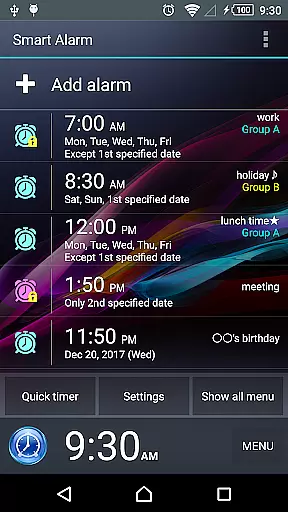
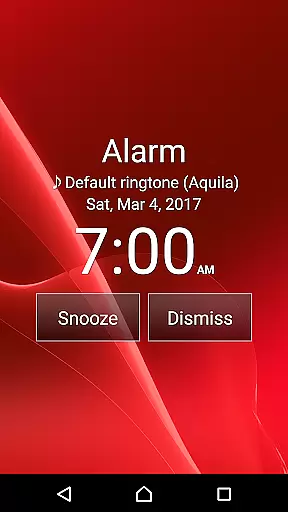
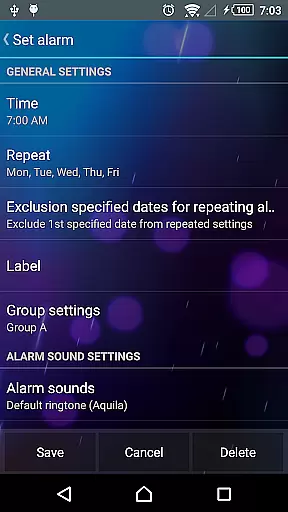
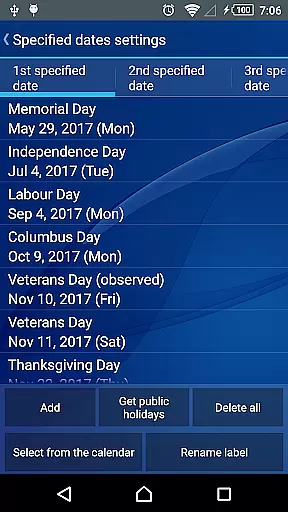
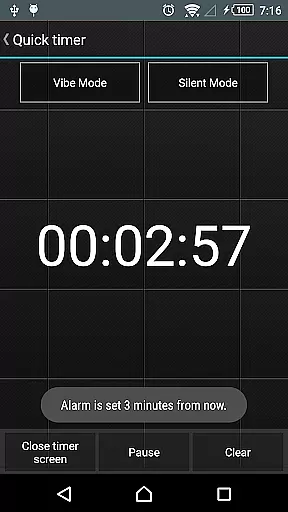
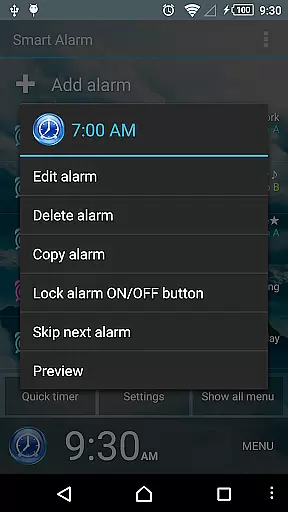
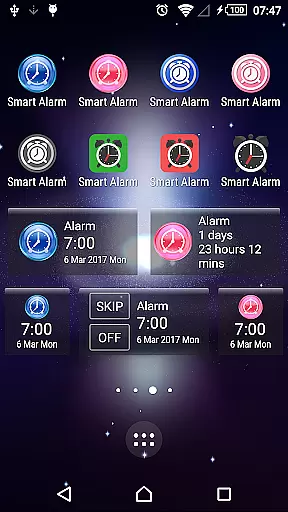
Smart Alarm is a premium alarm clock application designed for users seeking both simplicity and advanced functionality. The app offers essential alarm features alongside innovative customization options, making it suitable for various user needs. With its snooze function, weekly repeat settings, and holiday exclusion feature, the app ensures precise alarm scheduling.
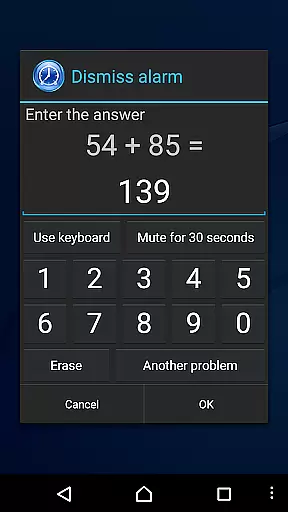
The application stands out with its transparency setting that allows device wallpapers to show through as the app background. It also includes practical features like gradual alarm sound increase, two-stage vibration strength, and multiple alarm stop modes including math problem solving. These elements provide a considerate and customizable waking experience while preventing accidental alarm dismissal.
Smart Alarm caters particularly to users who value personalized morning routines. Its ability to handle external music files as alarm tones and its comprehensive key customization options make it an ideal choice for those who want complete control over their wake-up process. The app's silent mode handling and headphone detection further enhance its versatility in different usage scenarios.
Smart Alarm distinguishes itself through its extensive feature set tailored for maximum user control. The application supports complex alarm configurations including weekly repetitions with holiday exclusions, and allows users to utilize SD card music as alarm tones. This flexibility in alarm customization enables users to create personalized waking experiences that suit their individual lifestyles.
A notable innovation is the app's graduated wake-up system, combining gradually increasing alarm volume with dual-strength vibration settings. The implementation of various alarm termination methods - including mathematical challenges and number entry - significantly reduces the risk of oversleeping. Additionally, the customizable button sizes for alarm stop and snooze functions demonstrate thoughtful design aimed at preventing accidental interruptions of the wake-up process.
The application's advanced system integration capabilities are particularly noteworthy. Users can configure hardware keys for different functions, manage silent mode behavior, and control audio output routing based on headphone connection status. These features, combined with the app's sophisticated permission management for device operations, showcase its technical depth while maintaining user accessibility through intuitive interface design.
Smart Alarm offers extensive coverage of essential lifestyle features, ensuring it fits seamlessly into daily routines. The app provides robust alarm functionality with options for snoozing, repeating on specific days, and even excluding public holidays from repeat settings.
Users can customize their experience by setting personal music files as alarm tones, adjusting button sizes to prevent accidental stops, and choosing between various alarm stop methods like solving math problems. These diverse features cater to different user preferences and habits.
The application also supports device-specific settings such as transparency options that allow the device's wallpaper to show through, creating a personalized and visually appealing interface. This attention to aesthetic detail enhances the overall user experience.
With additional options for silent mode, headphone usage, and key customization, Smart Alarm demonstrates comprehensive coverage of lifestyle needs, making it a versatile tool for managing daily schedules effectively.
Smart Alarm ensures content authenticity by providing reliable and tested features that users can trust. The application undergoes thorough verification processes to ensure its functions operate correctly across various devices, offering dependable performance.
While the app doesn't claim universal compatibility, it implements industry-standard practices and permissions to deliver its services. Permissions like preventing the device from sleeping during alerts and controlling vibrations are designed to enhance the alarm's effectiveness without compromising user safety or device integrity.
Furthermore, Smart Alarm includes disclaimers that promote responsible usage, acknowledging potential limitations and risks associated with its use. This transparent approach fosters trust and credibility among users who seek assurance in their alarm solutions.
By allowing users to preview and test features before fully committing to purchase, the app reinforces its commitment to authentic and credible content delivery, ensuring customers make informed decisions based on verified functionality.
User-friendly interface
Highly customizable
Gradual wake-up options
Multiple alarm termination methods
Comprehensive key customization
Paid version only
Device power dependency
SD card requirement
No guaranteed functionality
Limited support obligations

Fly your Solo like a boss.
 4.10
4.10
Get roadside help, discounts, travel tools & more — AAA is with you everywhere.
4.80
Pay your rent, submit work orders and much more with the RentCafe Resident App.
4.70
Duo Watch Face (animated)
4.1
The all-new Cync app. The simple, connected app for Cync and C by GE.
4.50
Tap to the beat with interactive videos — warm up your reflexes & have fun
4.70
Material You inspired colors with BIG and Bold looks for Wear OS watches.
4.20
SmartHQ: Your Connected Home Command Center
4.10
Subwoofer school’s in session! You’ve now enrolled into KICKER U.
3.80
Kasa Smart is your portal to your TP-LINK Smart Home.
4.70
Digital smart watch face made for Wear OS.
4.70
Vehicle ownership simplified. Get the myChevrolet® app today.
4.60
This app is intended to support professional EMDR therapy.
4.50
Earn money & gift cards when you take surveys, play games, scan receipts & more.
4.50
Play fun games, complete quick surveys, and earn money. It's fun and easy!
4.40
Spiritus Ghost Box is an Audio and Visual ITC tool for paranormal research.
4.00
What is my face shape? Find out your face shape from picture, see fitting frames
3.90
An Eerie Musical Trigger Toy for Spirits to Play with!
3.50
The cutest Autumn watchface featuring the adorable Mr. Squirrel
4.1


User Reviews