
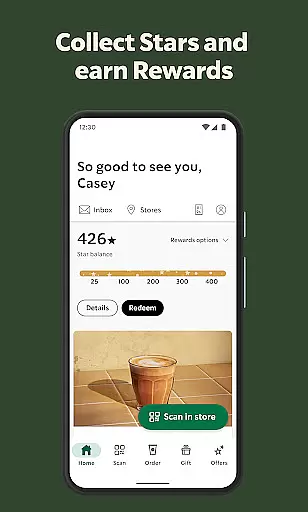
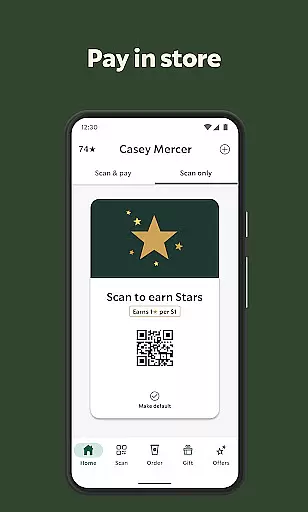
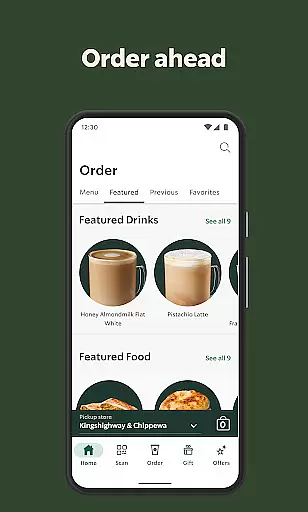
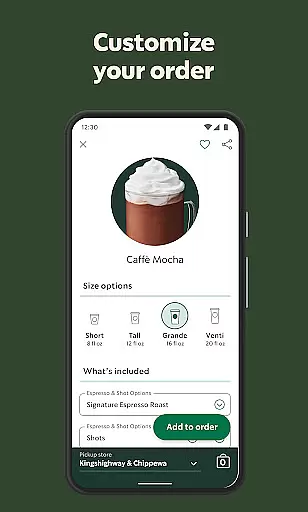
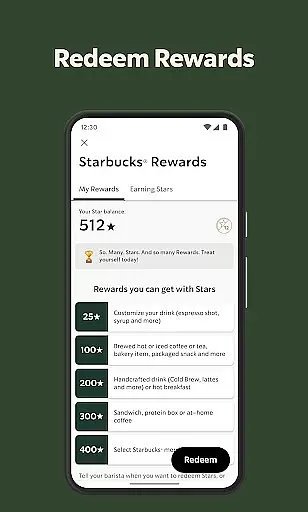
Starbucks® app revolutionizes the coffee shop experience by offering a seamless way to order, pay, and earn rewards. With its user-friendly interface, customers can order ahead and customize their favorite drinks without waiting in line. The app also provides an integrated loyalty program that allows users to earn Stars toward free food and drinks, making every visit rewarding.
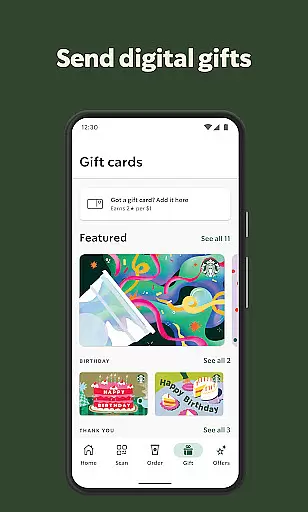
Beyond ordering, Starbucks® app enhances convenience with features like store locator, eGifting, and tipping options. Whether you want to find the nearest store, send a friend a gift card, or leave a tip for your barista, this app has got you covered. It's available on both iOS and Android platforms, ensuring accessibility for all coffee lovers.
The true value of the Starbucks® app lies in its ability to simplify daily routines while adding extra perks. From saving time through mobile orders to enjoying personalized promotions, users can elevate their coffee experience while earning exclusive benefits—all from their fingertips.
One of the standout features of the Starbucks® app is its Tap-to-Order functionality. Users can browse menus, customize drinks, and save their preferences for faster future orders. This feature eliminates wait times and streamlines the entire purchasing process, creating a hassle-free experience.
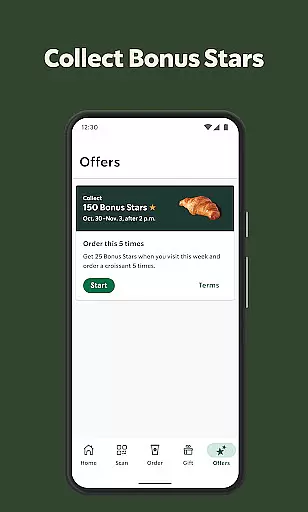
Another key highlight is the Starbucks® Rewards program embedded within the app. Members earn Stars with every purchase, which can be redeemed for free beverages, food items, or even birthday treats. Additionally, Bonus Star challenges keep users engaged by offering opportunities to accelerate rewards accumulation.
Other notable features include Scan-to-Pay, which simplifies payments directly from your phone, and the Store Locator tool that helps users discover nearby locations along with details about amenities such as drive-thrus and Wi-Fi availability. These thoughtful additions make the app indispensable for frequent visitors.
Locating your nearest Starbucks has never been easier with the Store Locator feature. This functionality uses your device's GPS to accurately pinpoint nearby locations, ensuring you can find a store no matter where you are.
The app provides essential details such as store hours, directions, and available amenities like drive-thru and Wi-Fi access. This ensures that whether you're looking for a quick pick-up or planning to work from a store, you have all the information needed at your fingertips.
Users benefit from real-time updates, which means any changes in store hours or services are promptly reflected. This reliability helps customers plan their visits better, avoiding unnecessary trips and saving time.
Starbucks offers convenient delivery and pickup options through its mobile app, making it simple for users to enjoy their favorite beverages without the wait. The Order Ahead feature allows customers to place orders via the app and choose between delivery or in-store pickup.
For those opting for pickup, the app provides designated areas in stores for quick retrieval, streamlining the process and reducing wait times. Delivery options are seamlessly integrated, offering transparent pricing and estimated arrival times.
This flexibility caters to various customer needs, whether they prefer enjoying their drink at home or need a quick caffeine fix on the go. By prioritizing convenience and efficiency, Starbucks enhances the overall user experience significantly.
User-friendly interface
Robust rewards system
Convenient payment options
Customizable drink profiles
Integrated store locator
Limited to participating stores
Occasional bugs reported
Geographic restrictions apply
Requires consistent internet
Some features are region-specific

Home baked, made easy! Passionate baking with Mauela Kjeilen @passionforbaking
 4.40
4.40
Skip the line, get delivery + exclusive treats
3.90
Order from Gopuff and get your essentials delivered in as fast as 15 minutes
4.50
Monthly Perks. Fuel Discounts. App Exclusive Deals.
4.90
Conveniently order food ahead and avoid the wait at your favorite Jersey Mike's.
4.80
Order ahead, receive points with qualifying purchase & redeem available rewards.
4.50
Order your Domino's favorites then follow the progress with Domino's Tracker®!
4.60
Get Rewards, Easy Ordering & Exclusive Offers
4.70
Get food, grocery, and retail essentials delivered fast with DoorDash.
4.70
Enjoy Exclusive Deals, Rewards, Gas Benefits, and 24/7 Food Delivery!
4.90
Papa Johns Pizza, delivering an awesome pizza ordering experience for Android!
4.80
Order ahead at your favorite restaurants.
4.70
Good Fortune Awaits with Panda Rewards and the Panda Express® App.
4.70
Order for Pickup and Delivery
4.70
Earn rewards when you order online for delivery or pickup from Sonic Drive-In.
4.60
The ultimate app to save recipes from Instagram, TikTok, Facebook & more.
4.60
Everything you want right here
4.50
Get exclusive food deals, earn rewards, fast reordering & order ahead options.
4.30
Order pizza and earn points
3.90


User Reviews