
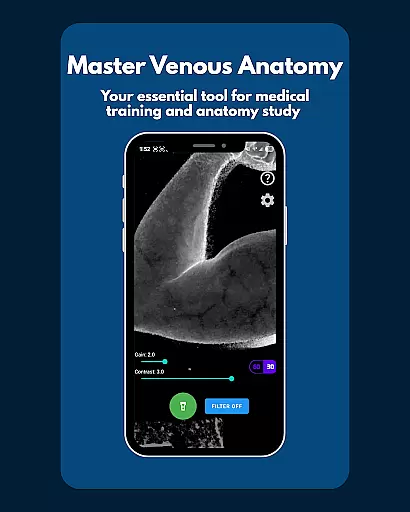
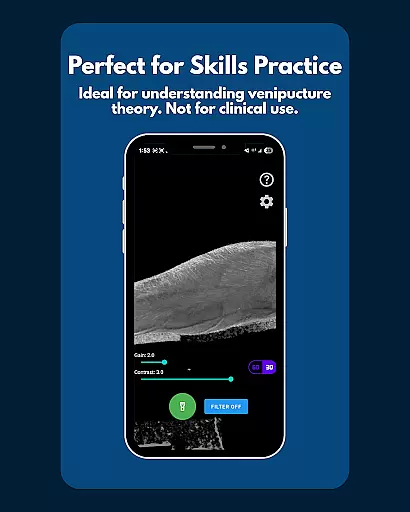
VeinFinder is an innovative educational tool designed to assist students and educators in mastering venous anatomy. This app utilizes advanced GPU-accelerated image processing to enhance vein visibility through your device's camera, eliminating the need for additional hardware. It bridges the gap between theoretical learning and practical application by providing clear visualizations of veins, making it invaluable for exam preparation and classroom instruction.
The app offers precise control over image settings such as gain and contrast, ensuring optimal visibility across different skin tones and lighting conditions. With integrated flashlight support, VeinFinder performs consistently even in low-light environments. Privacy is a top priority, with all processing done locally on the device, ensuring that no data leaves your phone. Whether you're studying anatomy or teaching it, VeinFinder provides a secure and effective way to visualize venous structures.
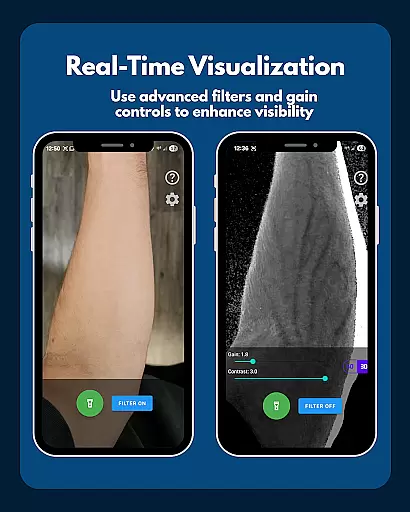
VeinFinder stands out with its array of specialized features tailored for medical education. The Instant Comparison function allows users to toggle the vein-enhancement filter on and off, providing a side-by-side view of the enhanced and raw camera feed. This feature is crucial for understanding how image processing affects vein visibility.
Precision Control is another hallmark of VeinFinder, enabling users to fine-tune gain and contrast settings. This ensures that the app performs reliably across diverse skin tones and lighting scenarios, offering a customized experience for each user. Additionally, the Low-Light Consistency feature, complete with integrated flashlight control, guarantees clear visuals regardless of environmental conditions.
All data processing occurs directly on the device, reinforcing VeinFinder's commitment to privacy and security. This localized approach ensures that sensitive information never leaves the user's phone, making it a trustworthy tool for educational purposes. These robust features collectively make VeinFinder an indispensable asset for anyone involved in medical training.
In the field of medical education, having access to accurate and authoritative content is crucial for students and educators alike. VeinFinder addresses this need by providing a tool that enhances the visibility of veins through advanced image processing technology. This feature ensures that users can rely on the app as a trustworthy resource for studying venous anatomy.
The app's ability to visualize veins directly through the device's camera offers an unparalleled level of precision. By fine-tuning gain and contrast settings, VeinFinder adapts to various skin tones and lighting conditions, ensuring consistent and reliable results. This adaptability makes it an invaluable asset for anyone looking to deepen their understanding of venipuncture and phlebotomy site mapping.
VeinFinder is not just about visualization; it also emphasizes privacy and security. All image processing occurs locally on the device, meaning no data is transmitted or stored externally. This approach guarantees that sensitive information remains confidential, which is essential when dealing with anatomical studies.
One of the standout features of VeinFinder is its potential to create personalized learning paths for users. While primarily designed as a visualization tool, the app's precision control over gain and contrast allows learners to tailor their experience based on individual needs. This customization capability ensures that each user can optimize their study sessions according to their unique requirements.
For students preparing for exams or professionals seeking to improve their procedural knowledge, VeinFinder offers instant comparison functionality. By toggling the filter on and off, users can quickly assess differences between enhanced views and raw camera feeds. This interactive element fosters a deeper understanding of venous structures, making it easier to grasp complex concepts.
Moreover, VeinFinder supports educators in creating engaging classroom experiences. The app serves as a visual aid that complements traditional teaching methods, allowing instructors to demonstrate intricate details of venous anatomy effectively. With ongoing updates aimed at improving performance across devices, VeinFinder continues to evolve as a comprehensive educational tool tailored to diverse learning styles.
Enhances learning
Easy to use
Private and secure
Real-time imaging
Customizable settings
Device dependent
Not for clinical use
Limited refunds
Varied performance
Requires good lighting

Grazing Risk Monitoring Service
 4.3
4.3
AI Language tutor: Speak fluently with Lucy’s personalized coaching
4.70
An easy to use yet powerful and full-featured flashcard study app.
4.50
THE ESTABLISHED "GO TO" ARMY BOARD PREPARATION APP!
4.30
Stack the States makes learning about the 50 states fun!
4.70
School Communication
4.30
Learn & Speak New Languages
4.70
Make your own game and world. Draw and animate characters
3.70
Educational Activities for 2-8
3.70
Explore myths and gods across cultures with in-depth insights and stories.
5.00
Hebrew Vocab
4.90
Experience the sky, planet earth and the solar system like never before
4.90
Short Lessons for Better Finances, Health, Skills, Jobs & Relationships.
4.80
A realistic sky map to observe stars, planets, satellites and constellations!
4.80
Welcome to the Speak Navajo Language Application - Volume 1
4.50
Astronomy Guide to the Night Sky
4.40
Break Language Barriers with AI—Learn Language Anytime, Anywhere!
4.00
A must-have app for mastering Japanese verb/adjective conjugations.
3.60
MONOPOLY JUNIOR brings Hasbro's classic the board game to life.
3.00


User Reviews