
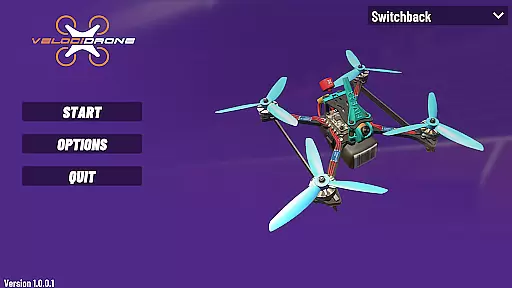
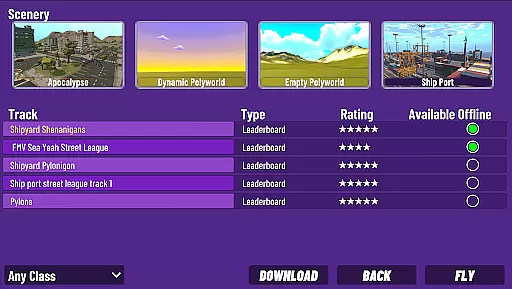
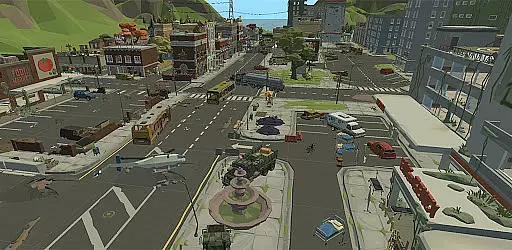
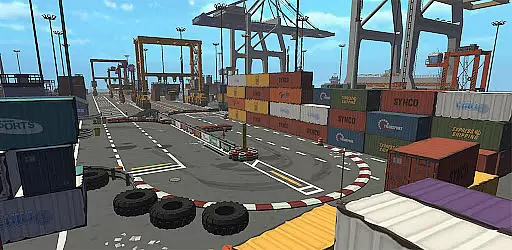
VelociDrone is a drone racing simulator designed for mobile devices, offering an immersive experience for drone enthusiasts. The app supports various drone types including 5" racing drones, freestyle drones, Mega class drones, and micro drones. Users can race against leaderboards with full playback functionality, competing with both mobile and desktop players. Integration with the desktop version allows track downloads, enhancing cross-platform playability.
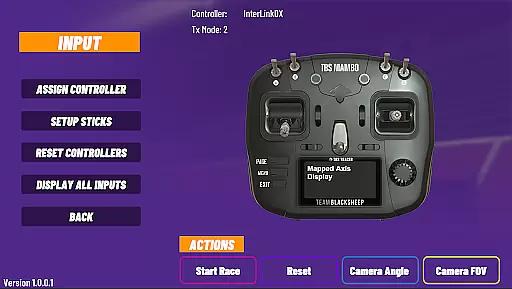
The simulator features touch controls but delivers optimal performance when paired with real-life drone controllers like RadioMaster T16 or Frsky Taranis. These can be connected via USB or Bluetooth, providing a realistic and customizable control setup. Whether you're a beginner or a seasoned pilot, VelociDrone offers a versatile platform to hone your skills and enjoy competitive racing simulations.
VelociDrone stands out with its diverse range of supported drones, catering to different racing styles and preferences. The app's integration with leaderboards enables users to compete globally, while the ability to download tracks from the desktop version expands gameplay possibilities. This seamless connection between mobile and desktop platforms ensures a dynamic and evolving experience.
For enhanced realism, VelociDrone supports external controllers such as RadioMaster T16 and Frsky Taranis, which can be connected via USB or Bluetooth. This feature allows users to replicate their real-world setup, improving precision and immersion. Additionally, the app's replay functionality lets racers analyze their performance and learn from others, making it an invaluable tool for skill development and competitive racing.
In VelociDrone, the economic system is intricately designed to simulate real-world drone racing scenarios. The game incorporates various classes of drones, each with unique costs and performance attributes.
Players can unlock different drones by progressing through leaderboards or by purchasing them within the simulator. This creates a dynamic economy where strategic financial decisions directly impact racing success.
The simulator's integration with both mobile and desktop platforms ensures that economic elements remain consistent across devices. This cross-platform functionality allows for a more immersive and competitive economic environment.
Real-time updates and feedback on drone performance and costs help players adjust their strategies. This responsive economic system enhances the overall simulation experience, making it both challenging and rewarding.
Resource management in VelociDrone involves balancing various elements such as drone selection, upgrades, and controller compatibility. Players must strategically choose which drones to use based on their current resources and race requirements.
The simulator offers multiple control options, from touch controls to connecting real-life drone controllers via USB or Bluetooth. This flexibility requires players to manage their hardware resources effectively for optimal performance.
VelociDrone's integration with the desktop version allows for additional resource management opportunities. Players can download tracks from the desktop version, expanding their racing options and requiring thoughtful resource allocation.
By carefully managing these resources, players can enhance their racing strategies and improve their standings on the leaderboards. This balanced approach to resource management adds depth and replayability to the simulation.
Realistic drone simulation
Wide range of drone types
Integration with desktop version
Supports external controllers
Global leaderboard competition
Requires additional hardware
Complex for beginners
Limited offline functionality
Bluetooth connectivity issues
Premium pricing model

Play classic and popular PS3 games on your Android device!
 3.90
3.90
Draw the image and color in the spaces to create the complete picture
4.50
Build your base, fight zombies, and survive the post-apocalyptic war!
4.20
Family, house & life simulator - build your dream home in a virtual world!
4.50
Explore the open world and run your business empire in this real life simulator!
4.50
Explore Mimo Land – where you can shop, decorate your home, relax at the spa!
3.70
Replay gaming history - The hit tycoon game, now on Android
4.80
Divine casual-strategy Sandbox game about Gods, Civilisations and Faith!
4.50
Collection of relax mini games: Skincare, makeup, makeover, decorating and more
4.00
Demon Castle Building Dungeon Management Simulation
4.90
Help your child, in a story-driven nurture game based on true events
4.80
Your Empire Awaits: Forge a Realm in This City-Building Idle Game!
4.80
Smash solar systems, orbit planets, and destroy in this universe simulation game
4.70
Start painting, match paint, merge colors and get creative in this coloring game
4.60
Incredible Sandbox Playground - Beats Ragdolls
4.50
A fun and challenging bridge builder puzzle game.
4.20
Idle Mining Tycoon | ASMR Auto Dig For Gold. Offline Gem Digging Miner Simulator
4.20
Prank and cause chaos in the house. But don’t get caught!
4.10
40+ original, licensed construction vehicles, over 60 jobs, USA setting.
3.90


User Reviews