
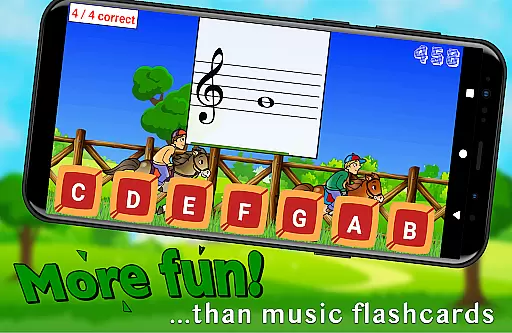
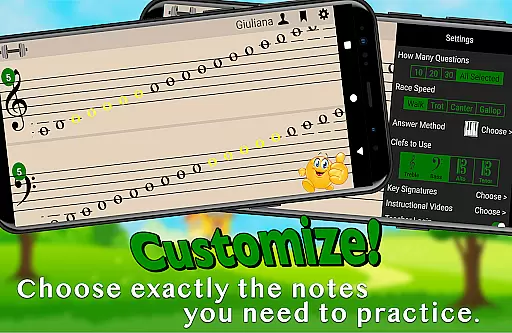
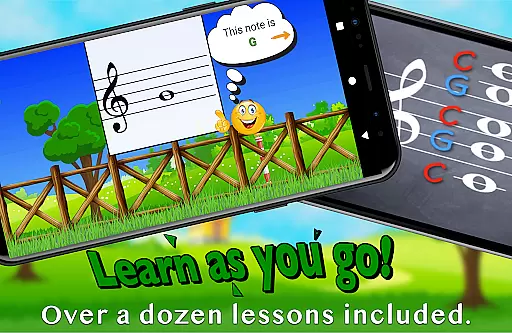
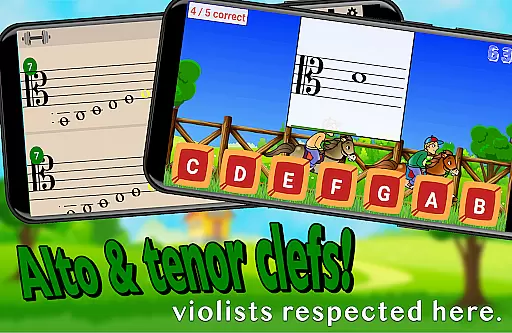
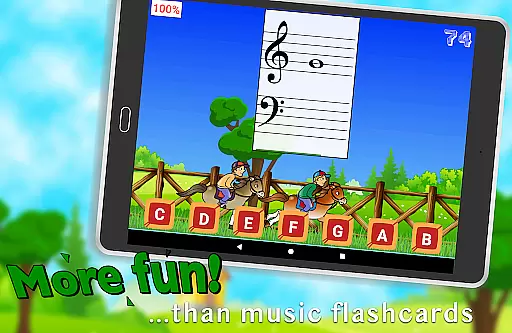
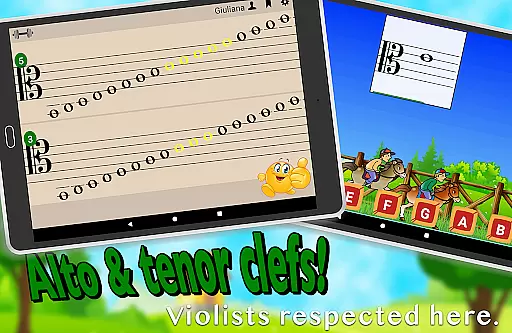
Flashnote Derby is an innovative educational app designed to make learning music notes enjoyable for children. The app uses a horse racing game concept where students identify different notes to move their horse towards the finish line. With customizable settings, it caters to various skill levels, from beginners to more advanced students. Flashnote Derby supports treble, bass, alto, and tenor clefs, allowing targeted practice on specific notes or ranges. The app also includes over a dozen instructional video lessons, making it accessible even to those with no prior music instruction.
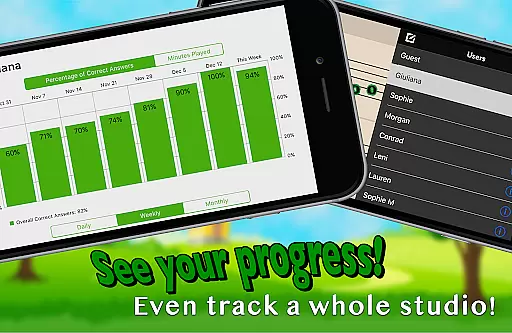
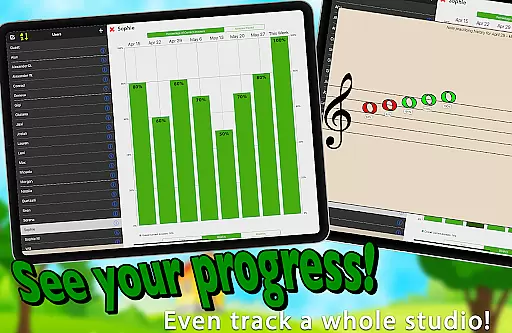
The true value of Flashnote Derby lies in its ability to transform a potentially tedious learning process into an engaging game. It provides immediate feedback after each race, showing students which notes they missed. The app's adjustable difficulty levels and timing options make it suitable for learners of all ages. Music teachers can utilize this tool during lessons and track student progress through performance records. This feature helps identify areas that need improvement while motivating students to continue their musical education journey.
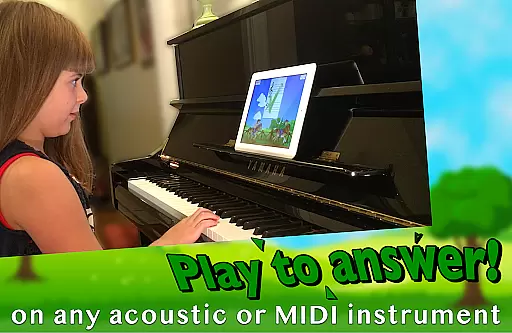
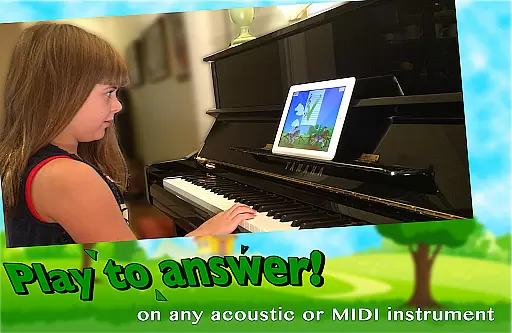
Flashnote Derby stands out with its unique combination of gaming elements and educational content. The timed test format creates an exciting challenge while encouraging quick thinking and accuracy in note recognition. Students can respond to flashcards in multiple ways - by playing their acoustic or MIDI instrument, tapping letter buttons, or using the on-screen piano. This flexibility accommodates different learning styles and preferences.
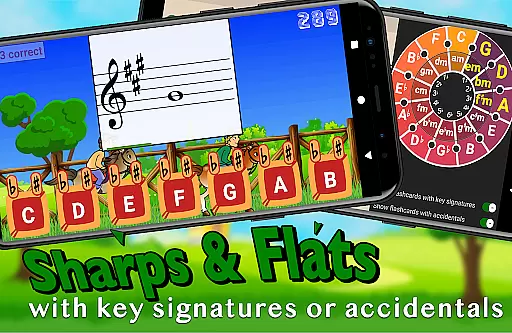
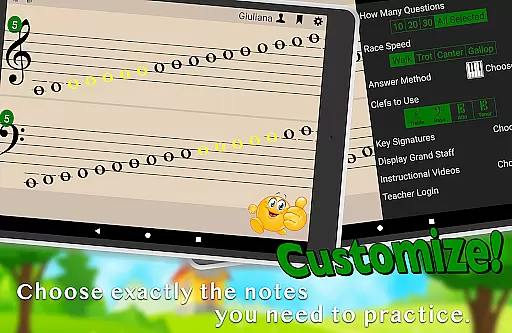
The app's customization options are particularly impressive. Teachers and students can configure drills to focus on specific notes or ranges, include sharps and flats, and even add key signatures for advanced practice. The adjustable time limits for each flashcard ensure the app remains challenging yet achievable for users at different proficiency levels. With its comprehensive tracking system, Flashnote Derby enables educators to monitor student progress effectively and assign targeted homework through email. These features create a complete learning ecosystem that adapts to individual needs while maintaining engagement through gamification elements.
Flashnote Derby ensures content accuracy by focusing on the correct identification of music notes, which is crucial for any educational tool in the field of music. The app provides a customizable learning experience where students can practice reading notes in various clefs including treble, bass, alto, and tenor.
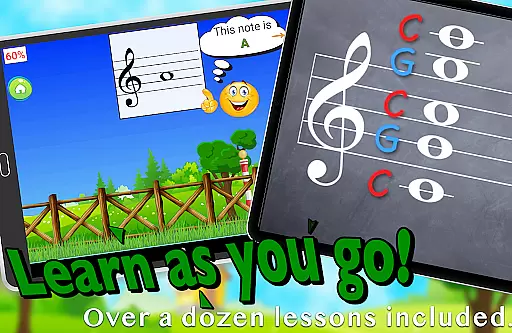
The inclusion of over a dozen instructional video lessons within the app further enhances its authoritative content. These lessons cover fundamental topics such as the music alphabet and staff understanding, making it accessible even to beginners without prior music instruction.
Teachers can utilize Flashnote Derby as an effective motivational tool during music lessons. With the ability to set up quick drills and email homework assignments, educators ensure that their students receive accurate and focused practice, reinforcing classroom teachings.
By tracking each player's performance, the app allows for monitoring progress and identifying areas that need review. This feature supports the development of music reading skills with precision, ensuring that learners build a strong foundation for future musical success.
Flashnote Derby offers personalized learning paths by allowing full customization of the game to fit individual student needs. Players can select specific ranges of notes or focus on individual ones, tailoring the difficulty level to their current skill set and gradually increasing the challenge as they improve.
The option to adjust the amount of time given for each flashcard caters to different ages and levels of experience, ensuring that every learner progresses at their own pace. This adaptability makes the app suitable for a wide range of users from young children to more advanced musicians.
Students have multiple response methods including playing notes on an acoustic or MIDI instrument, tapping letter buttons, or using an on-screen piano. This variety not only accommodates different learning styles but also keeps the learning process engaging and fun.
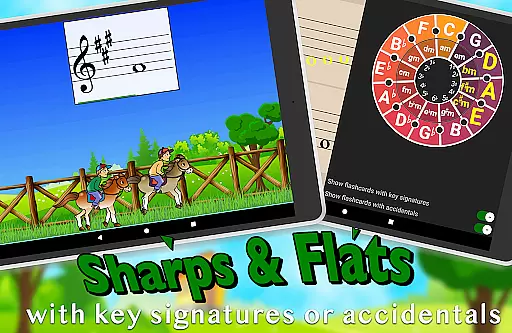
With features like key signatures and sharps and flats, Flashnote Derby challenges advanced students while supporting beginners, creating a balanced and personalized learning journey. By integrating enjoyable gameplay with educational rigor, the app helps maintain student motivation and interest in music learning.
User-friendly interface
Customizable difficulty levels
Multiple response methods
Comprehensive progress tracking
Educational video lessons included
Limited to note recognition
No multiplayer mode
Premium features locked
Occasional performance issues
Interface could be outdated

Turn scrolling hours into improving your knowledge, communication, intelligence
 4.50
4.50
Break Language Barriers with AI—Learn Language Anytime, Anywhere!
4.00
AI Language tutor: Speak fluently with Lucy’s personalized coaching
4.70
Hasbro's Classic Board Game - Make Cavity Sam better or get the buzzer!
3.50
For medical training - Visualize complex vein maps and structures in real-time.
4.10
Master note reading with StaffWars….
4.00
Learn to pass DMV permit tests. Driver license practice test 2025.
4.60
Educational Activities for 2-8
3.70
Plant identifier: Identify plants, trees, weeds, flowers. Disease diagnosis.
4.30
Learn & Speak New Languages
4.70
Dinosaurs coloring book game. Drawing and painting dinos.
4.50
Intuitive Transformer Lab - By a Lineman, For Linemen & Apprentices
4.50
Astronomy Guide to the Night Sky
4.40
Professional Award-Winning Astronomy Star Map App With Telescope Control
4.40
Learn to make peaceful contact with extraterrestrial civilizations
4.10
Explore numbers the Starfall way!
4.00
An animated storybook app to help ease your child through toilet training.
3.70
A must-have app for mastering Japanese verb/adjective conjugations.
3.60
Your best partner for learning Japanese words. Based on a best-selling textbook.
2.90


User Reviews