
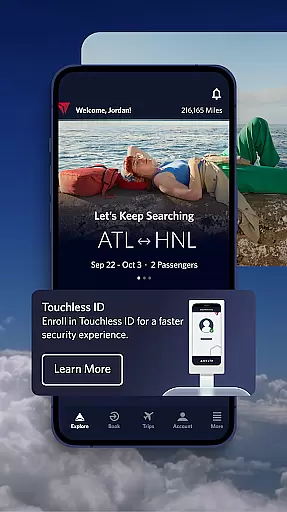
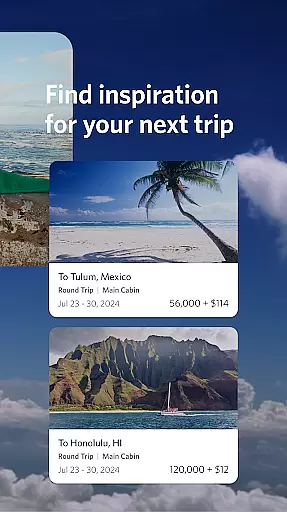
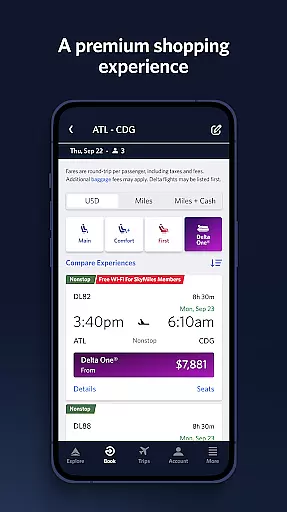
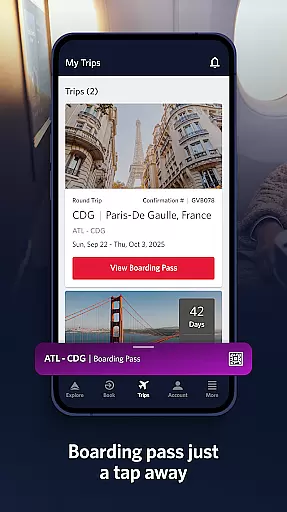
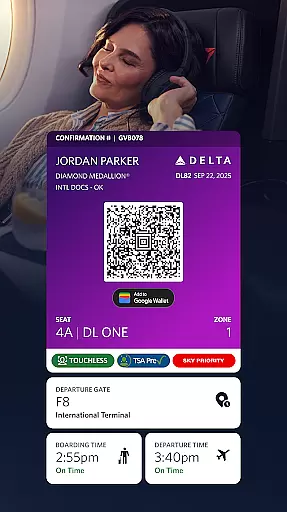
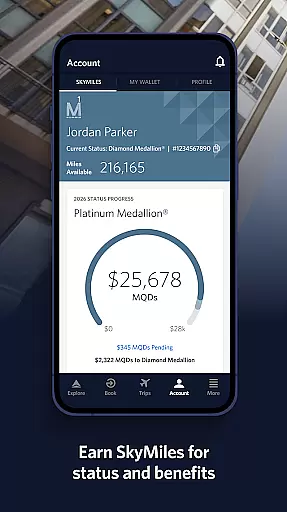
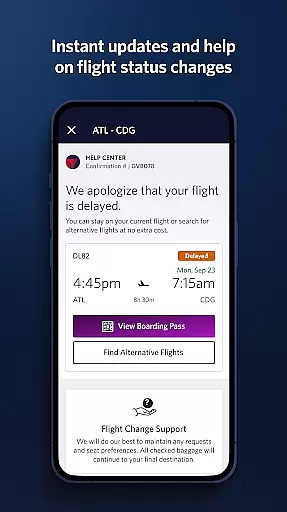
Fly Delta is a comprehensive travel application designed to simplify every aspect of air travel. The app allows users to seamlessly plan their trips by booking domestic and international flights, managing travel preferences, and even tracking upgrades using SkyMiles® points. With features like saving travel companions to your profile and accessing live chat support with agents, Fly Delta ensures that trip planning is both efficient and personalized.
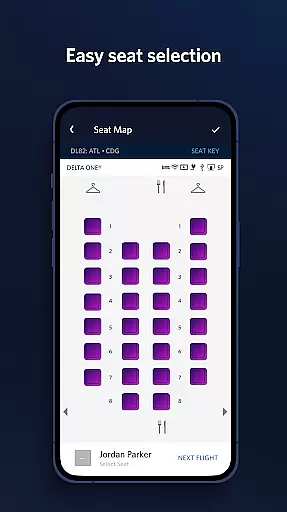
At the airport, the app provides essential tools such as digital boarding passes, real-time flight notifications, and airport maps for easy navigation. Users can also manage seat preferences, check in effortlessly, and track checked baggage. For those seeking premium services, the app offers options to reserve preferred seating and purchase extras like Wi-Fi passes. After the flight, users can track their luggage in real time and access exclusive Delta Sky Club® information.
This app is particularly useful for frequent travelers who need an all-in-one solution for managing their flights, from planning to post-flight activities. By consolidating essential travel tools into one platform, Fly Delta enhances convenience and ensures a smoother travel experience for its users.
Fly Delta stands out with its robust set of features tailored to streamline air travel. One of its key functionalities is the ability to book and manage flights directly through the app. Whether you're looking to shop for new flights or modify existing reservations, Fly Delta makes it simple with an intuitive interface and clear options for payment and upgrades using SkyMiles®.
The app excels in day-of-travel assistance, offering tools like digital boarding passes, real-time gate change notifications, and interactive airport maps. These features help travelers navigate airports with ease and stay informed about their flight status. Additionally, users can view their position on upgrade or standby lists, reserve preferred seats, and even scan their passports during the check-in process.
Post-flight, Fly Delta continues to deliver value by providing real-time baggage tracking and mobile drink vouchers for Delta Sky Club® members. These innovative features ensure that users remain connected to their travel experience even after landing, enhancing both convenience and peace of mind.
Booking authenticity is a crucial aspect of any travel application, ensuring that all reservations made through the platform are legitimate and confirmed.
Fly Delta excels in this area by providing users with reliable booking processes for both domestic and international flights. The app allows travelers to shop and book flights while offering options to track and pay for upgrades using their SkyMilesu00ae, adding an extra layer of trust and personalization.
Moreover, Fly Delta stores essential updates and notifications within its 'Notifications' feature, ensuring you're always informed about gate changes or flight statuses. This comprehensive approach not only simplifies but also secures your entire booking journey, giving peace of mind when planning your trips.
Price transparency in travel applications refers to clear visibility into pricing structures without hidden fees, empowering users to make informed decisions.
Fly Delta ensures price transparency by allowing passengers to view, change, or upgrade their seats directly from the app interface. Additionally, it offers options like reserving preferred seats at additional costs, such as bulkhead or aisle locations, clearly stating these charges upfront.
The ability to add trip extrasu2014such as Wi-Fi passes or Mileage Boostersu2014further enhances cost clarity. By detailing each expense involved in your travel plans, Fly Delta fosters trust among its users, making sure they understand exactly what they are paying for before finalizing their bookings.
User-friendly interface
Comprehensive travel tools
Real-time updates
Passport scanning
Live chat support
Limited offline functionality
Occasional bugs
Ads for extras
Complex menus
High upgrade costs

Apply for an electronic travel authorisation (ETA) to come to the UK.
 3.20
3.20
The Official Freedom Trail Foundation app.
4.30
Find the best prices, pay for the cheapest gas, and save on every fill up
3.30
Easily rent a car at over 9,500 locations with the Enterprise car rental app.
4.60
Streamline your U.S. entry
4.90
NEW! Vacation with Ease.
4.60
The best way to book travel
4.60
Frontier’s Android app makes travelling easier than ever before!
4.70
Stack Upside with your current credit & debit rewards for even more cash back!
4.50
Guest how you guest when you book one of our 6,800+ hotels and earn rewards.
4.90
All-in-one delivery and taxi app. Ride, food, & grocery delivery app.
4.80
Stay at Motel 6 for less - book fast, save more with MY6 app!
4.70
Get all MTA services, Subway, Bus, LIRR, Metro-North and More all in one place.
4.60
Get exclusive travel deals and enjoy the award-winning customer service!
4.60
Take your pick from over 5 million accommodation deals from major booking sites.
4.40
Link & locate for real-time child & family safety: GPS tracker for families
4.40
Get Moving Made Easier® with the official U-Haul® Moving & Storage app.
3.40
A packing list app that helps you remember what to pack for a trip.
3.10
View current Idaho road conditions, road cameras, and timelapse videos.
4.4


User Reviews