
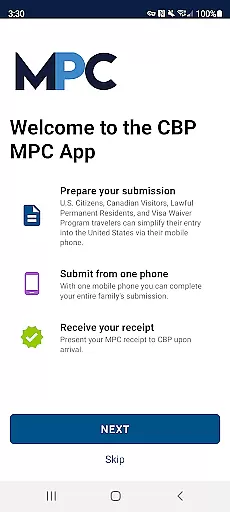
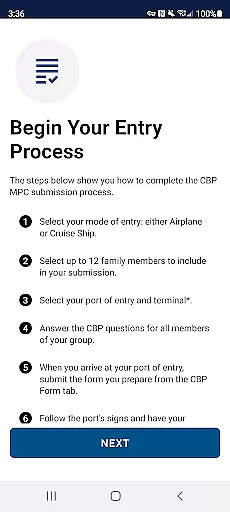
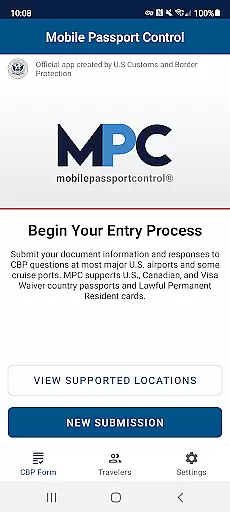
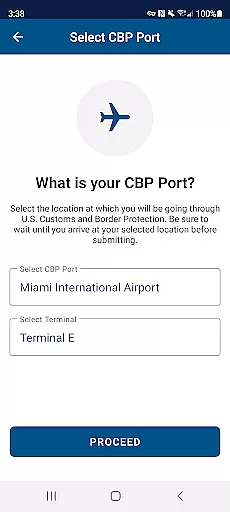
Mobile Passport Control (MPC) is an innovative travel application designed to simplify and expedite the customs process for travelers entering the United States. Developed by U.S. Customs and Border Protection, this app allows eligible users to submit their entry information via their mobile devices at select U.S. airports and land border crossings. By completing a series of straightforward steps within the app, travelers can significantly reduce wait times and enjoy a more streamlined arrival experience.
The app's core functionality revolves around creating traveler profiles, answering inspection questions, and capturing required photos. Once submitted, users receive a digital receipt that facilitates the final inspection process with CBP officers. While MPC doesn't replace the need for a physical passport, it serves as a valuable companion tool for frequent travelers seeking efficiency in their border crossing experience.
This application is particularly beneficial for U.S. citizens, certain Canadian visitors, lawful permanent residents, and eligible Visa Waiver Program participants. Its implementation at major international airports makes it an essential tool for business travelers and tourists who frequently visit the United States, offering them a faster alternative to traditional customs processing lines.
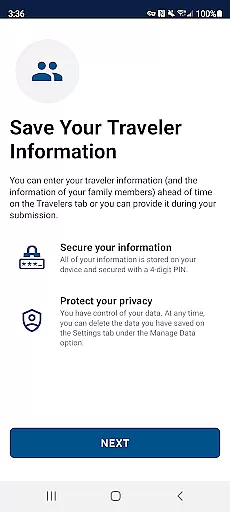
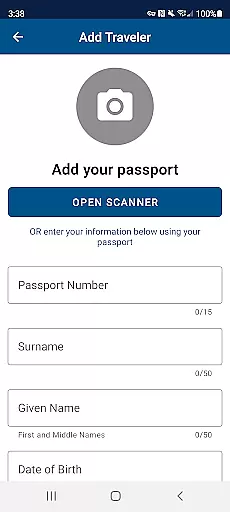
Mobile Passport Control distinguishes itself through several key features that enhance the traveler's experience. The app's primary capability lies in its comprehensive profile management system, which allows users to store and manage multiple traveler profiles securely on their device. This feature enables families or groups to submit their information collectively, streamlining the process for all members.
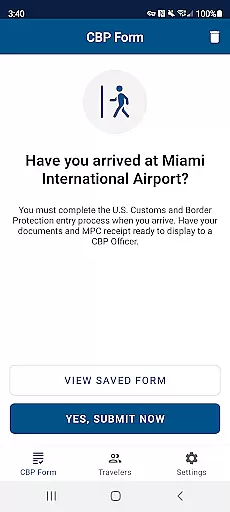
A notable technical aspect is the app's integration with CBP's systems, ensuring secure transmission of sensitive traveler information. The built-in photo capture functionality meets strict government standards, guaranteeing that submitted images meet the necessary requirements for identification purposes. Additionally, the app provides real-time submission capabilities, allowing travelers to send their information upon arrival at participating ports of entry.
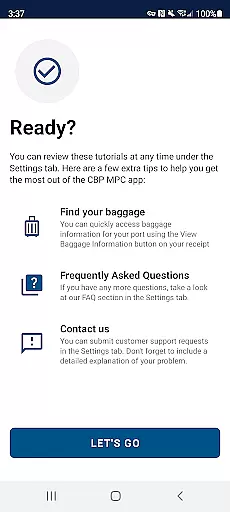
The virtual receipt system represents another crucial feature, serving as an official record of submission while providing clear instructions for the final inspection process. The app also includes detailed guidance for each step, making the entire procedure accessible even to first-time users. These features collectively contribute to a more efficient and organized border crossing experience.
Booking authenticity is a crucial aspect of any travel application, ensuring that all reservations and submissions made through the app are legitimate and recognized by official authorities. For Mobile Passport Control (MPC), this feature guarantees that your travel information and CBP inspection submissions are authentic and will be acknowledged at select U.S. entry locations.
The app achieves booking authenticity by allowing travelers to submit their biographic and travel information directly to U.S. Customs and Border Protection (CBP) upon arrival. This process includes capturing clear and unobstructed photos of each traveler, further certifying the legitimacy of the submission. Once processed, users receive a virtual receipt, serving as proof of their successful submission.
For users, this means a streamlined and secure inspection process, reducing wait times and avoiding paperwork at supported entry points. The peace of mind that comes with knowing your documentation is verified and awaiting only final inspection enhances the overall travel experience.
Price transparency in travel applications refers to the clear display of costs associated with using certain services or features within the app. Although Mobile Passport Control (MPC) itself is free to use, understanding any potential costs related to its usage is essential for travelers. In the case of MPC, while the app does not involve direct payments, being aware of the necessity to possess a valid passport and possibly other travel documents is important.
MPC ensures price transparency by informing users upfront about the requirements and limitations of the program. It clearly communicates that while the app streamlines the CBP inspection process, it does not replace the need for a physical passport or other necessary travel documents, which might involve costs if they need to be obtained or renewed.
Users benefit from this transparency as they can prepare accordingly, ensuring they have all required documents and understand there are no hidden fees associated with using the MPC app. This openness allows travelers to plan their journeys without unexpected financial surprises, making their entry process into the U.S. as smooth and stress-free as possible.
Streamlined entry process
Secure data storage
Family group submissions
Free to use
Official CBP approval
Limited airport support
Requires internet
Not for all travelers
Photo requirements strict
Submission time limits

Locate and navigate to local holiday displays
 4.0
4.0
The #1 Parent App in Brevard County
4.2
Learn about one of the most famous Victorian cemeteries in the world
2.80
The travel app that makes booking cheap flights, hotels, and car rentals easy.
4.80
Real-time flight tracking with live maps and flight status updates.
3.70
Get faster fuel rewards, exclusive offers, and helpful tools!
4.70
Link & locate for real-time child & family safety: GPS tracker for families
4.40
Find the perfect vacation rental. Search from over 2 million properties.
4.80
Get the app that knows where you’re going - view your flight, check in & more
4.50
One app, 300,000+ travel experiences, tours, and tickets you’ll remember.
4.90
Replace your car trips with the world’s largest shared electric vehicle company.
4.90
Booking your bus tickets has never been easier
4.70
The mobile panorama panel. Works offline - worldwide!
4.40
The Official Freedom Trail Foundation app.
4.30
Managing your travel should be easy. With the Amtrak app, it is.
4.30
View US public land boundary maps on your device.
3.70
Everything you need for your trip in one place with the Volaris app.
3.60
The official app of Allegiant Travel & Allegiant Airlines
3.30
A packing list app that helps you remember what to pack for a trip.
3.10


User Reviews