

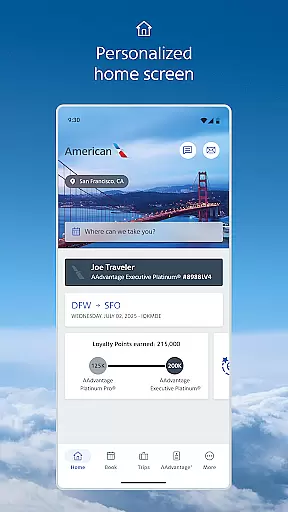
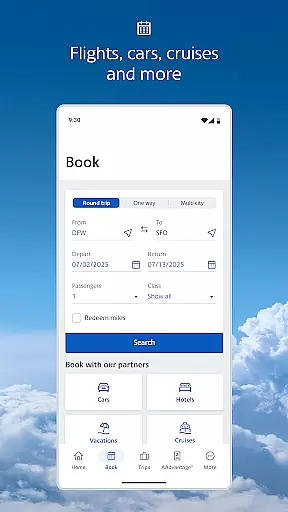
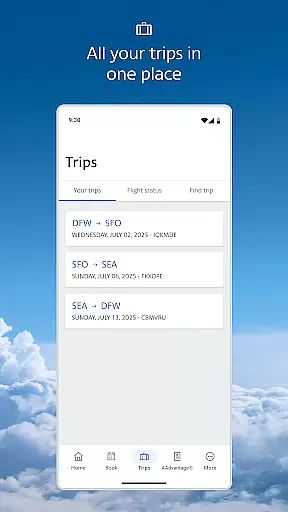
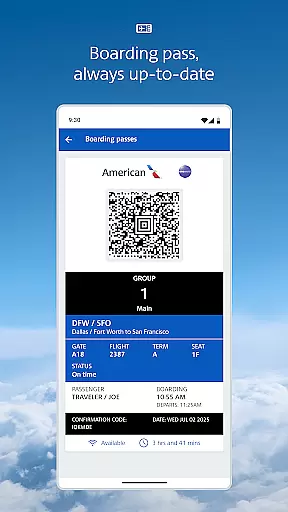
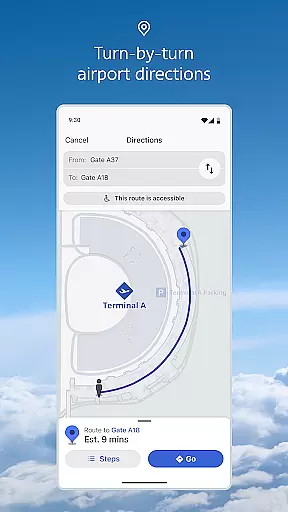
American Airlines offers a comprehensive travel companion app designed to enhance every step of your journey. The app provides essential tools such as mobile boarding passes, real-time flight updates, and interactive terminal maps. These features ensure travelers have instant access to critical information.
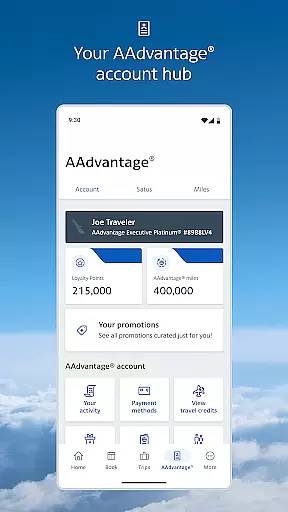
Additionally, users can manage their AAdvantage® account, upgrade seats, select preferred seating, and track checked baggage. With functionalities like Wi-Fi access during flights and automatic reservation saving, the app ensures convenience and connectivity throughout your travel experience.
The app boasts an array of sophisticated features tailored for modern travelers. Its dynamic home screen adapts to each phase of your trip, offering timely tools and resources. Travelers benefit from seamless check-in processes that deliver updated mobile boarding passes directly to their devices.
Interactive terminal maps simplify airport navigation by pinpointing lounges and gates. Furthermore, passengers can effortlessly monitor their AAdvantage points, request upgrades, change seats, and receive notifications about flight statuses. This robust functionality positions American Airlines as a top choice for tech-savvy globetrotters.
Booking authenticity is a crucial aspect of any travel application, ensuring that all reservations made through the platform are legitimate and verifiable. The American Airlines app excels in this area by providing users with seamless access to their flight details and mobile boarding passes.
The app's robust system retrieves and updates your reservation information in real-time, offering peace of mind by confirming that your bookings are authentic and up-to-date. This feature eliminates the uncertainty that can come with online transactions, assuring travelers that their plans are secure.
Additionally, the American Airlines app goes a step further by sending notifications directly to your mobile device. These timely updates keep you informed about any changes or important information regarding your flight, enhancing the reliability of your travel arrangements.
By integrating functionalities such as mobile boarding passes and real-time flight updates, the app not only verifies the authenticity of your bookings but also streamlines the entire travel experience, making it more efficient and stress-free for users.
Price transparency in travel applications refers to the clarity and openness in displaying costs associated with bookings and services. The American Airlines app embraces this concept by providing users with straightforward access to pricing details throughout their booking journey.
From the initial search to the final booking confirmation, the app ensures that all fees, including taxes and additional charges, are visible and understandable. This transparency allows travelers to make informed decisions without worrying about hidden costs or unexpected charges.
Moreover, the app offers various options for seat selection and upgrades, clearly outlining the associated costs for each choice. Whether you're looking to upgrade your seat or purchase additional services, the app provides detailed pricing information, empowering users to customize their travel experience according to their budget and preferences.
By prioritizing price transparency, the American Airlines app builds trust with its users, enhancing their overall satisfaction and confidence in using the platform for their travel needs.
User-friendly interface
Comprehensive travel tools
Real-time updates
Convenient seat selection
Baggage tracking
Limited offline functionality
Occasional bugs
Requires multiple permissions
Ads within the app
Heavy data usage

The mobile panorama panel. Works offline - worldwide!
 4.40
4.40
CLEAR provides a safer, easier way through airports, stadiums, and beyond.
4.20
Find the best prices, pay for the cheapest gas, and save on every fill up
3.30
Download now and start earning rewards on hotels, tours, and everything travel.
4.50
One app, 300,000+ travel experiences, tours, and tickets you’ll remember.
4.90
Booking your bus tickets has never been easier
4.70
Find your perfect somewhere with last minute hotel & travel deals!
4.80
The United app puts valuable travel information in the palm of your hand.
4.70
Book flight, car or packages. Instant access to hotel discounts & travel deals
4.80
It drives. You ride.
4.90
Streamline your U.S. entry
4.90
Rent the perfect car for wherever you’re going
4.90
All-in-one delivery and taxi app. Ride, food, & grocery delivery app.
4.80
Find the perfect vacation rental. Search from over 2 million properties.
4.80
Manage your travel on Delta with access to boarding passes, flight info & more.
4.80
Book now to save with exclusive travel deals on hotels, flights, cars & packages
4.70
Now you can book homes, experiences, and services—all in our redesigned app.
4.40
MyTSA gives you 24/7 access to info that passengers frequently request from TSA.
4.10
A packing list app that helps you remember what to pack for a trip.
3.10


User Reviews