
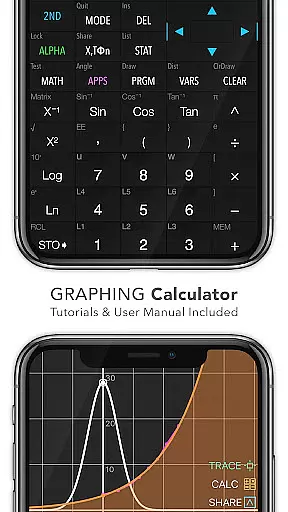
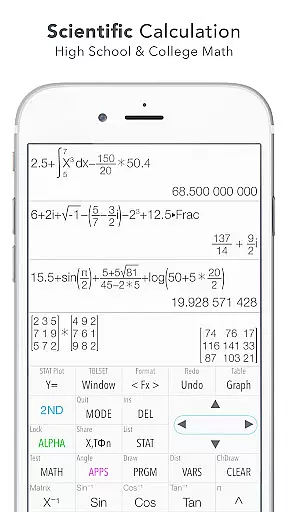
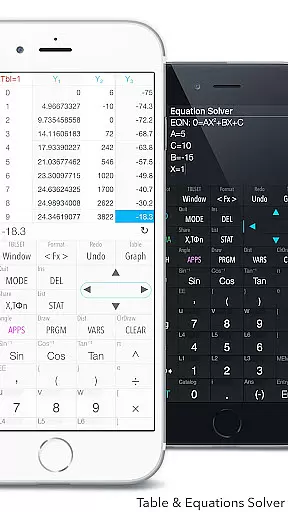
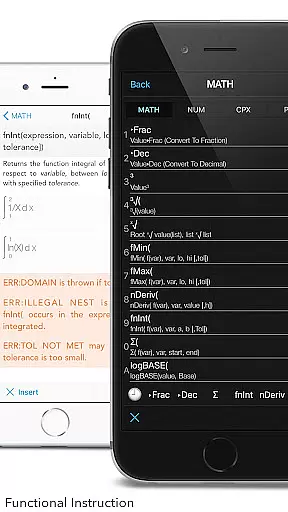
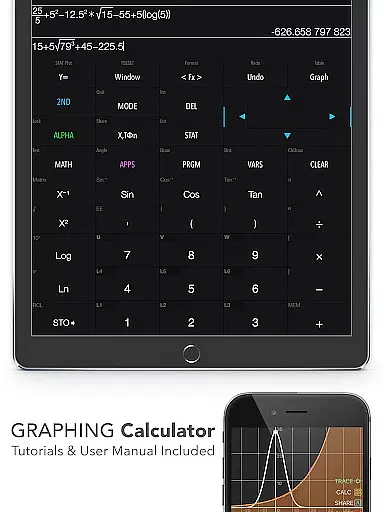
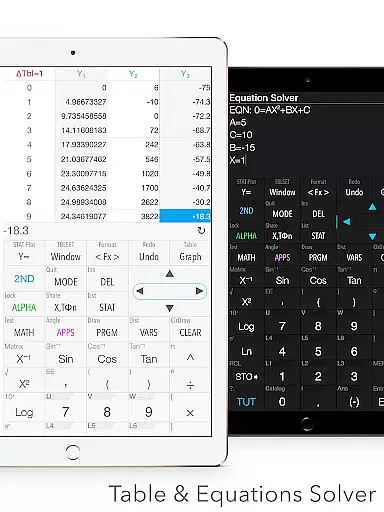
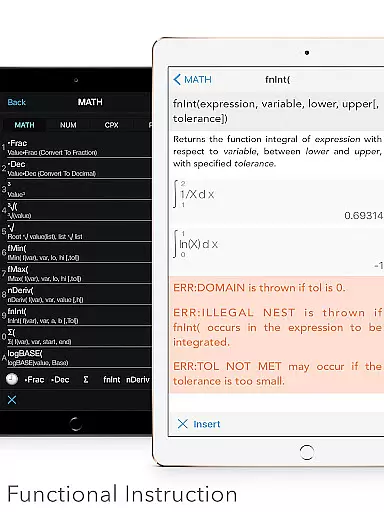
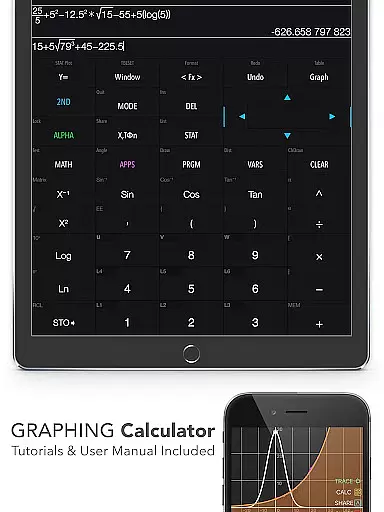
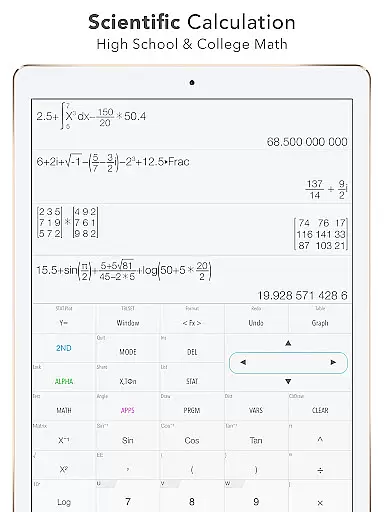
Graphing Calculator Plus stands as a versatile and powerful educational tool designed to replace traditional hardware calculators. This app is particularly beneficial for students, educators, and professionals in STEM fields who require advanced mathematical capabilities at their fingertips. With its robust MATH CORE and intuitive MATH DISPLAY support, users can perform a wide range of calculations from basic arithmetic to complex calculus operations.
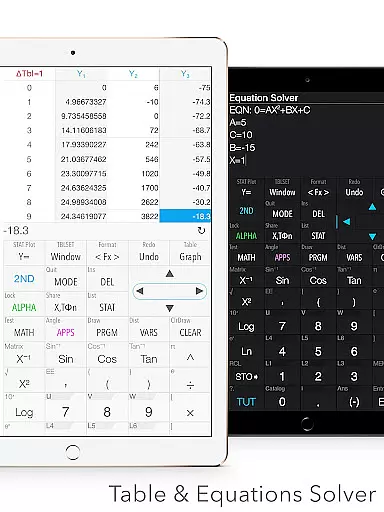
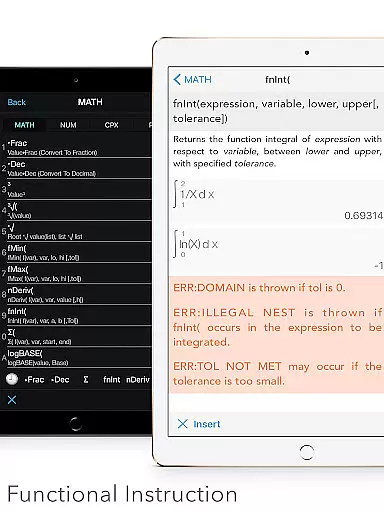
The application includes an extensive set of built-in documents and tutorials that guide users through various mathematical concepts and calculator functionalities. It supports graphing, statistics, matrix operations, and programming, making it suitable for both academic and professional use. Whether you need to solve equations, calculate integrals, or analyze statistical data, Graphing Calculator Plus provides the necessary tools with ease and precision.
A key advantage of this app is its ability to cater to multiple user types, from high school students learning algebra to engineers performing complex computations. The dual themes and customizable functions enhance user experience, while the comprehensive unit converter and constant library add practical value for everyday calculations.
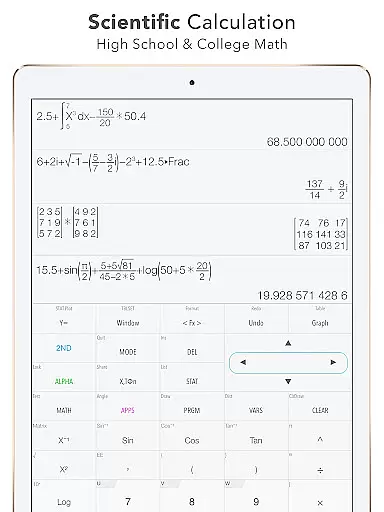
Graphing Calculator Plus offers an impressive array of features that make it stand out among educational apps. The calculator includes a universal math engine capable of handling everything from simple arithmetic to advanced functions like Sin, Cos, Ln, and exponential calculations. Its mathematical display feature allows users to input and view expressions exactly as they would appear in textbooks.
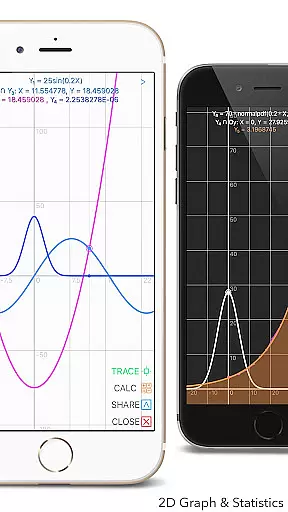
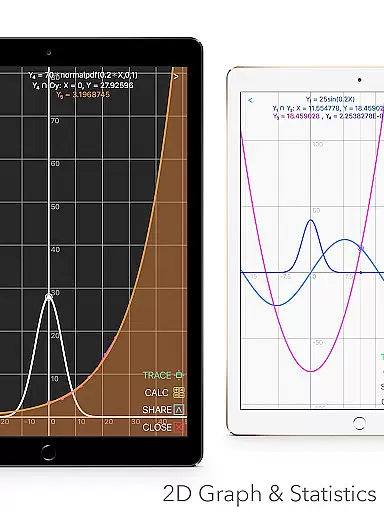
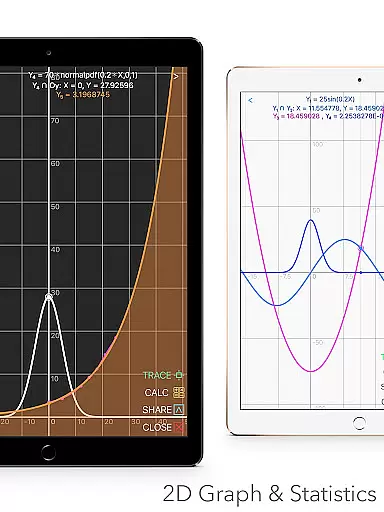
The app's graphing capabilities are equally remarkable, supporting simultaneous graphing, smooth zoom, and transformations. Users can work with parametric, polar, and sequence graphs, and easily identify intersections, minima, maxima, and special points. The statistics and regression module enables detailed data analysis, including linear, quadratic, and cubic regressions, along with various hypothesis tests.
Additional notable features include a comprehensive matrix editor, number base-N mode supporting 15 different bases, and a financial calculation tool. The programming module with control and I/O commands makes it particularly valuable for computer science students. These diverse features, combined with the geometry and chemistry applications, create a complete educational solution that continues to expand through regular updates.
When it comes to educational tools like Graphing Calculator Plus, content accuracy is paramount. This app ensures precise calculations across various mathematical domains, from basic arithmetic to advanced calculus functions. The inclusion of a powerful MATH CORE and MATH DISPLAY support guarantees that all computations, whether they involve complex numbers, equations, or integrals, are executed with exactness.
The app's authoritative content is further reinforced by its comprehensive built-in documents and tutorials. These resources not only cover fundamental operations but also extend to sophisticated tasks such as statistical analysis, matrix manipulation, and programming commands. With over 40 common constants and more than 1000 units in 50 categories for conversion, users can trust the information provided within the application.
Graphing Calculator Plus stands out by offering students and professionals an extensive set of features that align with curriculum standards. Its ability to perform dual themes customization along with geometry and chemistry applications makes it a versatile tool suitable for diverse educational needs. By providing reliable data through its calculation engine, this calculator app becomes an indispensable asset for anyone seeking mathematically accurate solutions.
Graphing Calculator Plus supports personalized learning paths by equipping learners with tools tailored to their individual progress in mathematics. Through its wide array of functions, including Y-Var & Customize Functions (F1, F2, F3), users can define their own formulas and save them for future use, allowing for a customized approach to problem-solving that adapts as they advance.
For those who require visual aids in their learning process, the 2D graph feature provides simultaneous graphing capabilities with smooth zoom and transformation options. Learners can explore intersections, minima, maxima, and special points trace, which helps them understand complex concepts at their own pace. This interactive element is crucial for creating engaging and adaptive learning experiences.
Moreover, the app facilitates self-paced study through its history tape view and the ability to edit & export expressions/results. Students can review past work, refine their understanding, and adjust their learning strategies accordingly. As new updates promise additional features like geometry and chemistry apps, Graphing Calculator Plus continues to evolve into a more robust platform for differentiated instruction, catering to unique learner profiles and enhancing the educational journey.
User-friendly interface
Comprehensive math functions
Excellent graphing tools
Wide range of applications
Regular updates and improvements
Premium price point
Steep learning curve
Occasional performance issues
Limited offline functionality
Complex for basic users

Grazing Risk Monitoring Service
 4.2
4.2
scanner body part for fun Prank friends realistic scan effects
3.00
Astronomy app ? Discover the universe scope, explore solar system model in 3D.
4.20
An aviator’s preparation, study and test tool for FAA Knowledge Exams.
3.90
THE MOST COMPREHENSIVE JUMPMASTER STUDY RESOURCE AVAILABLE.
3.40
The Fighter Verses Bible memory system helps you memorize God's Word.
4.50
Explore the City of the Sun in Augmented Reality
3.70
Animals pop up and make sounds—learn names and noises in Peekaboo Barn!
4.4
Cool math games & learn to read activities- loved by kids, approved by teachers.
4.50
A realistic sky map to observe stars, planets, satellites and constellations!
4.80
Perform physics experiments with your phone. (by the RWTH Aachen University)
4.70
Guitar chord finder, analyzer, smartly visualized theory, progressions, quizzes.
4.70
Stargazing Guide App. Stars and constellations map. Solar system planets finder.
4.60
Dinosaurs coloring book game. Drawing and painting dinos.
4.50
Ignite curiosity, spark learning: All babybus videos &games
4.30
THE ESTABLISHED "GO TO" ARMY BOARD PREPARATION APP!
4.30
Master note reading with StaffWars….
4.00
Study the questions most likely to be asked during the Oral & Practical Exams.
2.80
AR planetarium app that brings the solar system to you via XREAL Glasses.
4.1


User Reviews