
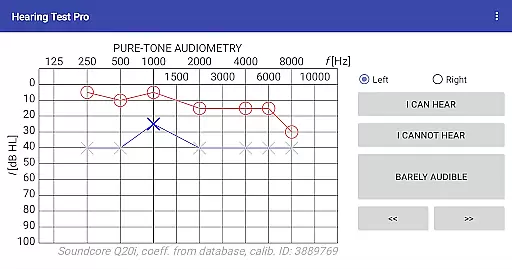
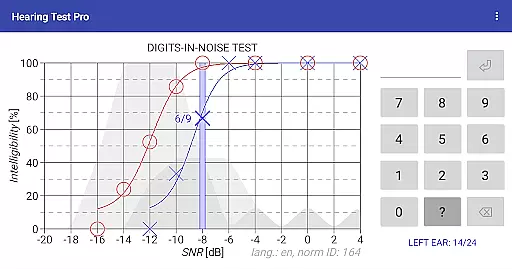
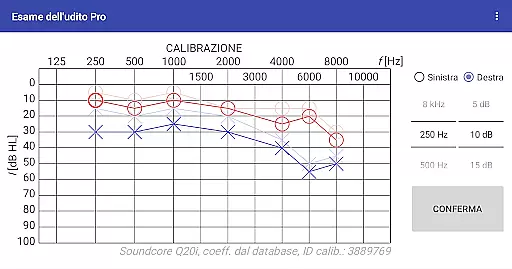
Hearing Test Pro is a comprehensive mobile solution designed for users to assess their hearing capabilities with clinical precision. The app provides two primary testing methods: pure-tone audiometry and the digits-in-noise test, enabling accurate evaluation of both hearing sensitivity and speech intelligibility. Pure-tone audiometry measures the quietest sounds across different frequencies that a user can detect, while the digits-in-noise test evaluates the ability to recognize speech in noisy environments.
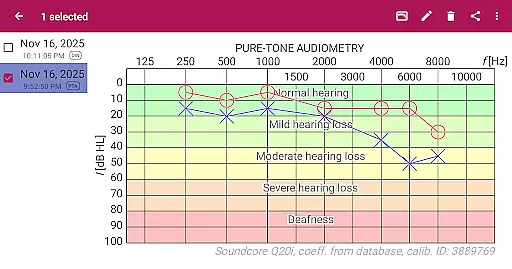
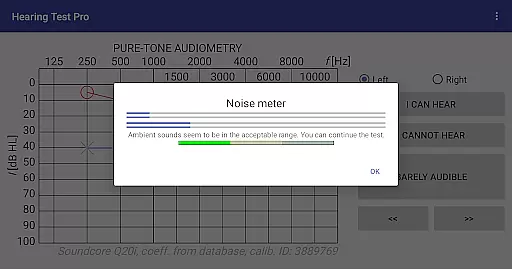
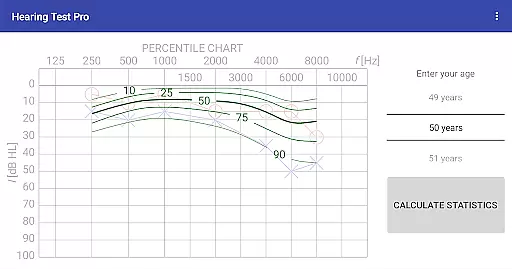
In addition to its core testing features, Hearing Test Pro includes advanced functionalities such as high-frequency audiometry, classification of hearing loss, and comparison with age-related norms. These tools allow users to gain deeper insights into their auditory health. With options like device calibration and noise level measurement, the app ensures reliable results even in varying environmental conditions. Whether for personal use or professional assessment, this app serves as an essential tool for monitoring hearing health.
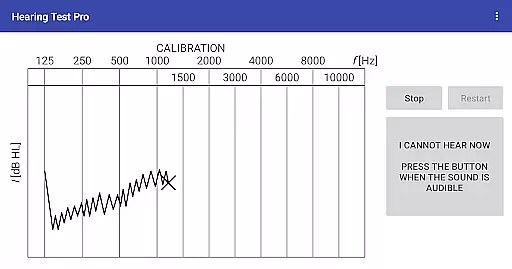
Hearing Test Pro stands out with its diverse range of specialized features tailored for thorough auditory evaluation. The app supports pure-tone audiometry using bundled headphones and predefined calibration coefficients, ensuring accuracy during self-administered tests. For users seeking more control, manual stimulus adjustments are available in the Pro version, allowing testers to toggle sound on and off as needed.
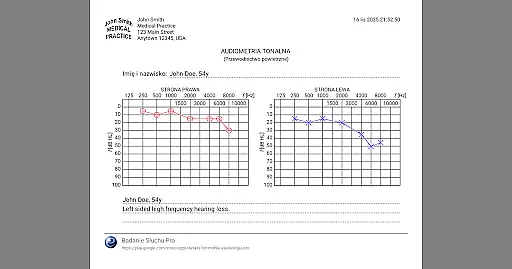
Beyond basic testing, the app offers advanced tools such as high-frequency audiometry and classification of hearing loss severity. Users can compare their results against age-related norms, add personalized notes, and print detailed reports for further analysis. The Pro version enhances accessibility by providing offline database storage, cloud synchronization, and easy data transfer between devices. These features collectively make Hearing Test Pro a versatile and indispensable tool for anyone focused on maintaining optimal auditory health.
When it comes to medical applications, the credibility of content and expert review is paramount. Hearing Test Pro demonstrates a strong commitment to accuracy by offering scientifically-validated tests such as pure-tone audiometry and the digits-in-noise test. These assessments are widely recognized in audiological fields for determining hearing thresholds and speech intelligibility.
The app's reliance on established audiological methods, coupled with features like device calibration and verification of calibration coefficients, ensures that users receive reliable results. This attention to detail extends to additional functionalities, including classification of hearing loss and comparison with age-related norms, which are essential for meaningful self-assessment.
Furthermore, the availability of high-frequency audiometry and the option to adjust calibration based on clinical audiometer results highlight the depth of expert input in the app's design. Such features not only enhance the precision of the tests but also align the app's performance with professional standards.
Users benefit from this rigorous approach through access to trustworthy data about their hearing health. The ability to print test results, add notes, and even store information locally or in the cloud further supports ongoing monitoring and professional consultation, making Hearing Test Pro a valuable tool for both patients and healthcare providers.
In today's digital health landscape, teleconsultation has become an integral part of patient care. While Hearing Test Pro does not directly facilitate video or audio consultations, it enhances the quality of remote care by providing accurate diagnostic data that can be shared with healthcare professionals. The app's robust testing capabilities, including pure-tone and high-frequency audiometry, ensure that users can present reliable information during teleconsultations.
The inclusion of advanced features such as speech intelligibility testing and background noise measurement adds another layer of professionalism to remote assessments. These tools help create a comprehensive picture of a user's auditory health, enabling specialists to make informed decisions without being physically present.
Moreover, the Pro version's synchronization feature allows seamless sharing of test results across devices, ensuring that healthcare providers have access to up-to-date patient information. This capability is particularly valuable in telemedicine, where timely and accurate data exchange is crucial for effective diagnosis and treatment planning.
By equipping users with precise, clinically-relevant information and facilitating easy result sharing, Hearing Test Pro effectively bridges the gap between self-administered tests and professional medical advice. This makes it an invaluable asset in scenarios where direct consultations are not feasible, thereby maintaining high standards of teleconsultation quality.
Accurate testing
User-friendly interface
Advanced calibration
Offline access
Cloud sync
Premium cost
Complex setup
Limited free features
Requires headphones
No live support

The OptumRx app empowers you to become an advocate of your pharmacy benefits.
 4.40
4.40
Beat alcohol and drug addiction with a revolutionary treatment program in an app
4.50
Blue Cross and Blue Shield of Texas member information
4.60
3rd trimester? Counting Kicks is what moms should do-It’s important & easy too!
4.30
Control your hearing aids discreetly with the touch of a finger
4.30
Manage your prescriptions anytime, anywhere with the Publix Pharmacy mobile app.
4.80
Save up to 80% on your pharmacy prescriptions & medications with free Rx coupons
4.70
700 questions, 2 full exams, Predictive Scoring—your key to NREMT success!
3.90
Manage your health care in one easy place
4.40
Manage your prescriptions and pharmacy care anytime, anywhere.
4.80
The MDLIVE app makes connecting with a doctor fast, easy, and convenient.
4.60
Download the PulsePoint app and use your CPR skills to save a life!
4.60
The official DSM-5-TR® app
4.50
Internal medicine literature at your fingertips.
4.50
Voice pitch monitor for speech therapy, LSVT, Parkinson's, singing & trans
4.30
Master AEMT with 1,400+ study items, TEIs, practice tests, and scoring.
4.10
Hearing aid app for Android solves your hearing problems.
4.00
An easy way to earn money donating plasma. Book a visit, sit back, and get paid.
3.80
The world's best selling 3D Human Anatomy app with groundbreaking 3D technology
2.00


User Reviews