

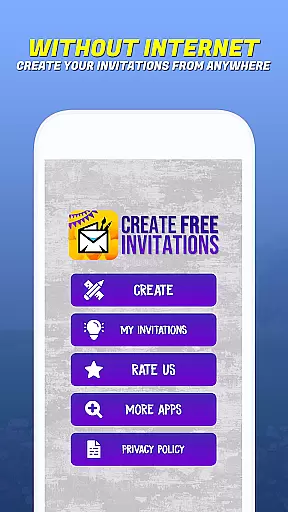
Invitation Maker - Card Creator is a versatile digital solution for creating paperless invitations and cards. This app allows users to design elegant wedding invitations, playful birthday cards, baby shower invites, and more, all with an easy-to-use interface. The app provides a wide selection of customizable templates that cater to different event themes and personal styles.
One of the standout features is the ability to use personal images within the card maker, ensuring each invitation reflects the creator's unique vision. Users can customize layouts, fonts, and colors to match the personality of the event or individual. Additionally, Invitation Maker supports eco-friendly practices by enabling users to send their creations digitally via email or social media platforms, reducing paper waste and carbon footprint.
This app is perfect for anyone looking to streamline their event planning process while maintaining a professional and personalized touch. Whether it's for a significant milestone or casual gathering, Invitation Maker helps set the tone for memorable celebrations without compromising environmental values.
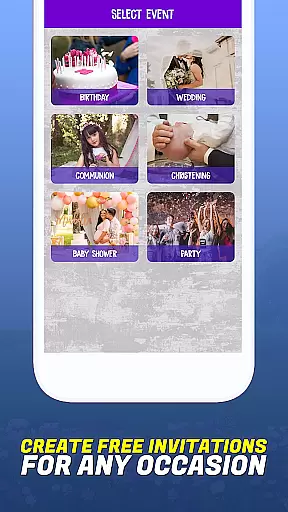
Invitation Maker offers a comprehensive suite of features designed to enhance the invitation creation process. Its user-friendly interface ensures that even beginners can quickly become proficient in designing beautiful cards. The app includes a vast library of templates suitable for various occasions, including birthdays, weddings, communions, baptisms, and parties.
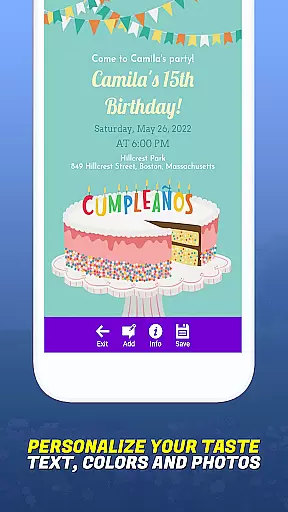
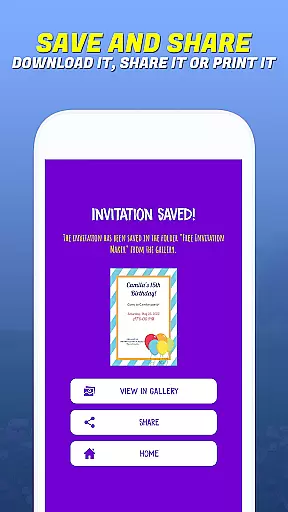
Customization is at the heart of Invitation Maker's functionality. Users have access to numerous font styles, color options, and layout designs, allowing them to tailor every aspect of their invitations. The app also enables direct image uploads, providing limitless possibilities for personalization. Moreover, once the design is complete, sharing options are seamless; invitations can be sent out instantly through email or shared on social media platforms.
The convenience extends beyond just design and distribution. Invitation Maker emphasizes sustainability by promoting paperless post solutions. By going digital, users contribute to reducing waste and minimizing environmental impact. This blend of practicality, customization, and eco-consciousness makes Invitation Maker an essential tool for modern event planners seeking efficiency and style.
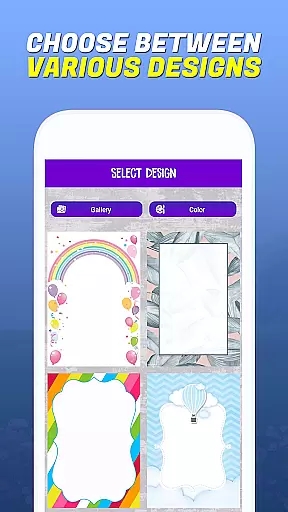
Task creation and detail customization are essential features for any event planning application. Invitation Maker - Card Creator excels in this area by providing users with a comprehensive set of tools to design invitations that perfectly match their event's theme and personal style. The app offers an extensive selection of templates catering to various occasions, including birthdays, weddings, baby showers, and more.
The level of customization available within the app is impressive. Users can personalize every aspect of their invitations, from choosing specific fonts and colors to adjusting layouts and text styles. This ensures that each invitation not only meets but exceeds the user's expectations, making their event feel even more special and unique. Additionally, the ability to upload personal images adds another layer of customization, allowing users to incorporate meaningful visuals into their designs.
By leveraging these detailed customization options, users benefit significantly. They save time and effort by avoiding the need to search through countless generic templates that may not align with their vision. Instead, they have everything they need at their fingertips to create professional-looking invitations quickly and efficiently. This streamlined process enhances the overall user experience, making event planning less stressful and more enjoyable.
Reminder settings play a crucial role in ensuring that events run smoothly without missing any important details. In Invitation Maker - Card Creator, reminder functionalities are seamlessly integrated into the invitation creation process. Once users have designed their perfect invitation, they can easily schedule reminders to be sent out via email or social media platforms directly through the app.
This feature provides flexibility and convenience, as users can choose when and how often they want reminders to be dispatched. Whether itu2019s a gentle nudge a week before the event or a last-minute reminder on the day itself, the app accommodates various scheduling preferences. Moreover, sending digital invitations reduces the reliance on traditional printing methods, contributing to a more eco-friendly approach to event management.
The practical benefits of such robust reminder settings are manifold. Users enjoy peace of mind knowing that their guests will receive timely updates about upcoming events. Furthermore, the ease of sharing invitations digitally means faster communication and confirmation responses, enhancing coordination efforts among all parties involved. Overall, this functionality underscores the app's commitment to delivering a seamless and efficient event planning solution.
User-friendly interface
Wide template selection
Highly customizable designs
Instant digital sharing
Eco-friendly solution
Limited free templates
Premium feature costs
Occasional bugs
Ads in free version
Learning curve for new users

PheedLoop Go! is the mobile event app for events powered by PheedLoop.
 4.40
4.40
Browse events, find transportation, keep up with the latest news from your team
4.4
Find tickets to upcoming concerts, sports events, festivals, shows, attractions
4.70
Instant photo sharing for every occasion
3.80
Text message invitations for birthday party, wedding, graduation, baby shower +
4.60
Microsoft Ignite is an event that showcases latest advancements in technology
4.00
Fast Scans. Happy Fans. For Every Hometown!
4.60
Discover events, experiences, and things to do near you - Anytime, Anywhere!
4.70
Plan your wedding for free on the go: vendors, budget, website and checklists!
4.80
Fantasy of Lights Event App
5.00
Invitation card maker for birthday party & Wedding. Digital greeting card editor
4.90
Wedding planner app with wedding venues, wedding checklist, countdown & budget.
4.60
Manage all your events, leads, ticketing, payments and check-ins.
4.30
Introducing the official Magic: The Gathering app for mobile.
4.20
The world's largest selection of tickets is now at your fingertips
3.90
Purchase line-skip passes, drinks, cover, and more at bars and clubs
3.50
RAISE-365 makes fundraising easy and fun!
3.20
TV Garden - World Live TV : Play & cast your videos seamlessly!
3.20
Soft Proxy for Your Online World
4.3


User Reviews