
Libby is an award-winning app that connects users to their local library's digital collection. With a library card, you can instantly borrow ebooks, audiobooks, and magazines for free. The app offers a seamless experience across devices, allowing you to download titles for offline use or stream them to save space.
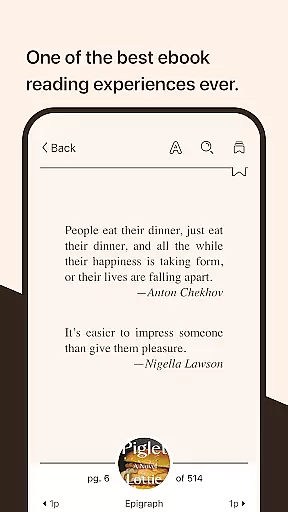
The intuitive ebook reader provides customization options like text size and background color adjustments, while the audio player features playback speed control and sleep timer functionality. Libby also supports Android Auto for audiobook listening and allows sending ebooks to Kindle for U.S. library users. It's the perfect tool for avid readers and learners.
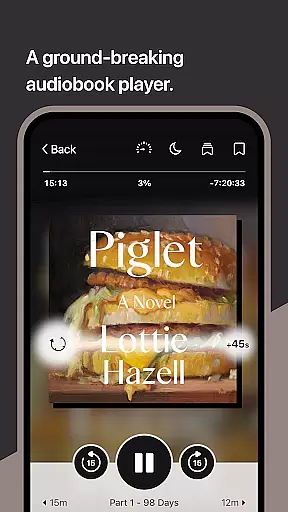
Libby stands out with its comprehensive set of reading and listening tools. The app's ebook reader lets you adjust text formatting, zoom into visual content like comics, and even define unfamiliar words. For audiobooks, the groundbreaking audio player offers adjustable playback speeds, sleep timers, and easy navigation through swipe controls.
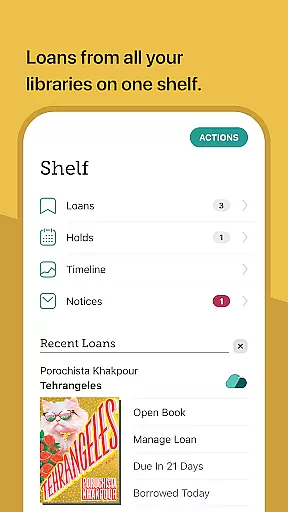
Additional features include tagging books for future reference, syncing your reading position across devices, and supporting read-alongs for children. Whether you're managing multiple reading lists or enjoying multimedia content, Libby provides a rich and flexible experience tailored to different reading preferences and needs.
Libby offers an extensive e-book library that includes a wide range of genres and titles from classics to New York Times best-sellers. This vast collection is made available through local libraries worldwide, ensuring users have access to millions of e-books and audiobooks.
The app guarantees the authenticity of its content by sourcing directly from libraries, which means all materials are legitimate and copyright-compliant. Users can borrow these digital books for free with a library card, providing instant access to a wealth of knowledge without any legal concerns.
With Libby, readers can download titles for offline reading or stream them directly within the app. This flexibility ensures that users can enjoy their favorite books anytime, anywhere, without the need for constant internet connectivity.
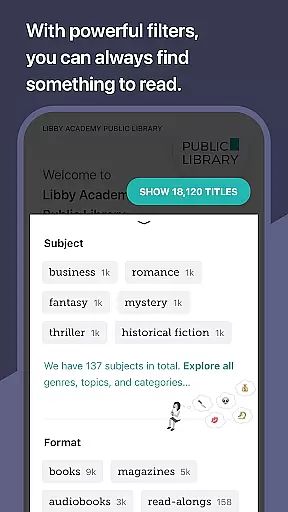
One of Libby's strengths lies in its format compatibility, supporting various types of digital media including e-books, audiobooks, and magazines. This versatility allows users to engage with content in their preferred format, whether it be reading on a screen or listening to audio versions during commutes or workouts.
For users in the U.S., Libby enhances format compatibility by allowing e-books to be sent directly to Kindle devices. This feature bridges the gap between different ecosystems, offering greater convenience and integration for Amazon device owners who also wish to utilize library resources.
In addition to supporting multiple formats, Libby's built-in reader and audio player provide advanced functionalities such as adjustable text settings, zoom capabilities for visual media, playback speed control for audiobooks, and sleep timers. These features ensure an optimal user experience across all supported formats.
User-friendly interface
Wide book selection
Cross-device syncing
Free library access
Advanced customization
Limited to library holdings
Regional availability
Occasional bugs
No direct purchases
Account registration

"Five Dr. Seuss titles in one omBook!"
 4.60
4.60
Flora of Virginia Project (www.floraofvirginia.org)
5.00
Plan of Life that Saint Josemaría recommended
4.80
Knots 360 Pro ( 3D ) shows you animated 192 knots in 3D perspective
4.10
WebNovel - Read Solo Leveling novel and comic
4.10
Bible Study App with Audio Book, Verse of the Day, and Devotionals.
4.80
Daily Devotional Widgets & Hourly Verses. Listen to Bible & Watch Holy Stories
4.70
The Apostolic Lutheran Church hymnal
4.1
A highly sophisticated app for all of your mobile reading—any format, any time
4.50
Offline dictionary for learning Cantonese as a second language
4.90
Learn Thai with 195,000+ entries, crisp Thai sounds, big text; works offline.
4.80
Enjoy daily devotionals, Bible verses, audio courses, and more.
4.80
World's most comprehensive dictionary app: 13 languages, all online or offline!
4.80
Full text, sheet music, and recordings of the print edition
4.60
Offline translator from english to spanish, and from spanish to english.
4.50
Read the romance stories on the go. Take my breath away, The Spoiled Girl
4.30
Essential Technical Rescue Field Operations Guide 6, the Industry Standard Guide
4.20
A companion for prayer, with Azan alarm, Quibla direction, and Holy Quran book
4.10
A guide for the Court of Atonement spiritual healing process.
4.4


User Reviews