
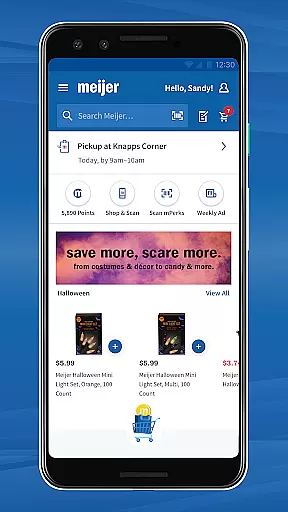
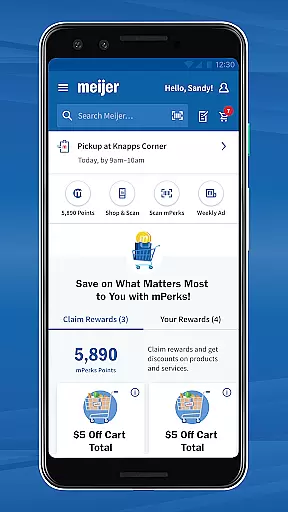
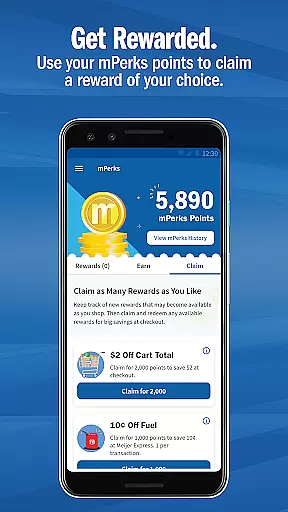
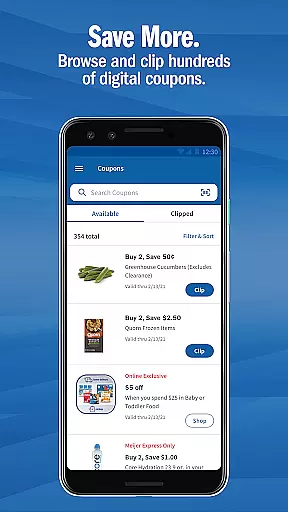
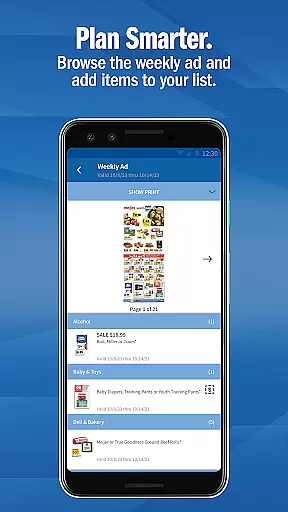
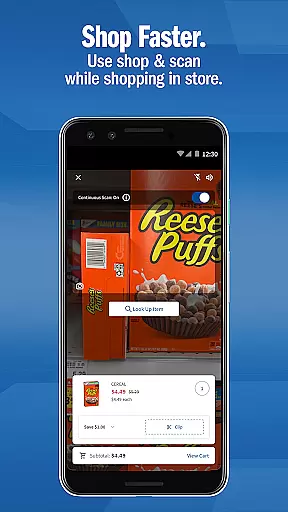
Meijer - Delivery & Pickup is a comprehensive shopping app that revolutionizes the way you shop. The app offers Grocery Delivery and Pickup services, allowing users to place orders online for either home delivery or in-store pickup. This eliminates the need to physically visit the store, saving time and effort. Additionally, the app supports In-Store Shopping features such as scanning barcodes for mPerks rewards and using Shop & Scan functionality to bypass checkout lines.
Beyond basic shopping, Meijer provides tools to help you find your favorite products easily. You can explore a wide selection of grocery items including fresh produce, meats, dairy, household essentials, and more. The app also includes a Rewards program and digital Coupons, ensuring you save money while enjoying the convenience of mobile shopping. With no membership fees and the ability to use mPerks coupons, Meijer enhances both your online and offline shopping experiences.
Meijer - Delivery & Pickup stands out with its robust set of features designed to streamline shopping. One key feature is the Grocery Delivery and Pickup service, which lets you shop from personalized lists and manage orders through the Orders section. This service requires no membership and ensures there's no markup on products, offering transparency and affordability.
In addition to delivery and pickup, the app enhances In-Store Shopping with functionalities like mPerks barcode scanning and Shop & Scan. These features allow you to scan items, clip coupons, and skip checkout lines, making in-store visits quicker and more efficient. The app also helps you organize your shopping trips with a built-in shopping list.
Furthermore, Meijer offers an extensive product selection, including seasonal and holiday collections, everyday essentials, and fresh groceries. The integrated Rewards program and digital Coupons section ensure you maximize savings. By qualifying for rewards automatically and tracking progress within the app, users can enjoy continuous benefits while staying informed through email or push notifications.
Meijer's app offers an extensive range of products, ensuring that customers can find everything they need in one place. The app categorizes its inventory into clear sections such as fresh produce, meats, dairy, household items, and more, making it simple for users to navigate through different categories.
For those looking to shop seasonal or holiday-specific items, the app provides specially curated collections that are regularly updated. This feature not only enhances the shopping experience by providing timely suggestions but also helps shoppers discover new products they might be interested in purchasing.
The integration with mPerks allows users to easily apply digital coupons to their favorite products while browsing through various categories. By organizing these deals alongside relevant product listings, Meijer ensures a seamless shopping process where savings are just a tap away.
Moreover, personalized grocery lists enable efficient shopping by remembering frequently bought items and suggesting similar products based on past purchases. This level of personalization streamlines the shopping journey, allowing customers to quickly add items to their cart without having to search extensively.
Transparency in pricing is a cornerstone of Meijeru2019s commitment to customer satisfaction. The app clearly displays prices for all products, including any discounts available through clipped coupons or ongoing promotions. This openness empowers shoppers to make informed decisions about their purchases.
Meijer does not require membership fees to access its services, which means there is no hidden cost associated with using the app. Additionally, the absence of markup on products ensures that customers pay the same price whether they shop online or in-store, fostering trust and loyalty among users.
To further enhance competitiveness, the app features a weekly ad section highlighting current deals across various product lines. Shoppers can browse these offers and apply applicable coupons directly within the app, maximizing their savings potential without needing to manually input codes at checkout.
By combining transparent pricing strategies with exclusive mPerks rewards and incentives, Meijer delivers exceptional value to its customers. Users can track their reward progress and receive notifications about upcoming sales events, ensuring they never miss out on opportunities to save money while enjoying a convenient shopping experience.
User-friendly interface
No membership required
Transparent pricing
Integrated rewards system
Convenient home delivery
Limited to Meijer stores
Occasional delivery delays
Requires internet connection
Coupon availability varies
Initial setup can be complex

World’s simplest mobile payment solution for machines.
 4.50
4.50
Find the hottest deals before they disappear!
4.60 4.60
4.60
Pay Over Time with No Interest¹
4.60
Save money on groceries & more. Choose delivery, pickup or Scan & Go shopping!
4.80
The GameStop app was built to make shopping for gamers even easier.
3.10
Shop home goods, vintage treasures, art prints & more with Etsy. Download today!
4.80
Create Wishes & Get Inspired
3.20
Groceries, essentials & more, delivered fast.
4.70
Shop shoes, sneakers, activewear, and clothes from the adidas shopping app
4.80
Online shopping & digital coupons. Deals & local weekly ad in your myDG account
4.70
Trendy Athleisure Wear. Affordable Skirts, Leggings, Functional & All Sizes!
4.60
Grocery Shopping List Maker with barcode, voice, budget, coupon and tax support.
4.60
Search, browse and shop over a million products directly from The Home Depot.
4.60
Healthy living for less just got easier with our updated Sprouts App.
4.50
Shop, sell, & discover savings in our marketplace. Buy and sell clothing & more.
4.50
Shop. Earn. Redeem. Repeat!
4.30
Shop clothes, shoes, bedding, home & more. Save with exclusive deals & rewards!
4.20
Grooming, Training & Shopping
3.80


User Reviews