



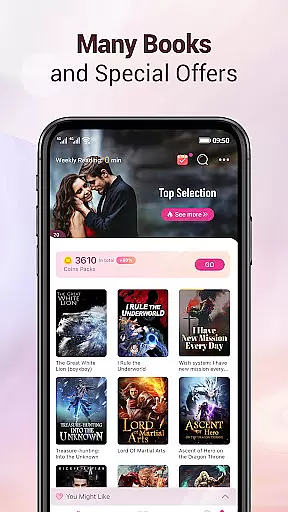
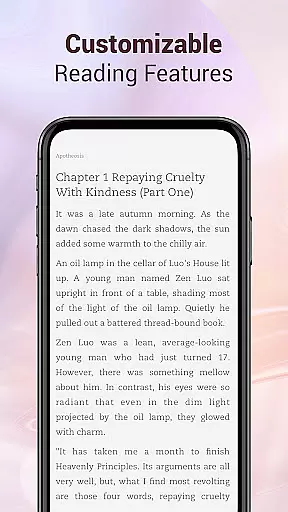

Mobilis is a comprehensive fiction reading application designed for book enthusiasts. This app offers an extensive collection of novels across multiple genres, including fantasy, martial arts, romance, urban tales, and campus stories. With daily updates and new chapter releases in seconds, it ensures readers have continuous access to their favorite books. The app provides a quality reading experience through customizable features like 3D page turning, offline downloads, font switching, background options, and night mode. Additionally, Mobilis serves as a personalized reading companion with intelligent synchronization of reading progress and notes across devices.
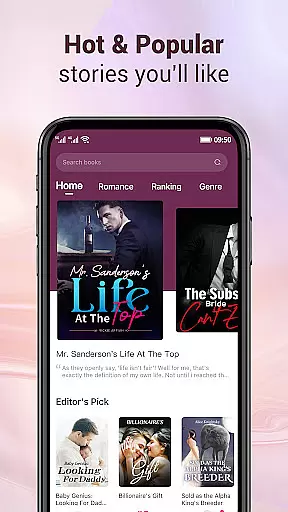
One of the standout features of Mobilis is its massive fiction library that covers popular online novels with fine classification into male and female sections, selected books, and smart recommendations. The app also hosts various events for its users, enhancing reader engagement and providing a dynamic reading environment. Whether you're commuting or relaxing at home, Mobilis aims to be your go-to reading solution by offering convenience, personalization, and a vast selection of literary content.
Mobilis boasts several key features that enhance the reading experience. First, the app's library is incredibly diverse, catering to different tastes with genres ranging from fantasy to romance. Each book is meticulously categorized, ensuring easy navigation and discovery. Readers can enjoy a personalized experience by customizing their interface with different fonts, background colors, and skins. The simulated 3D page turning effect adds a realistic touch, making digital reading feel more like traditional book perusal.
Another significant feature is the intelligent synchronization system. Users can seamlessly switch between devices without losing their place in a book or their notes, as all data is saved within their account. Offline functionality allows downloading books for reading without an internet connection, perfect for travel or areas with poor connectivity. Furthermore, the app's recommendation engine suggests titles based on user preferences, helping readers discover new authors and genres they might enjoy.
Mobilis offers an extensive e-book library that caters to a wide array of interests, ensuring that every fiction lover finds something to their taste. The app includes popular online fictions across various genres such as fantasy, martial arts, romance, urban, and campus stories.
With daily updates and new chapters released in seconds, readers can indulge in their favorite stories without delay. This constant refresh of content not only maintains reader engagement but also significantly increases the size of the e-book library over time.
The platform takes pride in its fine classification system, which includes male and female sections, selected books, and smart recommendations. This meticulous categorization enhances user experience by making it easier for readers to find books that align with their preferences.
Copyright authenticity is guaranteed as Mobilis serves as a dedicated reading companion, striving to revise and improve its offerings continuously. Readers can trust in the legitimacy of the content provided, allowing them to enjoy their reading without concerns about copyright infringement.
Ensuring a quality reading experience is paramount for Mobilis, which is why the app provides customizable features such as simulated 3D page turning, offline downloads, font switching, background options, and night mode. These features cater to individual reading preferences and situations, enhancing overall format compatibility.
The app presents exquisite book covers and a neat content layout, contributing to an aesthetically pleasing and comfortable reading environment. Such attention to detail in design underlines the app's commitment to delivering a superior reading experience.
Personalized service is another highlight of Mobilis, offering various background colors, skins, and fonts that users can easily adjust with a simple click. This personal touch allows readers to tailor their interface according to their unique style and comfort.
Intelligent synchronization across devices ensures that reading progress and notes are saved within the user's account. This seamless integration supports uninterrupted reading experiences regardless of device changes, showcasing Mobilis's dedication to convenience and accessibility in format compatibility.
User-friendly interface
Extensive book selection
Customizable reading settings
Intelligent synchronization
Daily content updates
Limited non-fiction options
Occasional ads in free version
Some features require premium
Heavy storage usage
Interface may feel cluttered

Guide for dōTERRA® Products
 3.60
3.60
Cute bedtime story for kids
4.30
Read the KJV Bible with Strong’s offline: reading plans, audio Bibles, and more.
4.70
Bible Spiritual Companion
4.40
All in one Calibre libraries on your phones and tablets.
3.80
Enjoy daily devotionals, Bible verses, audio courses, and more.
4.80
A lightweight reader for comics and mangas files (.cbr, .cbz, .cbt, .pdf, ...)
4.80
A Comprehensive Restoration of Sacred Scripture
4.50
A highly sophisticated app for all of your mobile reading—any format, any time
4.50
A KJV Bible with Apocrypha and precept-based study concordance
5.00
What’s that bird? Just answer 5 questions, snap a photo, or record its song!
4.90
“I am the Lorax. I speak for the trees.”
4.80
"Five Dr. Seuss titles in one omBook!"
4.60
Find, discuss, and organize your world of books and shows.
4.60
Provides location information of vehicle Shift Interlock releases.
4.30
Shop over 13 million new and used books at up to 80% off list price
4.20
CleverBook Pro makes the popular guide for the game even better!
4.00
America's best dictionary and thesaurus - with premium content and no ads
3.40
The Psalms for singing
4.3


User Reviews