
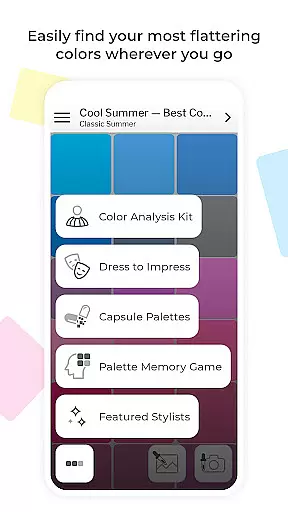
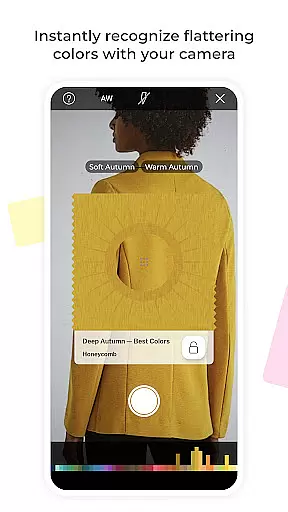
My Best Colors is a revolutionary mobile application that serves as your personal color consultant, designed to help you shop, dress, and express yourself with confidence. By utilizing your smartphone's camera, the app provides tailored color palettes based on the 12 Season Color System, ensuring you always choose hues that enhance your natural beauty. Whether at home or shopping, this app eliminates wardrobe guesswork by suggesting clothing, accessories, cosmetics, and jewelry that suit you best.
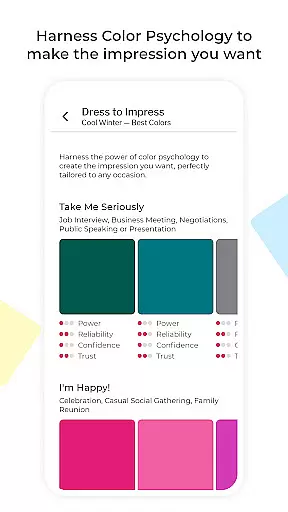
Beyond basic color matching, My Best Colors offers advanced features such as Trending Palettes inspired by fashion runways and Impression Palettes rooted in color psychology. These tools allow users to make informed decisions about their appearance while understanding the emotional impact of colors. With interactive elements like the Color Analysis Camera©, Smart Wardrobe Tools, and Fabric Previews, the app ensures a comprehensive approach to personal styling. Available for free with premium upgrades, it caters to both casual users and fashion enthusiasts seeking deeper insights into their best shades.
My Best Colors stands out with its diverse range of innovative features tailored to optimize personal style. The app includes curated premium palettes such as Complementary, Neutral, Accent, Jewelry, Eyeshadow, and Lipstick Colors, each designed to complement different aspects of your look. Additionally, the Color Psychology Insights feature helps users understand how specific colors influence perception and emotions, adding depth to their styling choices.
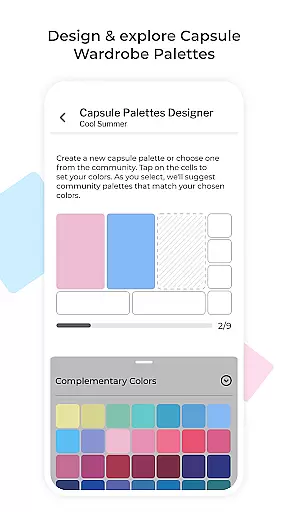
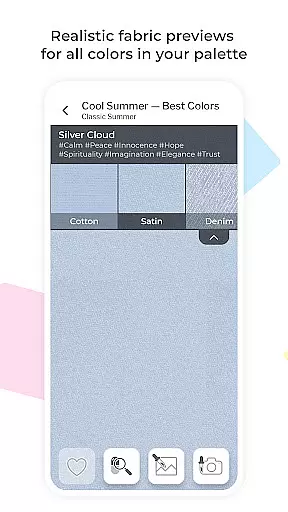
The app also boasts practical tools like Capsule Palettes for harmonious outfit combinations, Dress to Impress options for situational dressing, and Custom Palettes for importing personalized collections from Colorwise.me. Interactive functionalities such as the Color Picker, Color Type Detection, and Fabric Previews further enhance user experience by providing real-time guidance and realistic texture simulations. With these robust features, My Best Colors empowers users to refine their wardrobe effortlessly while fostering a deeper connection with their unique color identity.
My Best Colors offers an extensive product database that goes beyond simple color suggestions. The app provides tailored color palettes based on the 12 Season Color System, ensuring users can find shades that genuinely suit their complexion and style. With curated premium palettes such as Complementary, Neutral, Accent, Jewelry, Eyeshadow, and Lipstick Colors, users have access to a comprehensive range of options.
The app's database is enriched with features like Trending Palettes, which are inspired by runway shows and designer collections, adapted to fit individual color types. Additionally, Impression Palettes use color psychology to help users make the right impression in various scenarios. These emotionally curated shades come with tags like Joy, Trust, or Elegance, offering deeper insights into how each color can affect perception and mood.
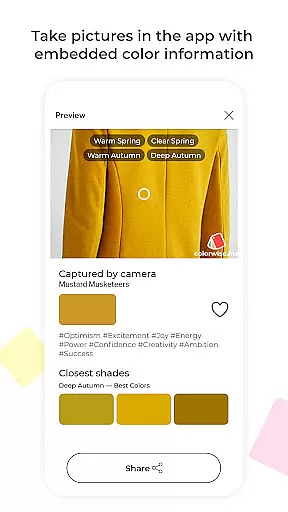
Users benefit from practical tools like the Color Picker, which identifies best shades from real-life objects or images, and Fabric Previews, allowing them to see how colors appear in different textures. This depth ensures that whether shopping for clothing, accessories, cosmetics, or jewelry, users can make informed decisions that enhance their natural beauty.
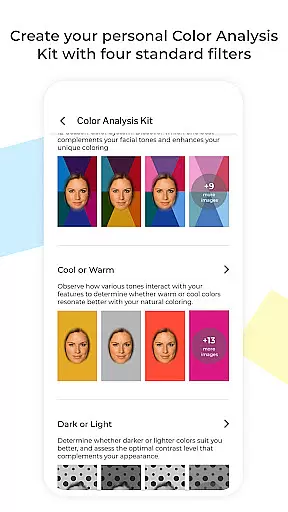
Personalization is at the heart of My Best Colors, providing users with precise recommendations through advanced features. The Personalized Color Analysis Kit uses virtual filters to mimic in-person draping, helping users discover their season and best shades via the Color Analysis Camerau00a9. This technology ensures that every user receives a customized experience that adapts to their unique characteristics.
Smart Wardrobe Tools further enhance personalization by enabling users to create Capsule Palettes that mix and match harmonious colors for outfits. Thousands of community-curated schemes offer endless inspiration, while Custom Palettes allow importing collections from Colorwise.me. The Dress to Impress feature lets users select colors that align with their mood and goals, ensuring they always make the desired impact.
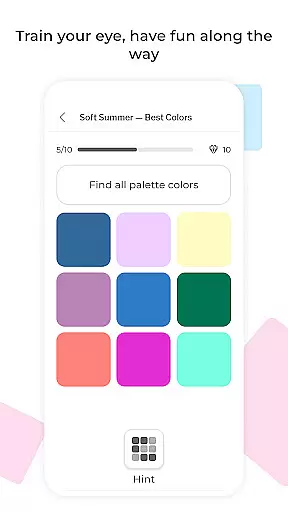
Interactive elements like the Memory Game improve color recognition skills in a fun way, reinforcing personalized learning. By leveraging these precise personalization tools, My Best Colors empowers users to build confident wardrobes, shop purposefully, and express themselves authentically through color.
User-friendly interface
Comprehensive color analysis
Interactive wardrobe tools
Emotionally curated palettes
Lifetime premium access
Free version has ads
Premium upgrade cost
Advanced features may overwhelm
Requires good lighting
Occasional detection errors

Color haircut changer style on
 3.30
3.30
Your Personal Stylist for Smart Shopping, Beauty & Styling Outfits.
4.4
Design your nails, manicure and pedicure with nail paint art and nail idea app
3.90
Selfiechat Filters for amazing photos with Funny face filters
4.60
Wacky mirror filter, waves effect & wavy effect to make your own funny videos.
4.60
Beauty camera to take nature selfie with photo filter. Photo makeup face editor.
4.50
Beauty Camera - Selfie Camera with sweet selfie, makeup, filter, sticker, editor
4.50
Salon appointment booking and scheduling software for beauty pros and barbers.
4.80
Beauty for every eye, lip & face. Earn rewards, play games, connect with others.
4.30
For businesses, Booksy Biz allows you to manage your schedule & more on the go.
4.60
A tool that brings skin care and technology together at your fingertips.
4.50
Crown Heart Emoji Photo Editor has given you the chance to look cute girl
4.40
All-in-one solution for independent beauty pros to manage & grow their business
4.30
Seasonal color palettes for shopping clothes and makeup products with confidence
4.20
Seasonal color palette, my personal color, hair color changer, makeup, wardrobe
4.20
The all new Cosmo Prof app offers exclusive pro products, deals, and training.
4.00
Create, design and dress up your own beautiful characters in cute fashion styles
3.50
Beauty/age defining ai coach guides you through the exercises in daily routine.
3.30
Enjoy convenience wherever you are with the Tune Up, The Manly Salon app.
3.20


User Reviews