
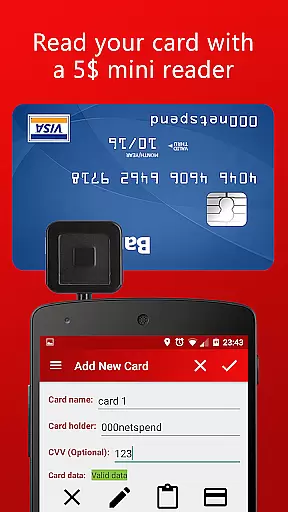
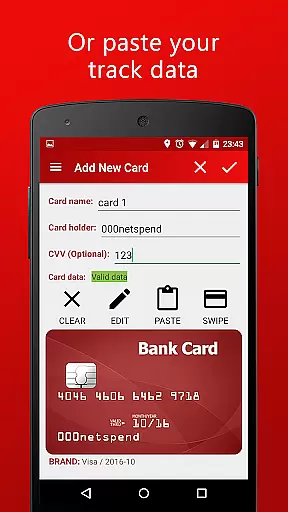
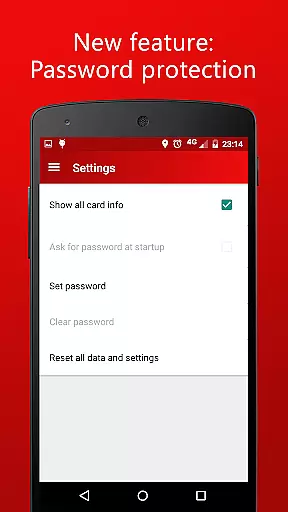
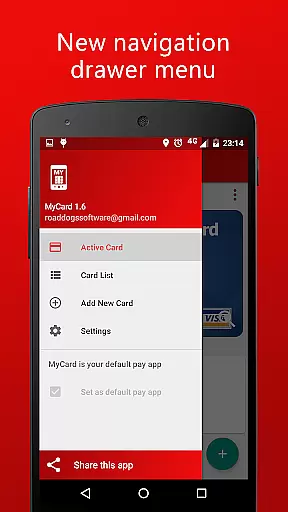
MyCard is a cutting-edge NFC mobile payment application designed to revolutionize the way users handle transactions. This app allows you to save your card track data and make payments in stores equipped with contactless card readers using just your mobile phone. With support for adding cards via a mini magnetic stripe reader or by manually entering the track data, MyCard offers flexibility and convenience.
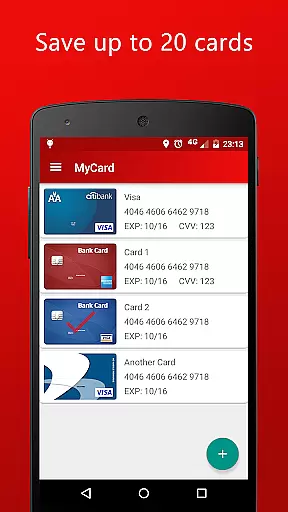
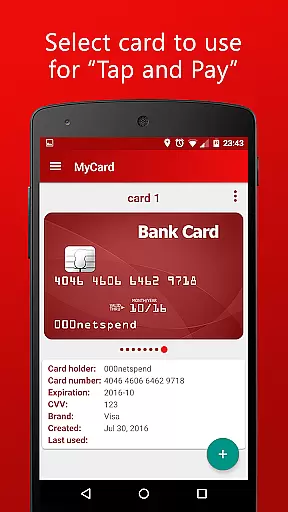
The app can store up to 20 cards on your device, letting you choose which card to use for each transaction. It operates without internet access and ensures complete privacy by not sharing information with other apps. To get started, you need to obtain the track2 magnetic stripe data from your card using a USB or audio jack card reader, both of which are readily available online. Compatible with Android 4.4 or higher, this app requires an NFC-enabled device that must remain unlocked during mobile payments.
MyCard is ideal for tech-savvy individuals who prioritize security and convenience in their financial transactions. By leveraging modern NFC technology, it provides a seamless payment experience while maintaining robust data protection standards. Whether you're at a local grocery store or a large retail chain, MyCard ensures quick and secure payments, making it an essential tool for modern consumers.
MyCard boasts a range of sophisticated features tailored to enhance user experience and ensure secure transactions. One of its standout capabilities is the ability to add cards using either a mini magnetic stripe reader connected to your phone or by directly pasting the track data into the app. This dual-method approach caters to different user preferences and technical setups, providing unparalleled flexibility.
Security and privacy are at the forefront of MyCard's design. The app functions entirely offline, meaning it does not require internet access to complete transactions. Furthermore, it operates as a standalone application, ensuring that your financial data remains isolated and protected from other apps. Users can store up to 20 cards within the app, allowing them to manage multiple accounts effortlessly and select the desired card for each purchase.
Compatibility with both USB and audio jack card readers broadens the accessibility of MyCard, enabling users to acquire the necessary hardware easily and affordably. These readers are widely available on platforms like eBay or Amazon for $5-15. Additionally, the requirement for devices to be running Android 4.4 or higher with NFC capabilities ensures that only modern, secure devices can utilize this service. Overall, MyCard combines advanced technology with user-centric features to deliver a superior mobile payment solution.
Account and fund security is paramount in any financial application, ensuring users that their data and transactions are protected. MyCard employs advanced encryption methods to safeguard your card track data, making certain that your financial information remains confidential and secure at all times.
The app operates without internet access, significantly reducing the risk of online hacking or unauthorized access. This offline functionality ensures that your sensitive card information never leaves your device unless during a contactless transaction, which itself is encrypted and secure.
Furthermore, MyCard does not share information with other apps on your device, maintaining a strict isolation policy. This means your financial data stays within the app, inaccessible to potentially malicious third-party applications. With these robust security measures, users can confidently store up to 20 cards on their phones without concern for privacy breaches.
A seamless transaction experience is crucial for user satisfaction in mobile payment solutions. MyCard offers an intuitive and efficient way to pay in shops equipped with contactless card readers using just your mobile phone. By storing your card's track data securely, it allows you to make payments swiftly and effortlessly.
To enhance convenience, the app supports adding cards through various methods including a mini magnetic stripe reader or by manually entering the track data. This flexibility ensures that regardless of how you choose to input your card information, MyCard provides a smooth setup process tailored to individual preferences.
Moreover, when making a purchase, selecting which stored card to use is straightforward, allowing for quick changes between different payment methods as needed. The requirement of NFC technology combined with Android 4.4 or higher guarantees modern security protocols during transactions while ensuring broad compatibility across devices.
Secure transactions
Offline functionality
Multiple card storage
Flexible card addition
Privacy-focused design
Limited device compatibility
Requires external reader
No iOS support
Manual data entry needed
Potential setup complexity

Companies owe you money.
 4.80
4.80
Download the MySynchrony App to manage your accounts securely and conveniently!
4.60
Bitcoin gpu app helps you remote mine using your cell phone easily .
3.60
Get a cash advance instantly. File taxes & cover unexpected bills in minutes.
4.60
The DailyPay app lets you access earned wages before your next payday.
4.70
Put crypto to work & earn rewards. Stake crypto like Ethereum, Solana & Cardano
4.40
Get up to 500, get paid early, earn interest and find work with no hidden fees.
4.40
Keep track of your subscriptions with no limitations
4.80
Join 12M+ users. Instant cash advances, personal loans, build credit, save money
4.80
Currency Converter supports all currencies of the world.
5.00
Simple & secure international money transfers - for personal & business needs.
4.80
Pay rent on your schedule.
4.70
Get 250$ Cash Advance to solve emergencies instantly in loan app called LendMe
4.70
Cash Advance, Credit Cards, Credit Lines, Score Monitoring, Saving, Budgeting
4.70
Access State Farm accounts, policies, ID cards and more
4.60
Our Chase Mobile App makes it easy for you to bank on the go 24/7.
4.60
Earn cash & save money daily. Access instant cash advances* - no credit check!
4.50
Venmo is the fun and easy way to pay and get paid.
4.10
View BSC Transactions for multiple accounts
3.90


User Reviews