
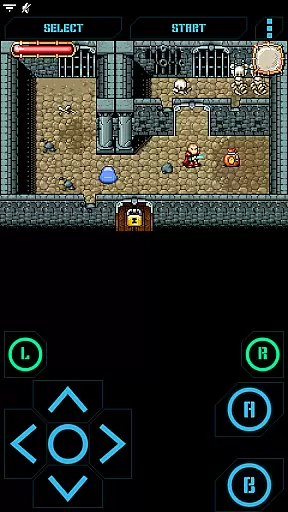
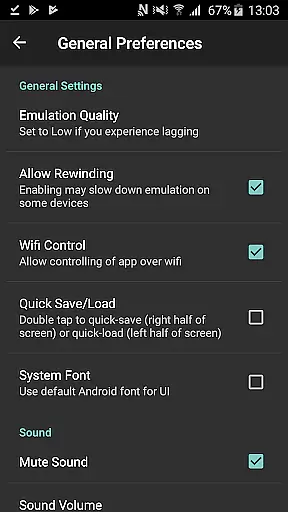
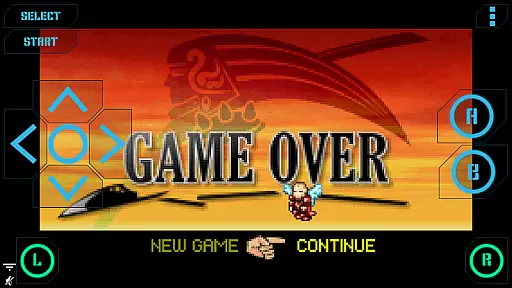
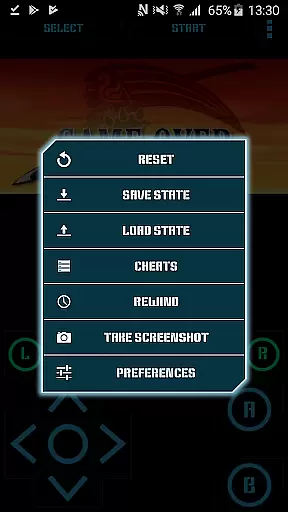
Nostalgia.GBA Pro is a premium Game Boy Advance emulator that brings classic gaming to modern devices. Built on the robust mGBA core, this app delivers exceptional emulation accuracy and performance. The application features an intuitive user interface with customizable controls, allowing players to tailor their gaming experience. With advanced save states, rewinding functionality, and Wi-Fi controller support, it elevates mobile emulation to new heights.
Designed for both casual gamers and emulation enthusiasts, Nostalgia.GBA Pro supports various file formats including GBA and ZIP. The app integrates seamlessly with external controllers and offers enhanced graphics through OpenGL ES acceleration. Its comprehensive feature set makes it an ideal choice for those seeking authentic retro gaming experiences on their mobile devices.
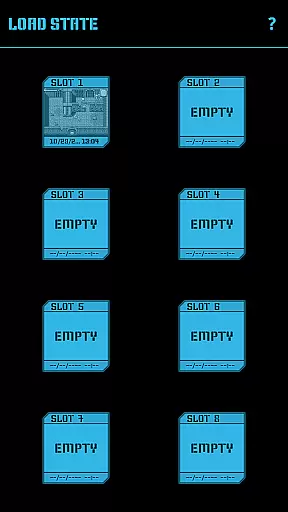
Nostalgia.GBA Pro distinguishes itself through its extensive feature set tailored for optimal emulation. The app's virtual controller offers unprecedented customization options, enabling users to adjust button size and position according to their preferences. Its sophisticated save state system includes eight manual slots with screenshots and an autosave function, facilitating easy progress management across devices.
The emulator's technical capabilities are equally impressive, featuring hardware-accelerated graphics and high-fidelity 44100 Hz stereo sound. Advanced functionalities like game rewinding and turbo buttons enhance gameplay, while support for HID Bluetooth gamepads ensures responsive controls. Additional features include cheat code implementation, screenshot capture, and seamless ROM detection on SD cards, making it a comprehensive solution for Game Boy Advance emulation.
Arcade authenticity and nostalgia are essential elements for any gaming emulator, and Nostalgia.GBA Pro excels in delivering these experiences. As a high-quality Game Boy Advance emulator based on mGBA, it ensures that classic games run as they were originally intended, preserving the integrity and spirit of arcade gaming.
The app offers a modern, cool-looking, and user-friendly interface that enhances the nostalgic journey without compromising the original gaming essence. Its highly customizable virtual controller allows users to adjust button sizes and positions, providing a personalized touch that caters to individual preferences while maintaining the classic feel.
With features like game progress saving and loading, users can capture their gaming milestones with ease. The inclusion of 8 manual slots with screenshots and an autosave slot ensures that players never lose their progress, making it convenient to pick up where they left off. This functionality not only adds convenience but also enriches the nostalgic experience by allowing gamers to relive their favorite moments.
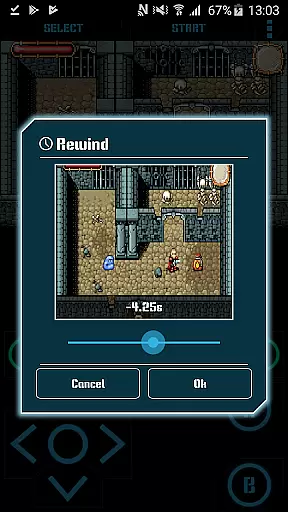
Moreover, the ability to rewind the game a few seconds back adds a safety net for players facing challenging scenarios. This feature, combined with turbo buttons and A+B button options, brings both innovation and familiarity, enhancing gameplay while staying true to the arcade roots. These elements collectively ensure that Nostalgia.GBA Pro delivers an authentic and nostalgic arcade experience.
Control responsiveness is crucial for an immersive gaming experience, and Nostalgia.GBA Pro stands out with its highly reactive and intuitive controls. The emulator supports hardware-accelerated graphics utilizing OpenGL ES, ensuring that every action translates seamlessly into the game environment without delay or lag.
One of the standout features is the highly customizable virtual controller, which lets users tailor the size and position of each button. This customization ensures that players can achieve optimal comfort and precision, leading to a more responsive and engaging gaming session. Whether you prefer larger buttons for easier access or specific layouts that mimic traditional controllers, Nostalgia.GBA Pro accommodates all preferences.
In addition to customizable controls, the emulator supports HID Bluetooth gamepads such as MOGA and 8bitdo, offering another layer of responsive interaction. Gamers can enjoy the tactile feedback of physical controllers, further enhancing the precision and immediacy of their commands. This compatibility bridges the gap between modern technology and classic gameplay, providing the best of both worlds.
Furthermore, the inclusion of turbo buttons and the A+B button option adds another dimension to control schemes, allowing for rapid inputs and complex combinations that respond instantly. With these features, Nostalgia.GBA Pro ensures that every move, press, and command is executed with utmost accuracy and speed, delivering a truly responsive arcade experience.
User-friendly interface
Customizable controls
Advanced save states
Hardware acceleration
Controller support
No games included
Premium price
Complex setup
Occasional bugs
High storage needs

Turn-based pixel game where jumping is the only weapon!
 4.0
4.0
Three awesome new levels for The Impossible Game.
4.30
Payback 2 includes everything from tank battles to high speed helicopter races!
4.50
Catch ghosts, shoot monsters and defeat bosses in this RPG idle shooting game.
4.70
John GBC is GB/GBC emulator. This emulator is easy to use.
3.80
Cool car builder & racing simulator: make a car to win the obstacle course race!
4.60
Full featured version of Pizza Boy A (GBA emulator)
4.80
You control the ball! Dribble, shoot and score against eleven soccer players!
4.60
Challenge your friends in this game! Two players on one device!
4.70
Master the skies in this epic airplane shooting game! Join the air force now!
4.80
Venture into the galaxy to fight against the invasion of space invaders.
4.60
Fruit is waiting to be sliced, ninja. Play the hit mobile game !
4.50
Premium version. Save the galaxy from alien shooter in this classic game
4.50
Suck the other’s blood and be the longest surviving mosquito!
4.40
Epic offline war strategy game - build your city, train your army, conquer
4.20
Play retro games with ease – NES, SNES, PSX, PSP & more supported
4.2
Machine Gun Fire Rumbles in the Jungle
4.2
BallStack is a vibrant match-3 game where you stack and match colorful balls!
4.2
Infinite Arcade
4.5


User Reviews