
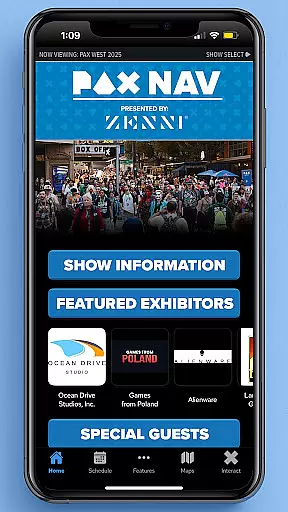
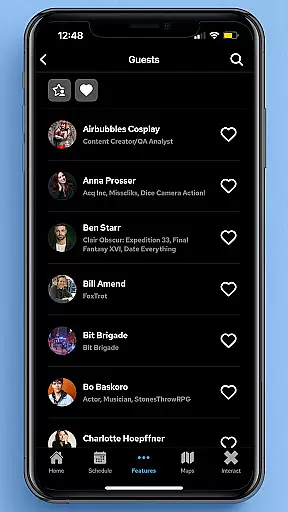
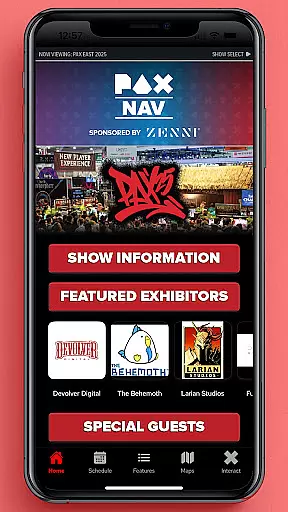
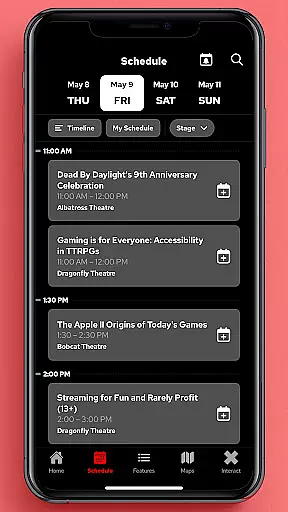
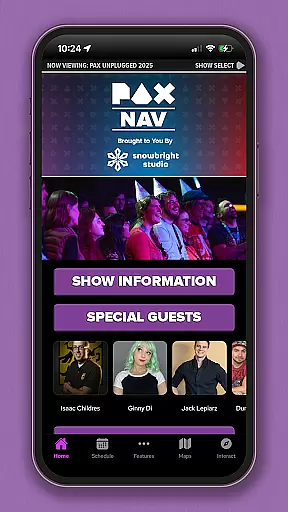
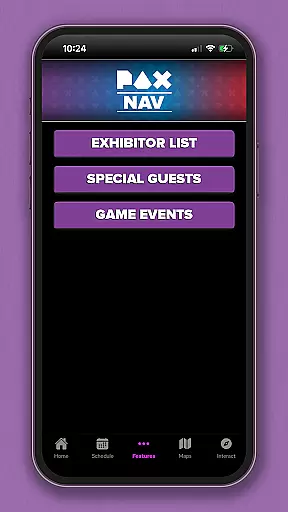
PAX Nav is the official app for PAX West, PAX East, and PAX Unplugged events. It provides users with comprehensive access to event schedules, exhibitor lists, interactive maps, exclusive show specials, and entry into the PAX XP program. Designed specifically for gaming enthusiasts and event attendees, this app serves as an all-in-one guide to maximize your PAX event experience.
The app's intuitive interface allows for easy navigation through various event details, ensuring you never miss a panel, workshop, or expo. Whether you're planning your day or exploring last-minute opportunities, PAX Nav delivers essential information right to your fingertips, enhancing both preparation and on-site engagement.
PAX Nav offers a robust set of features tailored for PAX event attendees. The app includes a fully interactive schedule that lets users browse and filter panels, tournaments, and concerts based on their preferences. Additionally, it provides detailed exhibitor information, including booth locations and exclusive show offers, helping attendees make the most of their visit.
One standout feature is the interactive map functionality, which helps users navigate the expansive event spaces with ease. The app also integrates with PAX XP, allowing users to track their event achievements and earn rewards. These capabilities ensure that attendees can seamlessly plan their itinerary while staying informed about special activities and promotions throughout the event.
Task creation and detail customization are essential features for event management applications like PAX Nav. This functionality allows users to create personalized schedules by selecting specific panels, workshops, or exhibitors they want to see.
The app provides a seamless process for adding events to your personal agenda. Users can browse through the full schedule, which includes detailed descriptions of each session, speaker information, and venue locations. The ability to filter and search makes it easy to find exactly what you're looking for.
Once an event is added to the personal schedule, users can customize details such as setting personal reminders or adding notes. This level of customization ensures that attendees can optimize their time at PAX events and never miss an important session.
The value of this feature lies in its ability to enhance the overall event experience. By allowing users to create a tailored itinerary, PAX Nav helps attendees make the most of their convention experience while staying organized and informed throughout the event.
Reminder settings in event applications serve as crucial tools for managing time effectively during busy conventions. PAX Nav offers robust reminder features that help attendees stay on top of their schedules.
The application allows users to set multiple types of reminders for different events. Whether it's a panel discussion, autograph session, or exhibitor showcase, attendees can choose when and how they want to be reminded. Options typically include notifications ranging from 15 minutes to several hours before the event starts.
What sets PAX Nav apart is its intelligent reminder system that considers event locations and travel time between venues. This ensures that users receive notifications with enough lead time to comfortably move from one session to another without feeling rushed.
This feature significantly enhances user experience by reducing stress and improving time management during crowded conventions. With reliable reminder settings, attendees can focus more on enjoying the content and less on worrying about missing important sessions.
User-friendly interface
Comprehensive event coverage
Interactive maps
Exclusive show specials
PAX XP integration
Limited to PAX events
Requires internet connection
Occasional updates needed
Event-specific content
No offline mode

An App for Bhutanese
 4.4
4.4
Buy event tickets easily with our user-friendly App. Stay updated on hot events
4.4
Browse events, find transportation, keep up with the latest news from your team
4.3
Wedding planner app with wedding venues, wedding checklist, countdown & budget.
4.60
Beautiful invitation cards + easy RSVP tracking for any event. Design Invites.
4.80
The Official Football Ticketing App for Fans in Qatar
4.2
Events, Meetings, Photo Shoots
4.50
Invitation Card Maker, Design & share wedding, birthday & party invites fast
4.40
Octrober 2025: We've updated the MyGenMobile App with a new look and feel!
4.40
Fantasy of Lights Event App
5.00
Clubs, Festivals, Discounted Tickets, Guest Lists & VIP Tables
4.90
The KRUU app - plan, celebrate, remember
4.80
Discover events & experiences in NYC, LA, Chicago, DC, Miami and more!
4.70
For weddings, parties & events
4.60
Microsoft Ignite is an event that showcases latest advancements in technology
4.00
Buy tickets for any event!
3.90
Instant photo sharing for every occasion
3.80
RAISE-365 makes fundraising easy and fun!
3.20
TV Garden - World Live TV : Play & cast your videos seamlessly!
3.20


User Reviews