
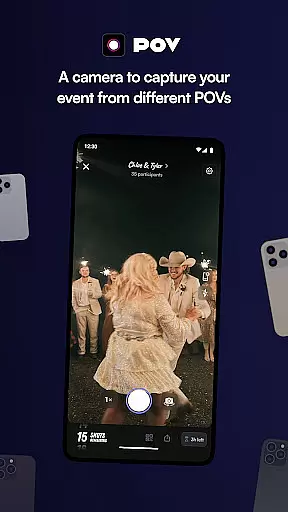
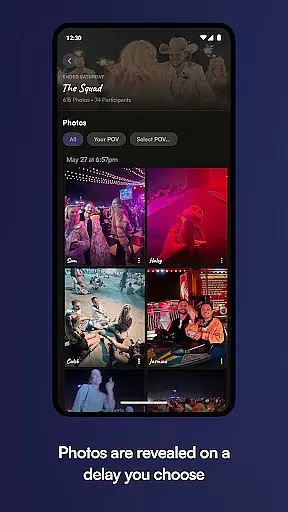
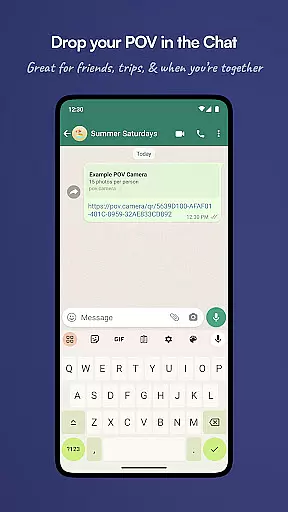
POV is an innovative event photography app that allows guests to capture and share moments from unique perspectives. Designed for event organizers, this app creates a digital disposable camera experience where users can control the number of photos each guest can take. The next-day reveal feature adds excitement as attendees relive the event through curated images.
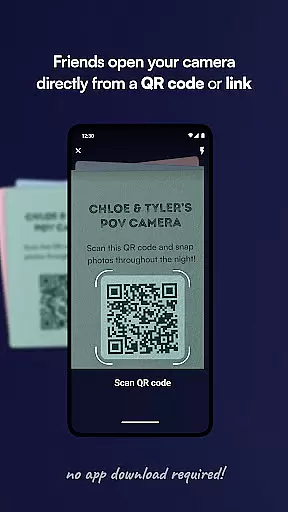
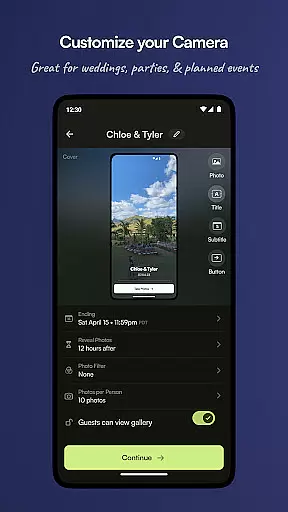
The app's strength lies in its customization options and accessibility. Guests don't need to download anything - they simply scan a code or click a link to participate. Event organizers can personalize the entire photo-taking experience including camera settings, gallery timing, and visual design elements.
This application is particularly valuable for weddings, corporate events, and parties where controlled yet creative photography is desired. By limiting photo counts and offering delayed viewing, POV ensures higher quality captures while building anticipation among participants.
POV offers several distinctive features that set it apart in the event photography space. The core functionality revolves around its virtual disposable camera system, where event hosts can set photo limits per guest and schedule delayed reveals. This creates a more intentional and thoughtful approach to event photography.
The app provides extensive customization tools for event organizers. From designing the user interface with custom stickers, backgrounds, and text to controlling when the gallery becomes available, hosts have complete creative control. The sharing functionality is equally robust, supporting both QR codes and NFC tags for seamless event access.
What makes POV particularly appealing is its guest-friendly approach. The no-download requirement removes technical barriers, while the customizable nature allows hosts to create unique, branded experiences. These features combine to deliver a sophisticated solution for capturing professional-quality event memories without hiring a photographer.
Creating and customizing tasks within POV allows event organizers to define specific photo-taking limits for guests, ensuring a controlled yet creative environment. This feature is crucial for maintaining the exclusivity of the event while encouraging guests to capture high-quality moments.
The app provides an intuitive interface where users can set precise parameters for each event. Organizers can specify the number of photos each guest can take, thus preserving the authenticity and uniqueness of the captured content. The ability to customize these details ensures that every event maintains its distinct character.
Users benefit from this feature by having complete control over their event's photographic output. By limiting the number of photos, guests are encouraged to be more thoughtful in their photography, capturing only the most meaningful moments. This results in a curated collection of images that truly reflect the essence of the event.
This level of customization not only enhances the user experience but also adds a layer of sophistication to event management. It empowers organizers to craft memorable experiences that align with their vision, making each event uniquely remarkable.
POV offers flexible reminder settings that ensure guests are promptly notified about the event's photo-sharing activities. These reminders play a vital role in keeping participants engaged and informed throughout the event duration.
Event creators can configure reminders to alert guests at various stages u2013 before, during, and after the event. Whether it's a gentle nudge to start taking photos or an exciting notification that the gallery is about to reveal, these timely alerts keep everyone connected and involved.
For users, this means never missing out on key moments or updates related to the event. Timely reminders enhance participation rates and contribute to a vibrant, active community of guests who are eager to share and relive memories together.
By integrating customizable reminder settings, POV elevates the overall event experience. It bridges communication gaps and fosters a sense of anticipation and excitement among guests, ultimately leading to higher satisfaction and engagement levels.
User-friendly interface
Highly customizable
No download required
Delayed reveal option
Guest photo limit control
Limited to events
Requires planning
Premium features cost
Dependent on internet
Learning curve

Create Birthday Cards in Birthday Invitation Maker and Birthday Card Creator App
 3.00
3.00
PheedLoop Go! is the mobile event app for events powered by PheedLoop.
4.40
The KRUU app - plan, celebrate, remember
4.80
Soft Proxy for Your Online World
4.4
The Official App
3.70
Invitation Card Maker, Design & share wedding, birthday & party invites fast
4.40
Birthday Greetings provides Birthday Card, Frames, Gifs & Father's day Wishes
4.80
Introducing the official Magic: The Gathering app for mobile.
4.20
Freebie Games for Epic Games, Steam, Amazon, Rockstar etc.
4.40
Design Invitations & Cards for Any Occasion
4.80
Discover events & experiences in NYC, LA, Chicago, DC, Miami and more!
4.70
Wedding planner app with wedding venues, wedding checklist, countdown & budget.
4.60
Everything you need for the Best Thursday Ever.
4.40
Meet people over dinner
4.40
The official app for Sched events! View your event schedule here.
4.20
No invest, Easy way to earn USDT through crypto cloud mining
3.80
ETH Mining provides secure way to mine Ethereum & earn ETH in Cloud mining app
3.50
TV.Garden is a video player to play your own TV streams from around the world!
3.40
It is an Event Planning Application.
4.3


User Reviews