
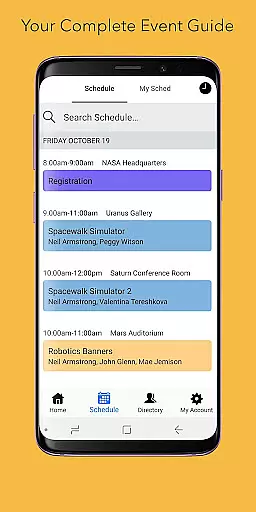
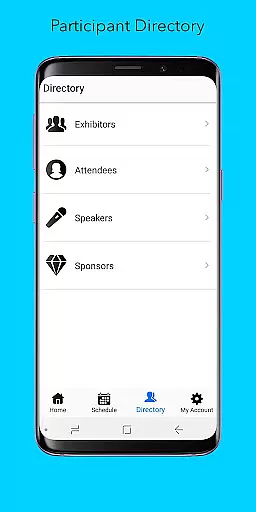
Sched is a leading platform for session registration and attendance management, designed to streamline the organization of complex multitrack events. This app allows event organizers to manage all event details in one place, offering a comprehensive solution for scheduling, personalization, and networking.
With features like full schedule access, personalized user experiences, speaker directories, and offline caching, Sched ensures that users can efficiently navigate and engage with event content. Whether you're attending a conference or managing one, Sched enhances the overall event experience by providing tools that are intuitive and reliable.
Sched offers a robust set of features tailored for event management. Users can browse the entire event schedule conveniently without needing an event guide. The app supports real-time updates, allowing attendees to modify their schedules on-the-go and ensuring they never miss important sessions.
Personalization is at the core of Sched's functionality. Attendees can create accounts to save favorite sessions and build their own schedules. Additionally, the directory feature provides detailed profiles of speakers and exhibitors, enhancing networking opportunities. Offline caching guarantees access to schedules even without an internet connection, making it a reliable tool for any event scenario.
Task creation and detail customization are essential features for event management platforms like Sched. This functionality allows event organizers to create detailed sessions, workshops, or meetings with specific information such as time, location, speaker details, and session descriptions.
Sched offers an intuitive interface where organizers can easily input and adjust these details. The platform supports rich formatting options, enabling the addition of multimedia content, links, and documents to session descriptions. This ensures attendees receive comprehensive information about each session, enhancing their overall event experience.
The benefits of this feature extend beyond just session creation. Organizers can categorize sessions into tracks or themes, making navigation easier for attendees. Additionally, real-time updates ensure that any changes in schedule or session details are immediately reflected across all devices, keeping everyone informed and aligned.
This level of detail and flexibility in task creation empowers both organizers and attendees, leading to more engaging and well-coordinated events.
Reminder settings play a crucial role in ensuring attendees do not miss out on important sessions at events managed through Sched. By allowing users to set personalized reminders, the app enhances punctuality and attendance rates significantly.
Within Sched, users can configure reminder notifications based on their preferences. They have the option to choose from various alert times before a session starts, ensuring they have ample time to navigate to the correct venue or prepare accordingly. These reminders can be received via push notifications, emails, or both, catering to different user habits and preferences.
This feature not only aids individual attendees but also benefits event organizers by reducing no-shows and last-minute scheduling conflicts. Moreover, it contributes to better time management and planning for participants who juggle multiple sessions throughout the day.
Overall, robust reminder settings within Sched help streamline the attendee experience, fostering greater engagement and satisfaction during complex multitrack events.
User-friendly interface
Comprehensive event management
Real-time schedule updates
Offline access capabilities
Enhanced networking opportunities
Limited free features
Occasional sync issues
Requires account creation
Interface not very intuitive
Some features need improvement

An App for Bhutanese
 4.2
4.2
The Official App
4.3
Here you can choose tickets for films, performances, concerts and other events
4.60
Greeting card maker with photos best app| Birthday cards| All wishes eCards FREE
4.50
Local events, contests, and giveaways for local dads
3.70
Rocket Monkey - Space rocket launch schedule for launch sites around the world
4.20
Everything you need for the Best Thursday Ever.
4.40
Design Invitations & Cards for Any Occasion
4.80
Connect with an ecosystem of 5M+ eventgoers and organizers.
4.50
Find EDM shows near you! See your favorite artists live, and discover new music.
4.90
Clubs, Festivals, Discounted Tickets, Guest Lists & VIP Tables
4.90
Buy and Sell Tickets for Concerts, Sports, and Theater.
4.70
Discover events & experiences in NYC, LA, Chicago, DC, Miami and more!
4.70
Microsoft Build is an annual developer conference hosted by Microsoft
4.20
Microsoft Ignite is an event that showcases latest advancements in technology
4.00
Audio guide companion APP for SEE's Michelangelo's Sistine Chapel
3.50
Buy event tickets easily with our user-friendly App. Stay updated on hot events
4.4
TV Garden is a video player to play your own TV streams from around the world!
4.0
Digital Income Wallet of the Final Libertadores 2025
4.1


User Reviews