
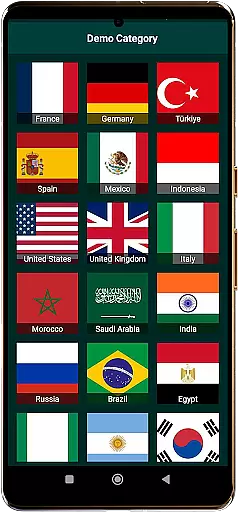
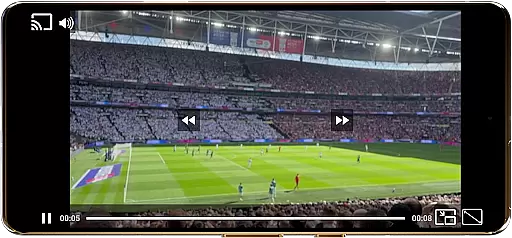
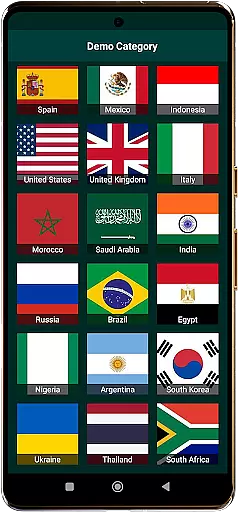
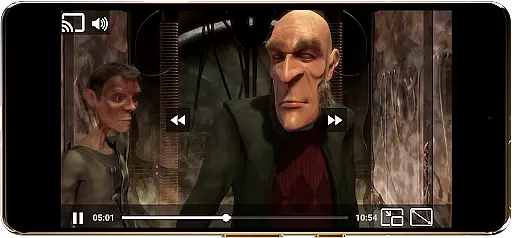
World TV Garden Videos Player is a versatile video player app designed for seamless TV viewing experiences. The app allows users to watch global and local live TV online using their own private streaming links, supporting various formats like DASH, HLS, and MP4. With features such as Picture-in-Picture mode, customizable controls, and Chromecast support, it offers an optimized viewing experience across devices.
The application caters to those interested in international TV, live news, sports, and entertainment channels. Whether you're looking to stay updated with global events or enjoy cultural programs from different countries, this app provides the tools to access a wide range of content effortlessly. Its broad format compatibility ensures smooth playback while offering enhanced audio quality for immersive experiences.
TV Garden empowers users to create personalized lists of favorite channels and explore new ones by importing their own legal streaming links. This makes it ideal for individuals who want to turn their devices into portable TVs and enjoy live streams from around the world, including USA TV, UK TV, Indian channels, Arabic broadcasts, European programming, and Asian content.
One of the standout features of World TV Garden Videos Player is its broad format compatibility, which supports DASH, HLS, MP4, and direct streaming links. This ensures that users can access a wide variety of online TV channels without worrying about format restrictions. The app's smooth playback capability guarantees lag-free video streaming, making it perfect for watching live TV streams, news, sports, and entertainment channels.
Additionally, the app includes Picture-in-Picture mode, allowing users to multitask while enjoying their favorite shows in a small window. Customizable controls enable tailored viewing experiences through adjustable scaling modes and playback settings. Users can also take advantage of Chromecast support to cast their streams onto any TV for an enhanced viewing experience. Enhanced audio quality further enriches the user experience when watching music TV channels or other content requiring superior sound.
Other notable features include a favorites list for saving preferred TV streams and movies, full-screen mode for immersive viewing, and the ability to stream and cast content easily. These functionalities make the app highly versatile and suitable for various use cases, whether it's staying informed with international news, following live sports events, or exploring cultural programs from around the globe.
In the realm of event management within applications like World TV Garden Videos Player, task creation is pivotal for organizing viewing schedules and customizing details to fit personal preferences. This app allows users to seamlessly create tasks by integrating their favorite streaming links into a Favorites section, effectively managing when and what to watch.
Detail customization in World TV Garden goes beyond simple scheduling; it involves tailoring each viewing experience with adjustable scaling modes, playback settings, and even Picture-in-Picture mode for multitasking. Users can optimize audio quality or cast their streams to a larger screen, ensuring an immersive experience tailored to individual needs.
The actual value derived from this feature is immense as it empowers viewers to curate personalized entertainment channels, be it live sports, international news, or cultural programs from around the globe. By saving preferred streams, users ensure quick access to content that matters most to them without hassle.
Ultimately, the ability to create tasks and customize viewing details transforms a simple video player into a powerful tool for global entertainment access. It offers unprecedented control over how and when users engage with content, making every interaction with World TV Garden Videos Player a personalized journey through world television.
Reminder settings are crucial for ensuring users never miss out on their favorite shows, live sports events, or important news broadcasts within an application such as World TV Garden Videos Player. By allowing users to set reminders for specific streams or events, the app enhances user engagement and satisfaction significantly.
This functionality works by enabling users to tap into their saved streams inside the Favorites section and activate timely alerts before these streams go live. Whether it's keeping up with international news channels or tuning in for live sports action, reminder settings keep you informed and ready to watch at your convenience.
Users benefit greatly from this feature as it not only keeps them updated but also integrates seamlessly into their daily routines. With notifications prompting them about upcoming broadcasts, they can plan their schedules accordingly, ensuring they catch every moment of interest across global TV channels.
By incorporating robust reminder settings, World TV Garden Videos Player elevates its utility beyond mere content delivery to become an indispensable companion in managing oneu2019s multimedia consumption efficiently. This thoughtful addition underscores the app's commitment to providing a comprehensive and user-centric viewing experience.
User-friendly interface
Wide format support
Smooth playback
Customizable controls
Chromecast integration
No hosted content
Requires personal links
Limited built-in channels
Dependent on external sources
Potential legal concerns

PheedLoop Go! is the mobile event app for events powered by PheedLoop.
 4.40
4.40
Clubs, Festivals, Discounted Tickets, Guest Lists & VIP Tables
4.90
For weddings, parties & events
4.60
No invest, Easy way to earn USDT through crypto cloud mining
3.80
The world's largest selection of tickets is now at your fingertips
3.90
Fast Scans. Happy Fans. For Every Hometown!
4.60
Buy and Sell Tickets for Concerts, Sports, and Theater.
4.70
Save money on concert, sport, and theater tickets, and discover upcoming events.
4.80
Discover events & experiences in NYC, LA, Chicago, DC, Miami and more!
4.70
Design Invitations & Cards for Any Occasion
4.80
Find tickets to upcoming concerts, sports events, festivals, shows, attractions
4.70
Meet people over dinner
4.40
Manage all your events, leads, ticketing, payments and check-ins.
4.30
Get live football here
4.30
Microsoft Build is an annual developer conference hosted by Microsoft
4.20
Track birthdays, habits & goals. Unlimited countdowns and count-ups
4.20
The Official App
3.70
Browse events, find transportation, keep up with the latest news from your team
4.0
The Official Football Ticketing App for Fans in Qatar
4.1


User Reviews