

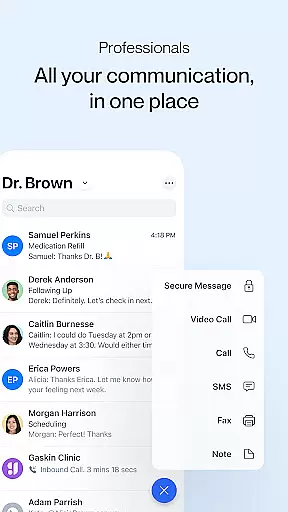


Spruce is a comprehensive medical communication platform designed specifically for healthcare professionals and their patients. This HIPAA-compliant app enables secure communication through various channels including calls, texts, faxes, video chats, and secure messaging, all consolidated within a unified team inbox. The platform supports clinical operations by offering tools for telehealth, team collaboration, panel management, and automated custom communications.
Healthcare professionals can take advantage of advanced phone systems, robust mobile and desktop apps, and built-in compliance features such as automatic HIPAA BAA, two-factor login security, SOC 2 auditing, HITRUST certification, and automatic audit logging. Additionally, Spruce provides automation capabilities, after-hours settings, and extensive panel management options to streamline patient interactions and internal workflows.
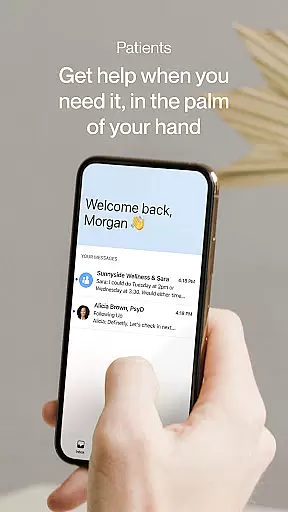
For patients, Spruce offers a free, secure app that allows them to connect with their care teams via video calls and secure messaging, including the ability to send photos and receive alerts for new activities. By bridging the gap between healthcare providers and patients, Spruce enhances the quality and efficiency of medical care outside traditional clinical settings.
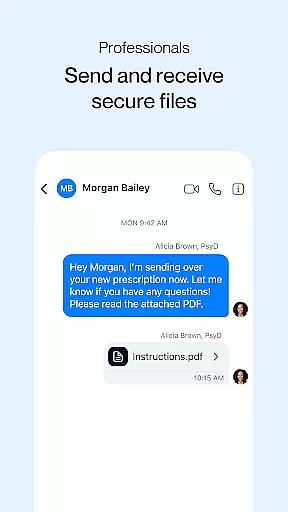
Spruce stands out with its rich array of features tailored for both healthcare professionals and patients. For professionals, the app provides new or transferable phone and fax numbers, an advanced phone system with phone trees, multiple lines, secure voicemail, automated transcription, VoIP, and number sharing. Secure messaging and fax capabilities include individual and group messaging, two-way SMS texting, and secure two-way eFax.
The telehealth functionality includes secure video calling and adaptive clinical questionnaires for patient intake and screening. Automation features allow saving messages for reuse, scheduling future deliveries, and implementing automatic responses for common needs. Panel management tools offer contact and conversation tagging, patient list uploads, advanced search, bulk messaging, and custom inbox configurations.
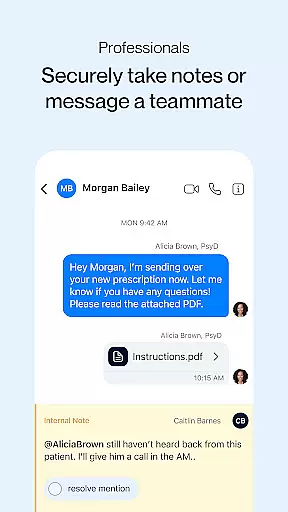
Team collaboration is enhanced with secure team chats, shared inboxes, internal notes, and @-paging. Patients benefit from a free, secure app available on mobile or desktop, enabling video calls, secure messaging with photo capabilities, and activity alerts. These features collectively ensure efficient, secure, and user-friendly medical communication.
In the realm of digital health, the credibility of medical content is paramount. Spruce: Medical Communication ensures that all information exchanged on its platform is not only HIPAA-compliant but also reviewed by healthcare professionals. This rigorous vetting process guarantees that users receive accurate and reliable medical advice.
Spruce incorporates advanced features like adaptive clinical questionnaires for patient intake and screening, which are designed by medical experts. These tools facilitate a thorough understanding of patient needs while maintaining high standards of medical accuracy. The inclusion of HITRUST certification further underscores the platform's commitment to data integrity and security.
For healthcare providers, Spruce offers robust telehealth capabilities including secure video calling and messaging. These features enable practitioners to deliver timely consultations without compromising on quality or privacy. By integrating these services within a single application, Spruce streamlines clinical operations and enhances patient care.
Teleconsultations have become an essential component of modern healthcare delivery systems. With Spruce, healthcare professionals can conduct high-quality virtual consultations through secure video calls. This feature allows doctors to maintain face-to-face interactions with their patients, ensuring continuity of care even when physical visits are not possible.
The platform supports comprehensive communication options such as secure messaging and two-way SMS texting, enhancing the overall teleconsultation experience. Patients can easily send and receive messages, including photos, facilitating better diagnosis and treatment planning. Additionally, automated schedules help manage after-hours communications effectively.
Spruceu2019s focus on user-friendly design ensures that both healthcare providers and patients can navigate the app effortlessly. Its intuitive interface promotes seamless interaction, making teleconsultations more efficient and productive. By prioritizing ease of use alongside security, Spruce sets a new standard for telehealth solutions.
User-friendly interface
Comprehensive security features
Advanced telehealth options
Efficient team collaboration tools
Free for patients
Premium features require subscription
Limited without team integration
Occasional connectivity issues
Steep learning curve for some
Dependent on provider adoption

A fantastic 3d reference that includes over 300 structures and a quiz function.
 3.00
3.00
3rd trimester? Counting Kicks is what moms should do-It’s important & easy too!
4.30
Easy telehealth appointments + urgent care
4.70
The MDLIVE app makes connecting with a doctor fast, easy, and convenient.
4.60
Download the PulsePoint app and use your CPR skills to save a life!
4.60
Take your aphasia therapy to the next level with 4 evidence-based advanced apps
4.70
A comprehensive 3D atlas of the human body
4.80
The doctor will see you now
4.70
Update medical records, view upcoming appointments, message your provider & more
3.80
Access health information and communicate with your care team anytime, anywhere.
4.80
Manage your prescriptions and pharmacy care anytime, anywhere.
4.80
Manage your healthcare through the FollowMyHealth® Universal Health Record.
4.80
Boost reading, writing, speaking and listening with a scientifically proven app.
4.70
Secure video visits with your VA care team from anywhere
4.50
Get your lab results on your smartphone with MyQuest.
4.40
We’ve made it easy for Oscar members to get care on the go.
4.30
Over 1,200 review questions and 5 exams—pass the NREMT with EMT Review Plus!
4.10
Donating plasma just got easier with the BioLife Plasma Services mobile app.
3.90
Easy access to benefits and rewards
3.70


User Reviews