
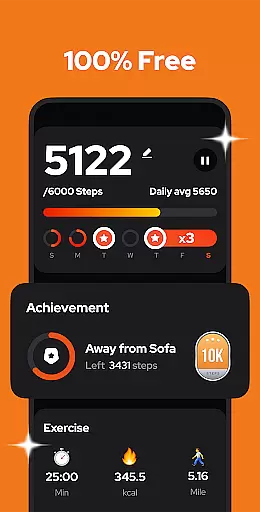
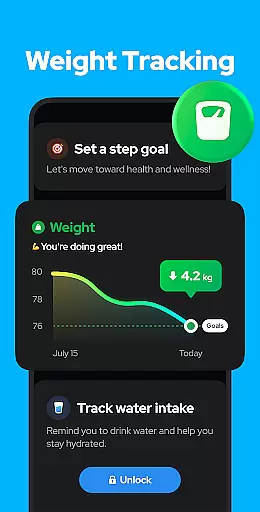
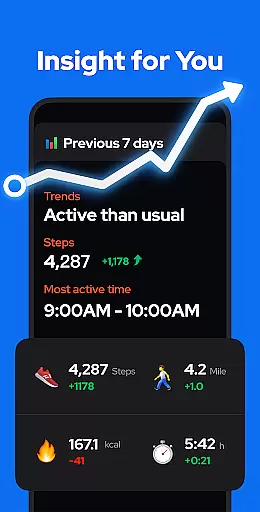
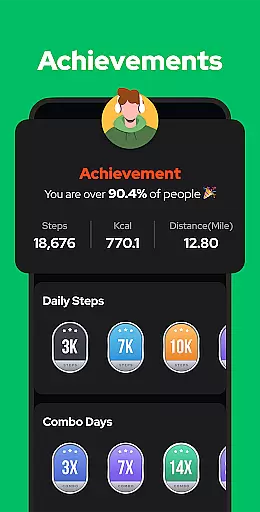
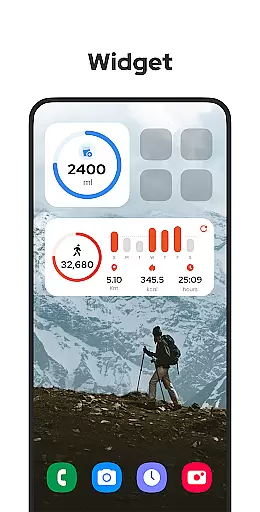
Step Counter - Pedometer is a leading health and fitness application designed to help users track their daily physical activity with precision. This app automatically records essential metrics such as steps taken, calories burned, walking distance, and duration of activity. The built-in advanced exercise tracker ensures accuracy while preserving battery life by not using GPS tracking. It works seamlessly in offline mode, making it accessible anytime, anywhere.
This app is perfect for individuals aiming to maintain an active lifestyle or achieve specific fitness goals. Whether you're looking to hit the recommended 10,000 daily steps or monitor your progress over weeks and months, Step Counter - Pedometer provides all necessary tools. Its user-friendly interface and customizable features make it suitable for all age groups, ensuring a personalized experience tailored to individual fitness needs.
Step Counter - Pedometer stands out with its comprehensive set of features designed to enhance user experience. One of its key functionalities is the automatic step counting feature, which works efficiently whether the phone is in your hand or pocket, even when the screen is locked. Users can pause and resume step tracking to avoid unnecessary counts during non-activity periods like driving, with adjustable sensitivity settings for improved accuracy.
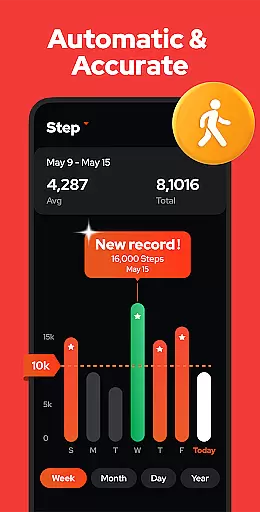
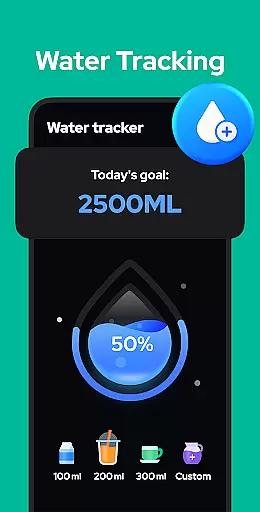
The app offers robust data visualization through graphs that display weekly, monthly, and yearly trends in steps, calories, distance, and speed. Additionally, it includes practical features like cloud backup and restore options, ensuring no data loss when switching devices. Upcoming enhancements such as customizable training modes, hydration reminders, and health metric recordings further demonstrate the app's commitment to providing a holistic health tracking solution.
Personalized planning in a fitness app refers to the ability to create tailored exercise plans based on individual user data and goals. This feature is crucial for users who want to optimize their workouts according to their specific needs.
Step Counter - Pedometer offers personalized planning by analyzing your daily activity, such as steps taken, calories burned, and distance covered. The app uses this data to provide insights into your progress and suggests adjustments to help you reach your fitness objectives more effectively.
Users benefit from this feature by receiving customized recommendations that align with their personal health goals, whether it's weight loss, increased activity, or maintaining a certain level of fitness. This ensures that each user's experience is unique and targeted towards their desired outcomes.
The true value of personalized planning in Step Counter - Pedometer lies in its adaptability. As users progress, the app continues to learn from their activity patterns, refining its suggestions to offer increasingly accurate and beneficial advice, thus supporting long-term health and fitness journeys.
Progress visualization is an essential feature in fitness apps that allows users to see their achievements and track their fitness journey over time. Visual representations can be highly motivating and help users understand their performance trends.
In Step Counter - Pedometer, progress visualization is presented through detailed charts and graphs. Users can view their step counts, calories burned, walking duration, and distance traveled, segmented by day, week, month, or year. This comprehensive visual data helps users recognize patterns and make informed decisions about their fitness routines.
With this feature, users gain a clear understanding of their progress, which can lead to increased motivation and adherence to their fitness plans. Seeing tangible results can encourage users to set new goals and strive for continuous improvement.
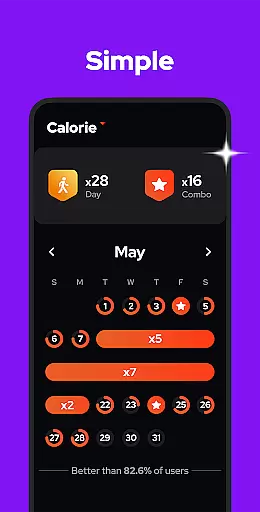
Step Counter - Pedometer stands out by offering robust progress visualization tools that not only display historical data but also highlight milestones and achievements. This approach fosters a sense of accomplishment and keeps users engaged in their fitness endeavors.
User-friendly interface
Accurate step tracking
Offline functionality
Battery efficient
Free to use
Limited wearable integration
No live tracking
Basic social features
Occasional inaccuracies
Few customization options

Transform your body and soul with DBFFitness, with a 40-day fitness journey.
 4.3
4.3
Insanity blocks of intense physical activity, short breaks of 30 seconds.
4.4
For Absolute Novices to Strength Training. Simple. Effective.
4.40
The app helps you address digestive symptoms based on the Fast Tract Diet.
3.50
Period Tracker, the easiest way to track your periods!
4.50
Using Recognise™ has been shown to reduce pain, and improve performance.
4.0
Your portable blood pressure tracker. Record, monitor, and analyze BP anytime.
4.30
Make sense of your health data.
3.80
Comprehensively record and manage your health
4.50
Effortlessly and naturally release anxiety by harnessing the power of your brain
4.60
The simplest way to track your 21 Day Program containers, exercises, and water.
4.50
See what's really going on inside your head! Real time EEG graphs from your Muse
4.40
The most accurate heart rate app to monitor and track your heart rate & pulse.
4.40
Walk, track, and burn calories with step counter & GPS walking tracker
4.20
Looking to take control of your health? Our psychology-based programs can help.
4.10
Track sleep cycle, relax with white noise, sleep sounds & smart alarm clock
3.80
Find Paid Clinical Trials In Your Area
3.70
Measure real-time wrist & ambient temperature with your Galaxy Watch (Wear OS)
3.20
Optimization for TRT & Enhanced Athletes
4.1


User Reviews