
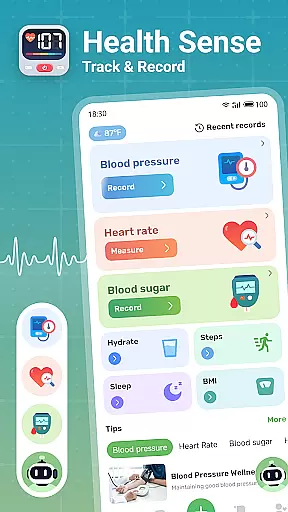
Health Sense is a comprehensive health tracking application designed to help users monitor essential health metrics. The app allows you to track blood sugar, blood pressure, heart rate, BMI, steps, and water intake through a simple input interface. With personalized health diaries and data visualization charts, it provides clear insights into your health trends over time.
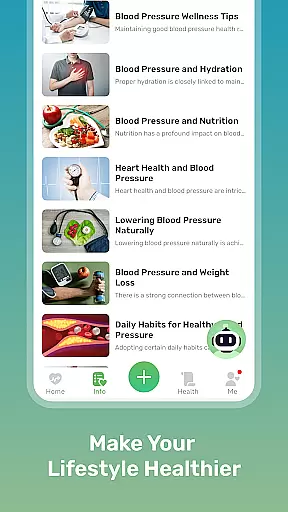
Beyond basic tracking, Health Sense offers scientifically-backed health knowledge and tips for managing conditions like diabetes and hypertension. While not intended as a diagnostic tool, the app serves as an excellent daily companion for those looking to maintain better control of their health metrics and make informed lifestyle choices.
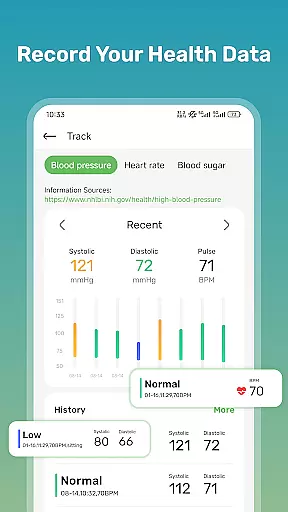
Health Sense stands out with its user-friendly design and robust feature set tailored for health-conscious individuals. The app's intuitive interface lets you effortlessly record vital signs such as systolic and diastolic blood pressure, pulse rate, blood glucose levels, and more. Each entry is timestamped and organized into easy-to-read charts that display trends over days, weeks, or months.
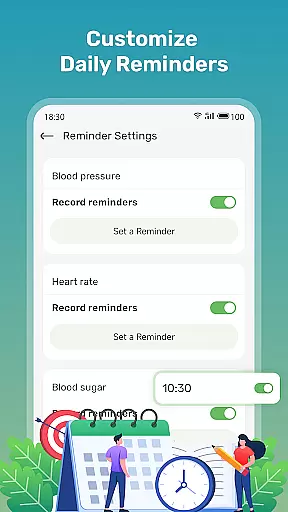
In addition to tracking capabilities, Health Sense provides valuable health insights and educational content. Users can access tips on managing blood sugar, maintaining heart health, and improving overall wellness. The app also includes step and hydration trackers, ensuring a holistic approach to personal health management. These features collectively empower users to take proactive steps toward better health.
Personalized planning in health applications is crucial for tailoring individual health strategies. Health Sense offers a unique approach to personalized health management by allowing users to record and track various health metrics such as blood sugar, blood pressure, heart rate, and BMI.
The app provides a simple input interface where users can log their health data anytime and anywhere. This feature enables users to maintain a consistent record of their health indicators, which is essential for observing trends and making informed decisions regarding their health regimen.
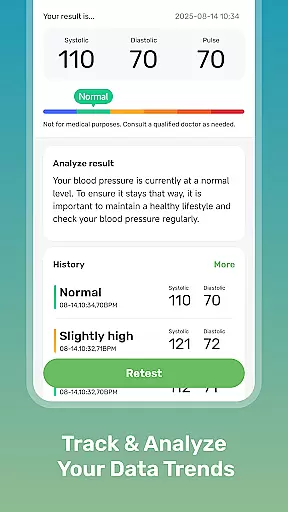
By creating a personalized health diary, Health Sense empowers users with clear graphs and trends of their vital statistics. This helps individuals to not only monitor but also adjust their health plans according to the observed data, ensuring that they remain within healthy ranges.
Ultimately, the personalized planning feature of Health Sense delivers significant value by giving users control over their health data and assisting them in managing their well-being effectively.
Visualizing progress is an integral part of maintaining motivation and achieving health goals. Health Sense excels in progress visualization by transforming user-inputted data into understandable and visually appealing charts and graphs.
Upon entering health metrics such as blood glucose levels, blood pressure readings, or daily step counts, users can view their progress through detailed graphical representations. These visual aids make it easier to comprehend complex health data and recognize patterns or anomalies in one's health status.
This form of data presentation is not only informative but also engaging, encouraging users to continue tracking their health metrics regularly. The ability to see tangible evidence of improvement or areas needing attention enhances the overall user experience.
With Health Sense's progress visualization tools, users gain insights into their health journey, helping them stay committed to their health objectives while also providing a means to celebrate milestones achieved along the way.
User-friendly interface
Comprehensive health tracking
Personalized health insights
Data visualization tools
Educational health content
No medical diagnosis capability
Limited emergency support
Potential device heating issues
Manual data entry required
No integration with wearables

Create powerful subliminal audio with custom affirmations and background music.
 4.00
4.00
Power-lifting, weightlifting and Wendler 531 app to track your workout program.
4.90
Personal Measurements - Track your gains!
4.50
Interval timer for High Intensity Interval Training, Tabata and Circuit Training
4.20
Show your support for the development of FitNotes - Gym Workout Log
4.90
Load the bar with this barbell & plate calculator. It's leg day, not brain day!
4.70
This is an application that serves as a companion app for smart watch.
4.20
Fast Body building & Weight Loss. Home Workouts with Daily Coach, No Equipment.
4.30
Manage your and your family's health information.
4.60
Home workouts for fitness & fast bodybuilding at home - no equipment needed.
4.90
Easy access to health benefits
4.70
a fun app full of surprises :)
4.70
A brain game that moves you
4.70
Build Healthy Habits!
4.60
Mind on steroids - relaxation, productivity, meditation and sleep!
4.60
The OFFICIAL Couch to 5K® running training app! A 9 week walk-run workout plan.
4.50
For Absolute Novices to Strength Training. Simple. Effective.
4.40
Find Paid Clinical Trials In Your Area
3.70
Using Recognise™ has been shown to reduce pain and improve performance
4.1


User Reviews