
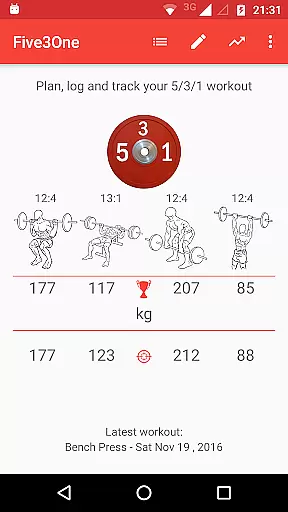
Wendler Log 531 Pro is a specialized fitness application designed for powerlifting and strength training enthusiasts who follow the Wendler 5/3/1 workout program. The app eliminates the need for printed spreadsheets by calculating and managing your workout plan based on your one-rep max (1RM). It automatically generates the required weights and repetitions for each workout session, ensuring a streamlined gym experience.
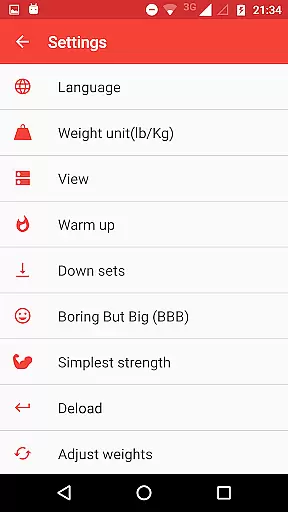
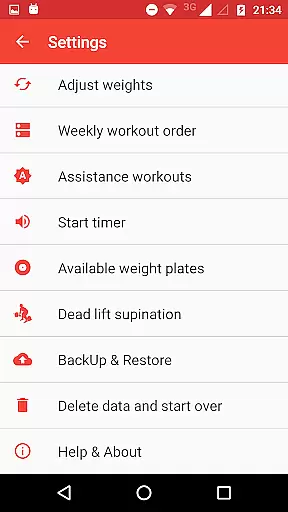
Beyond basic workout planning, the app offers extensive customization options to tailor the program to individual goals. Users can adjust training max percentages, configure workout order, and even add custom assistance exercises. With features like progress tracking, rest timers, and weight plate calculators, this app provides a comprehensive solution for optimizing strength training routines.
Ideal for serious lifters, Wendler Log 531 Pro ensures you stay organized and focused during workouts. The app's ability to export data via CSV and backup to cloud services adds convenience to workout management, making it an essential tool for anyone committed to systematic strength progression.
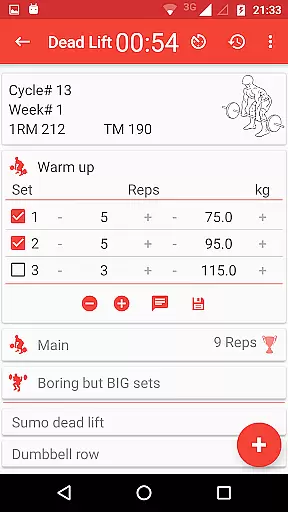
Wendler Log 531 Pro stands out with its robust feature set tailored specifically for the Wendler 5/3/1 program. The app calculates your one-rep max (1RM) and adjusts weights during workouts, allowing users to maintain precise control over their training intensity. With configurable settings such as training max percentages, number of cycles, and weekly workout order, the app adapts to various training styles and preferences.
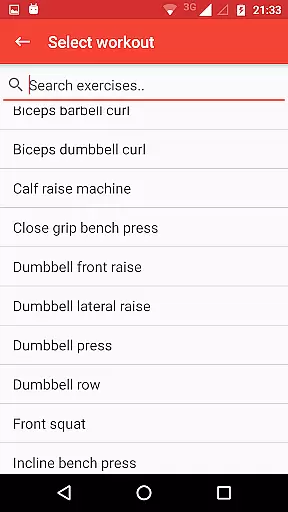
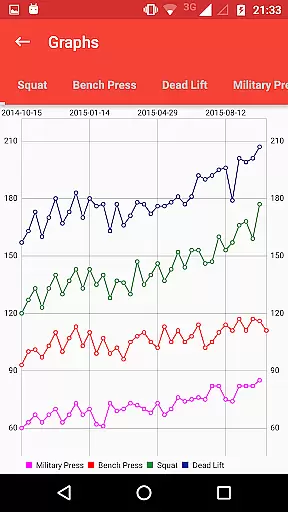
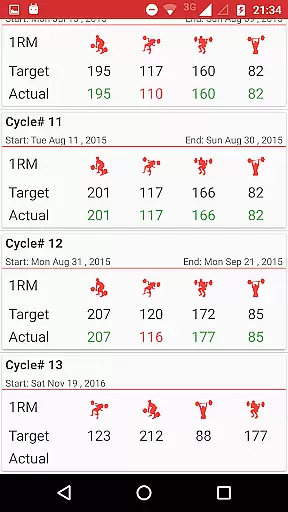
Additional functionalities include warm-up sets, boring but big sets, and assistance exercises - both predefined and customizable. The app also tracks progress through detailed charts and cycle overviews, providing visual feedback on achieved lifts. Beyond traditional 5/3/1 features, users can explore advanced options like Joker sets, Pyramid sets, and alternative main lifts, expanding the program's versatility.
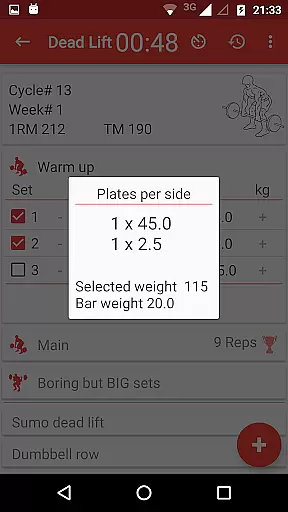
The app's practical tools extend to everyday gym needs, including a plates calculator for quick weight loading and a rest timer for optimal recovery periods. With support for both metric and imperial units, along with comprehensive backup and export capabilities, Wendler Log 531 Pro delivers a complete package for systematic strength development.
Personalized planning in fitness applications refers to the ability to tailor workout programs according to individual goals, capabilities, and progress. This feature is crucial as it ensures that users follow a regimen that's optimally suited to their personal development.
Wendler log 531 Pro achieves personalized planning by allowing users to enter their current one-rep max, which the app then uses to calculate and manage a tailored workout program. It automatically lays out weights and reps for each workout session, adapting to user-defined parameters such as training max percentage and number of cycles.
Users benefit from this feature through a highly customized experience that evolves with their progress. The app offers extensive customizations, including configurable weekly workout orders, warm-up sets, and assistance exercises, ensuring workouts remain aligned with personal objectives.
The true value of personalized planning in Wendler log 531 Pro lies in its comprehensive adaptability. Users can modify their lifting routines, add personal assistance exercises, and even adjust beyond the standard 5/3/1 features, providing a dynamic and responsive tool for strength training.
Progress visualization in fitness apps involves presenting users' advancement data in an easily digestible graphical format. This feature is important because it allows users to see their improvements over time, which can be a great motivator and a way to ensure they are on track with their fitness goals.
In Wendler log 531 Pro, progress visualization is achieved through progress charts that display users' current one-rep max and track body weight changes. These visual elements provide a clear picture of performance trends and physical transformations related to the user's strength training journey.
For users, this means having a tangible way to monitor their success and make informed decisions about future workouts. By being able to visually assess their gains, users can adjust their training intensity or volume accordingly to continue making progress.
Ultimately, the progress visualization tools within Wendler log 531 Pro empower users by giving them insight into their own data. With features like cycle overviews indicating completed workouts and estimated versus achieved one-rep maxes, lifters have a detailed view of their ongoing achievements and areas for potential growth.
Comprehensive workout planning
Extensive customization options
Progress tracking with visual charts
Convenient plates calculator
Cloud backup and CSV export
One-time purchase fee
Complex interface for beginners
Limited to 5/3/1 methodology
No video demonstrations
Requires manual data entry

Your plan in your pocket 24/7
 3.00
3.00
Relax to calm sounds, white noise, music, guided meditation and bedtime stories
4.40
Weight loss app: home workout for women to lose weight & burn calories.
4.80
See what's really going on inside your head! Real time EEG graphs from your Muse
4.40
Histamine intolerance, low FODMAP diet and irritable bowel syndrome (IBS)
4.00
Find Paid Clinical Trials In Your Area
3.70
Pedometer that gives you sweatcoins for steps. It pays to walk!
4.10
Jogging app for calorie counter and distance tracker. Running app to lose weight
4.20
Mood journal, habits, self-care tracker, self-love
4.90
Show your support for the development of FitNotes - Gym Workout Log
4.90
Wall Pilates at home & Pilates workout for beginners for core and weight loss.
4.80
a fun app full of surprises :)
4.70
A brain game that moves you
4.70
Build Healthy Habits!
4.60
Personal Measurements - Track your gains!
4.50
Focus on BP & Health
3.80
Measure real-time wrist & ambient temperature with your Galaxy Watch (Wear OS)
3.20
Sync your activities of the most popular sports tracking services
2.70
Using Recognise™ has been shown to reduce pain and improve performance.
4.0


User Reviews