
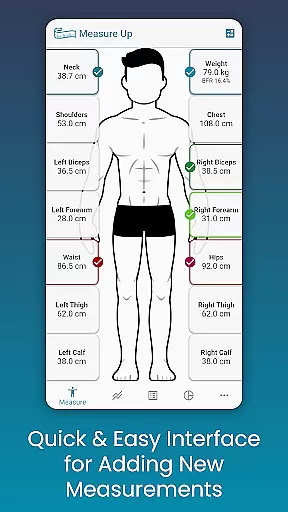
Body Measurement Tracker is a specialized Health & Fitness application designed to simplify the process of monitoring weight loss or muscle gain progress. The app's core functionality revolves around its intuitive measurement tracking system, which allows users to effortlessly record and manage body measurements.
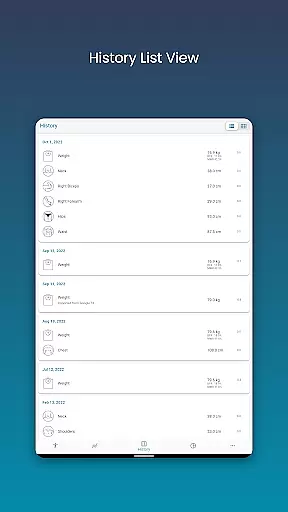
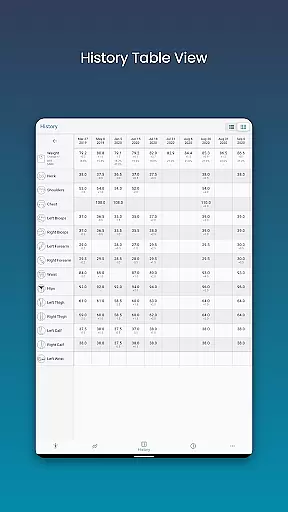
One of the standout features is its user-friendly interface that provides visual cues for daily tracking, ensuring users never lose track of their progress. The app also offers multiple data visualization options including charts, tables, and lists, giving users flexibility in how they view their fitness journey. Additionally, the integration with Google Fit enables seamless synchronization with other health applications.
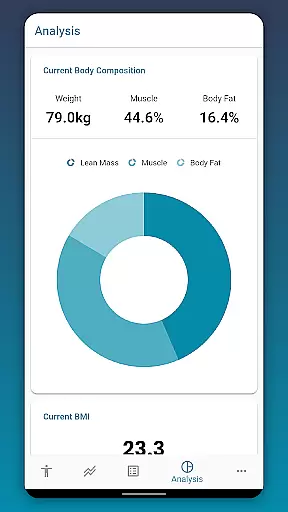
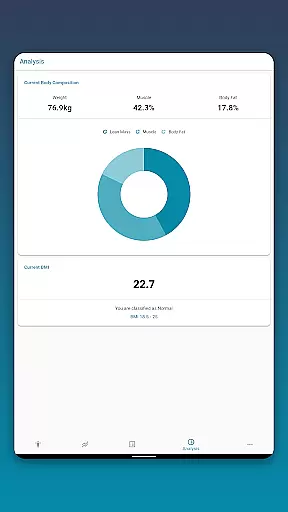
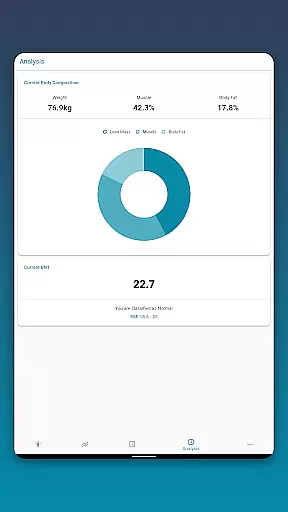
This application proves particularly valuable for individuals who struggle with manual tracking methods like notes or spreadsheets. It streamlines the entire measurement process while providing comprehensive analysis tools for body composition and BMI, making it an essential tool for anyone serious about tracking their fitness transformation.
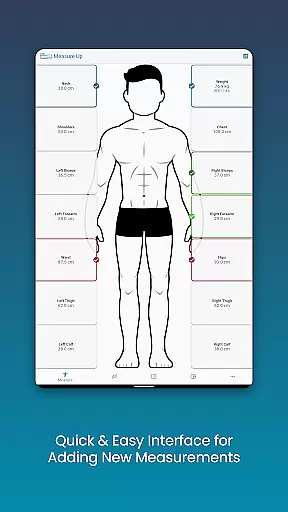
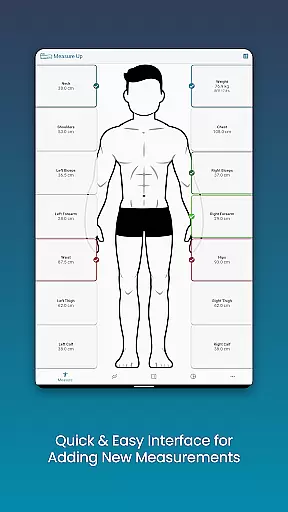
The Body Measurement Tracker distinguishes itself through several innovative features that enhance the user experience. Its measurement recording system stands out with quick-add functionality and date-adjustable entries, allowing users to maintain accurate historical data.
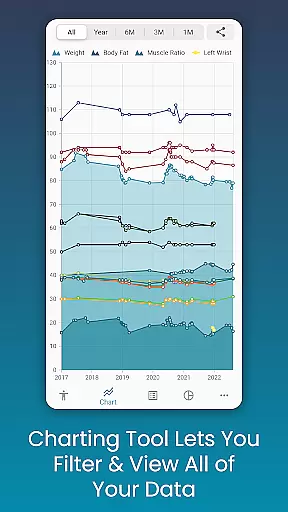
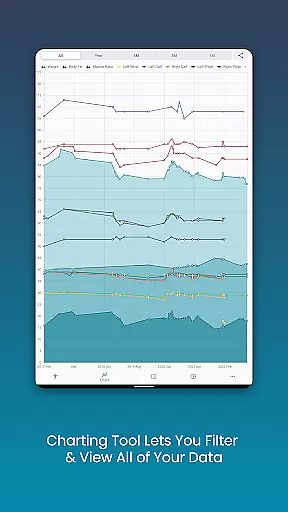
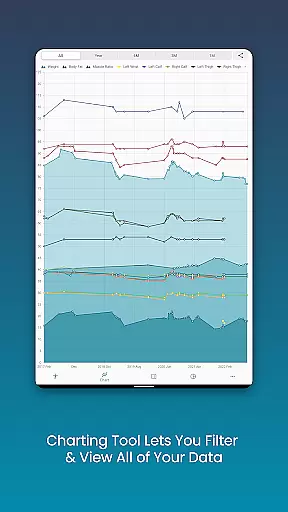
A key differentiator is the app's robust chart analysis capabilities. Users can visualize their progress through customizable charts that display various metrics including lean mass, body fat, and muscle development. The ability to toggle different measurements and export these visualizations as PNG files adds significant value for users who want to share their progress.
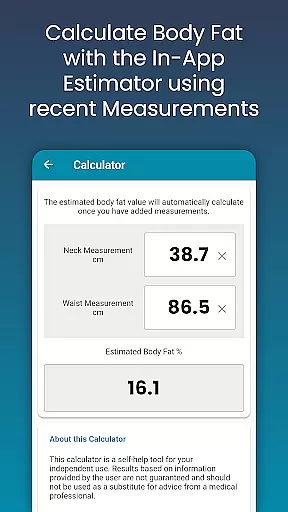
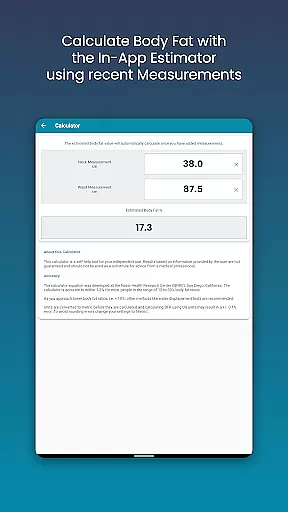
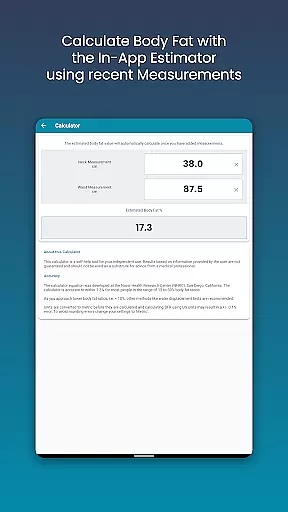
Additional notable features include a built-in body fat calculator, customizable measurement types, and color options for personalization. The app also provides essential backup and restore functionality, ensuring data security through cloud storage integration. These comprehensive features collectively create a powerful tool for managing and analyzing personal fitness data.
Personalized planning in health and fitness apps refers to the ability to create tailored workout and nutrition plans based on individual goals, progress, and preferences. This feature is crucial as it ensures that users follow a regimen that is specifically designed for their unique needs.
Body Measurement Tracker excels in personalized planning by allowing users to input various body measurements and track changes over time. The app provides an intuitive interface where users can quickly add measurements, adjust dates for past entries, and even estimate body fat using an in-app calculator. These capabilities enable users to tailor their fitness journey according to their specific objectives, whether it's weight loss or muscle gain.
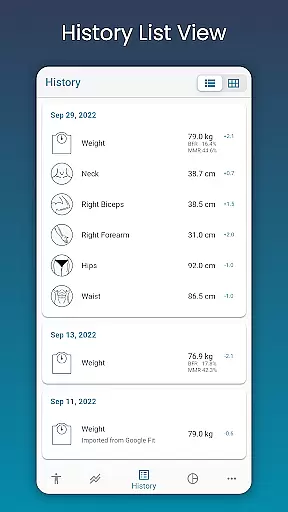
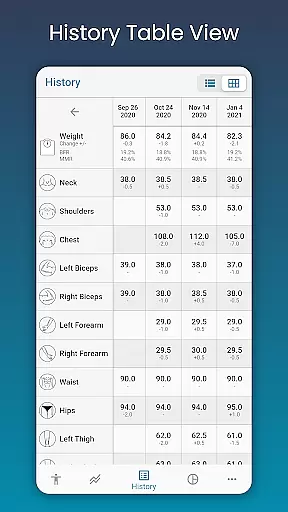
The benefits of this personalized approach are manifold. Users can easily monitor their progress with visual aids like charts, tables, and lists, which offer different perspectives on their data. This helps in understanding trends and making necessary adjustments to achieve desired outcomes more effectively.
Ultimately, the value of personalized planning in Body Measurement Tracker lies in empowering users with actionable insights derived from their own data. By integrating with Google Fit, the app further enhances its utility by syncing measurements with other health apps, thus providing a comprehensive view of one's fitness journey.
Progress visualization is a critical component of any health and fitness application. It involves presenting user data in a visually appealing and easy-to-understand manner, such as through charts, graphs, or dashboards. This feature is essential because it allows users to see their advancements clearly, motivating them to continue their efforts.
In Body Measurement Tracker, progress visualization is implemented through a unique charting system that displays all user data in one spot. Users can toggle different measurements on and off from the legend toolbar, providing a clear picture of their progress towards specific goals. For instance, stacking lean mass, body fat, and muscle data gives users a comprehensive view of how their body composition is changing over time.
This level of detail offers significant advantages. Users can interpret their progress without spending extra time analyzing raw numbers. The ability to export these visualizations to PNG format and share them via popular apps adds another layer of convenience and engagement.
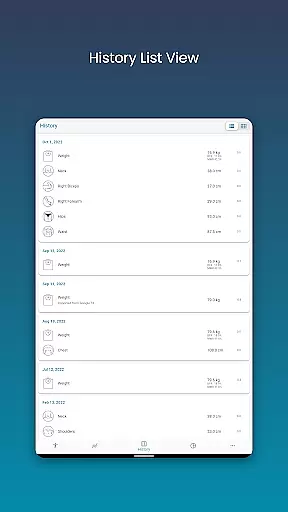
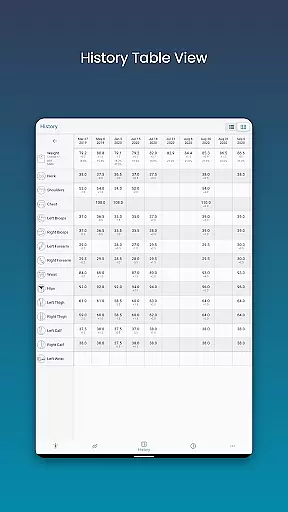
By offering multiple ways to view measurement historyu2014such as table and list viewsu2014Body Measurement Tracker caters to diverse user preferences. This flexibility not only enhances user experience but also encourages consistent use of the app, leading to better long-term health outcomes.
User-friendly interface
Comprehensive data visualization
Google Fit integration
Customizable measurement options
Secure data backup system
Limited advanced analytics
No wearable device integration
Premium features require subscription
Occasional syncing issues
Basic UI design

a fun app full of surprises :)
 4.70
4.70
Optimization for TRT & Enhanced Athletes
4.2
See what's really going on inside your head! Real time EEG graphs from your Muse
4.40
Protect your healthy sleep
4.80
Relax. Sleep Better. Feel Better.
4.50
GloryFit is a companion app for the smart bracelet.
3.60
Drink water reminder app. Track water intake. Smart simple hydration tracker.
4.70
beat yesterday.
4.00
Workouts for everyone
4.70
Easy access to health benefits
4.70
You deserve easy access to important insurance information. Download for FREE.
4.70
Mind on steroids - relaxation, productivity, meditation and sleep!
4.60
Personal step counter for you, private and accurate
4.50
For Absolute Novices to Strength Training. Simple. Effective.
4.40
Track heart rate & HRV in 30s! Get live health insights and anomaly alerts
4.40
Pedometer that gives you sweatcoins for steps. It pays to walk!
4.10
Pupillary distance PD with camera quick and easy, checking glasses frames on you
3.70
Control your sleep in real-time wearing Garmin device
3.60
3D Body Measurement System
3.60


User Reviews