
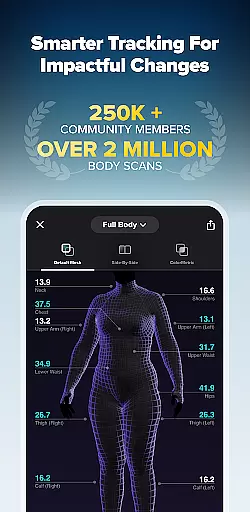
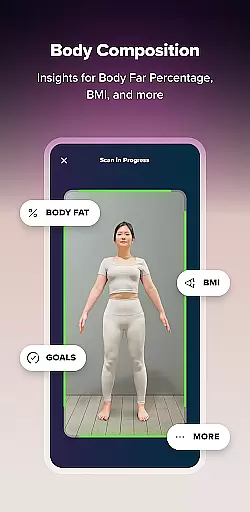

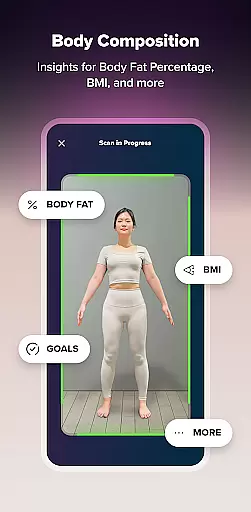

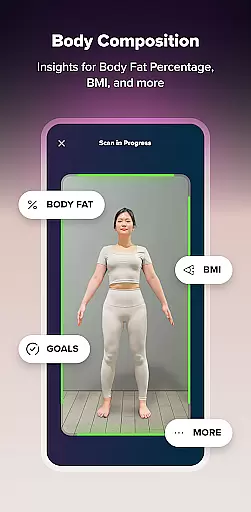

ZOZOFIT is a comprehensive fitness tracking application that combines precise 3D body scanning with AI-powered nutrition monitoring. The app provides users with detailed measurements of 12 key body areas, body fat percentage calculations, and visual progress tracking through innovative features like ColorMetric and Goal Setting. Designed for health-conscious individuals, ZOZOFIT transforms the way users monitor their fitness journey by offering a complete digital toolbox in one place.
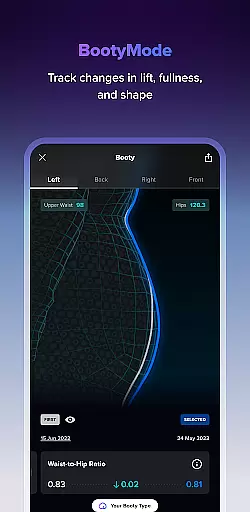
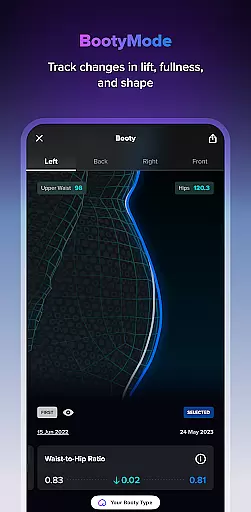
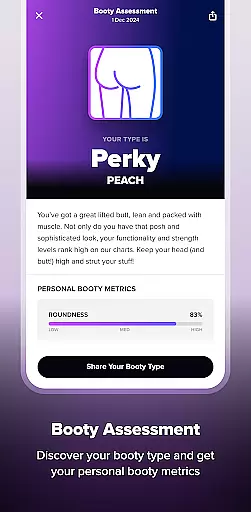
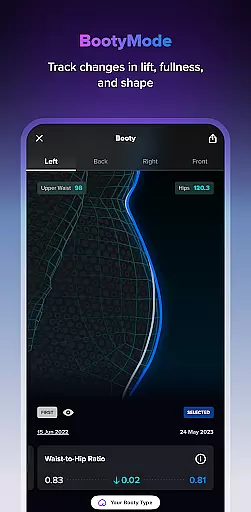
The app's standout feature is its ability to create a 3D mesh model of the user's body, allowing for accurate measurement tracking over time. With specialized tools such as Booty Mode for targeted progress monitoring and the new Food Journal for effortless meal logging, ZOZOFIT delivers a holistic approach to personal fitness. Compatible with select Android devices running OS 11 or later, this app is particularly beneficial for those seeking data-driven insights to complement their fitness goals.
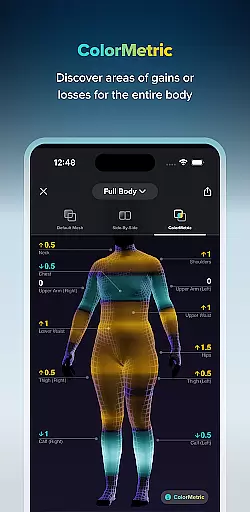
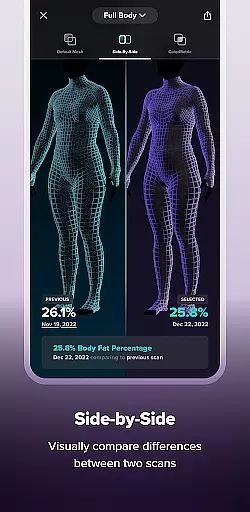
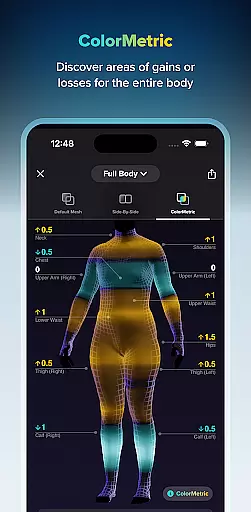
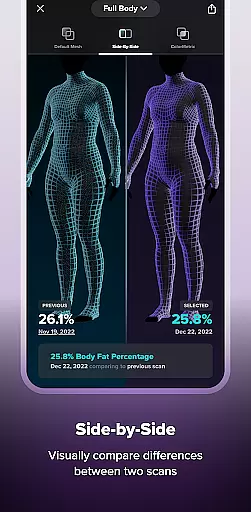
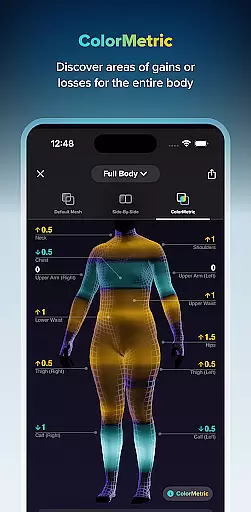
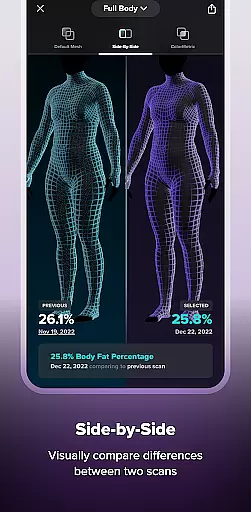
ZOZOFIT distinguishes itself through its advanced technological integration and user-focused features. The app's 3D body scanning capability captures precise measurements in under two minutes, providing users with an easy-to-navigate interface that displays their physical data through various visualization tools. The Side-by-Side comparison feature allows users to analyze changes between scans, while the ColorMetric system uses color gradients to indicate growth or reduction in specific areas.
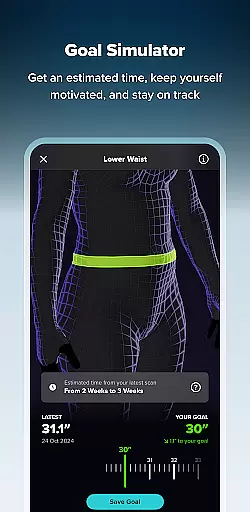
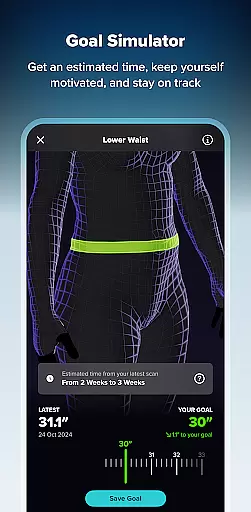
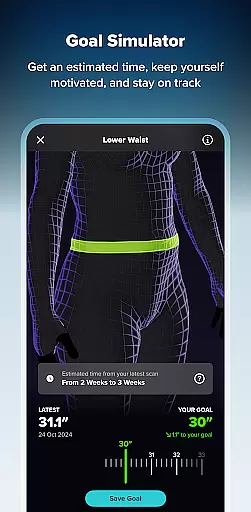
Additional notable features include the Goal Simulator, which helps users visualize potential body transformations, and the AI-powered Food Journal that simplifies nutritional tracking through photo-based logging. These capabilities are further enhanced by the app's compatibility with high-end Android devices, ensuring optimal performance. By combining these sophisticated tools with an intuitive user experience, ZOZOFIT empowers users to maintain accountability and make informed decisions about their fitness journey.
Personalized planning in fitness applications refers to the ability to create tailored workout and nutrition plans based on individual user data. ZOZOFIT takes this a step further by integrating precise body measurements and AI-powered nutrition tracking.
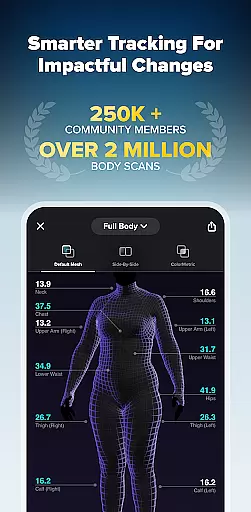
The app's 3D body scanning feature provides detailed measurements for twelve key body areas, forming the basis for personalized fitness goals. Users can set specific targets for different parts of their body and track progress with visual tools like the ColorMetric system, which uses color gradients to indicate changes over time.
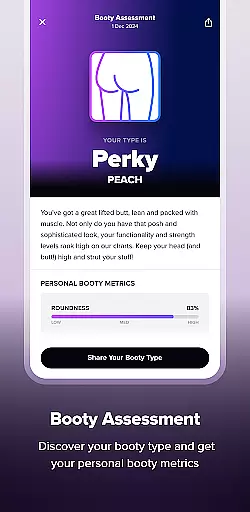
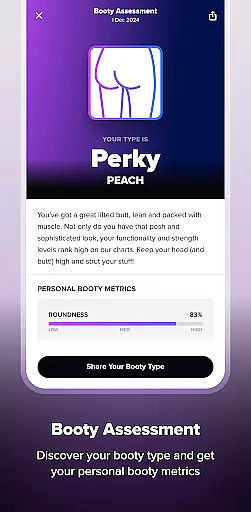
What sets ZOZOFIT apart is its innovative Goal Simulator and Booty Mode features. These allow users to visualize potential body composition changes and specifically track glute progress, respectively. The inclusion of an AI-powered Food Journal simplifies meal logging and helps maintain dietary objectives.
This comprehensive approach to personalized planning empowers users to revolutionize their fitness journey. By providing precise data and intuitive tools, ZOZOFIT enables users to make impactful changes while staying accountable and motivated throughout their transformation process.
Progress visualization in fitness apps involves presenting user data in a way that makes tracking physical changes intuitive and engaging. ZOZOFIT excels in this area by offering multiple sophisticated visualization tools that go beyond simple numerical representations.
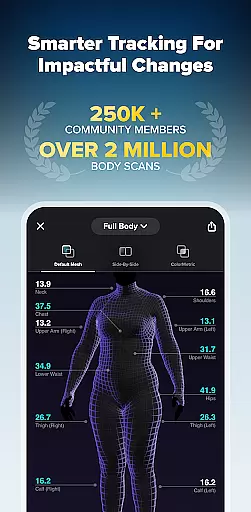
The app's 3D Mesh view provides a full-body, 360-degree representation of the user's physique, displaying measurement data for twelve key body areas. This comprehensive visualization allows users to understand their body composition in detail and track changes over time.
ZOZOFIT's ColorMetric system represents a significant advancement in progress visualization. Using color intensity (amber for growth, teal for reduction, clear for no change), it provides immediate visual feedback on body composition changes across scanning sessions. The Side-by-Side comparison feature enhances this experience by allowing users to analyze two different scans simultaneously.
These visualization tools work together to provide users with a holistic understanding of their fitness journey. By making progress tracking more engaging and informative, ZOZOFIT helps users stay motivated and committed to their personal health goals, demonstrating that meaningful change extends far beyond just numbers on a scale.
User-friendly interface
Accurate body scanning
Comprehensive analytics
AI nutrition tracking
Visual progress tools
Limited device support
Premium feature costs
Complex setup process
High system requirements
Occasional scan errors

Live Heart Rate Pro - Real Time Heart & Workout Data For Wear OS & Bluetooth BLE
 3.20
3.20
Relax to calm sounds, white noise, music, guided meditation and bedtime stories
4.40
Build Healthy Habits!
4.60
Pack of 66 calming lullabies for smooth fall asleep and relaxation
4.10
Optimization for TRT & Enhanced Athletes
4.4
Step Counter, track steps when you walk or run
4.70
Your Health Assistant
3.90
Focus on BP & Health
3.80
Pedometer that gives you sweatcoins for steps. It pays to walk!
4.10
Meditation app, head space app provides calm music to help you meditate & sleep
5.00
You deserve easy access to important insurance information. Download for FREE.
4.70
Effortlessly and naturally release anxiety by harnessing the power of your brain
4.60
Pilates, Calisthenics, Yoga
4.50
The most accurate heart rate app to monitor and track your heart rate & pulse.
4.40
Turn your steps into cash, gift cards & rewards with our step counting pedometer
3.80
Make sense of your health data.
3.80
Track sleep cycle, relax with white noise, sleep sounds & smart alarm clock
3.80
The Sleep Miracle Sound Machine: Soothes baby to sleep with a gentle "Shhh"
3.00
Using Recognise™ has been shown to reduce pain, and improve performance.
4.1


User Reviews