
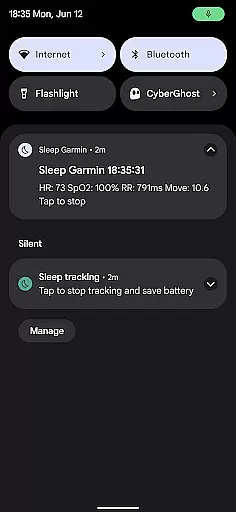
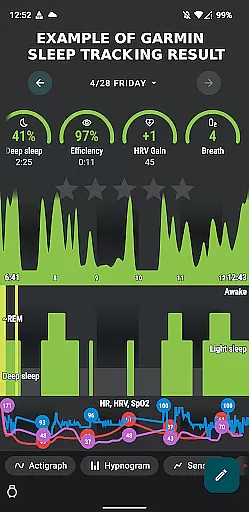
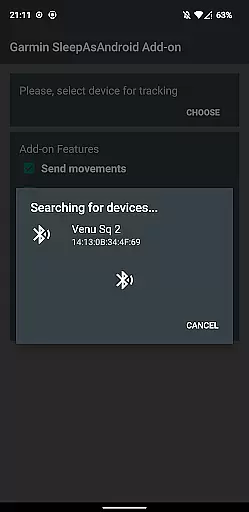
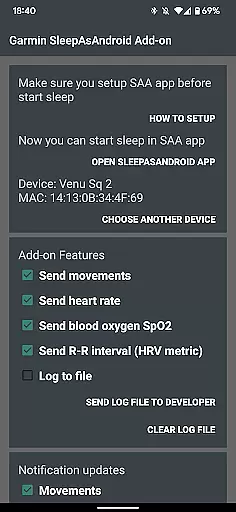
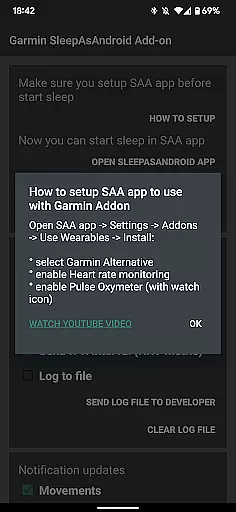
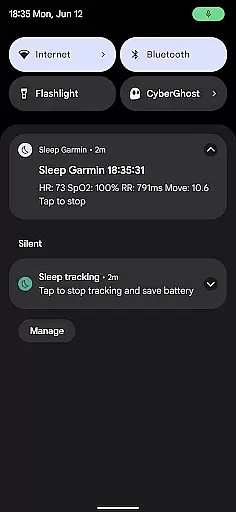
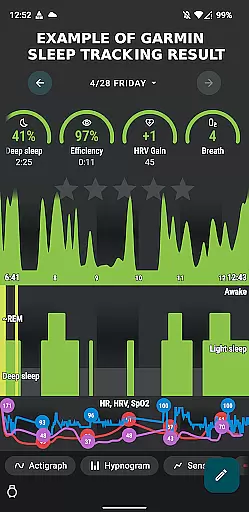
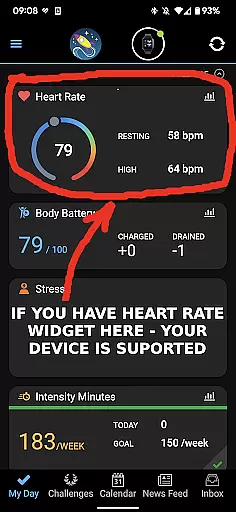
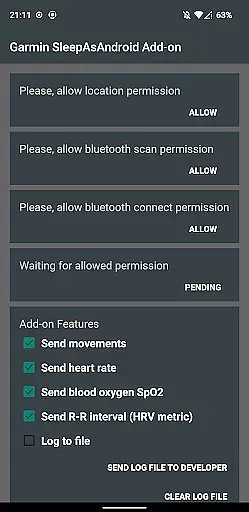
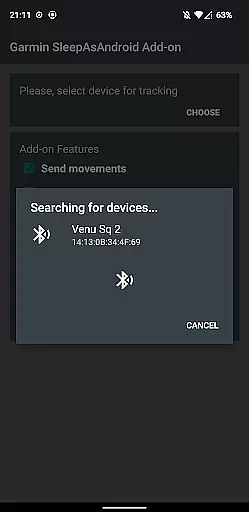
Garmin Sleep Advanced is a specialized health and fitness application designed to enhance sleep tracking by utilizing real-time data from Garmin wearables. The app integrates seamlessly with Sleep as Android, providing advanced metrics like HRV, SpO2, heart rate, and motion data. This integration allows users to gain deeper insights into their sleep patterns, helping them optimize their rest and overall wellness.
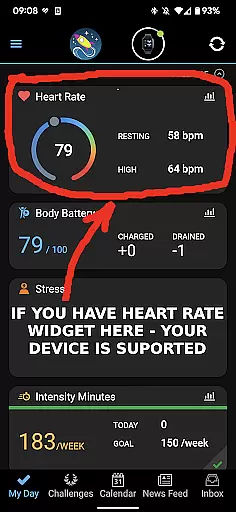
Compatible with all Garmin devices that support Bluetooth streaming, this app eliminates the need for ConnectIQ support, making it accessible to a wide range of users. Whether you're monitoring your heart rate variability during sleep or tracking blood oxygen levels, Garmin Sleep Advanced offers a comprehensive solution for those looking to improve their sleep quality through precise data analysis.
The app's ability to work in tandem with other health applications creates a holistic approach to sleep management. By leveraging real-time data streams, users can make informed decisions about their sleep habits, ultimately leading to better health outcomes.
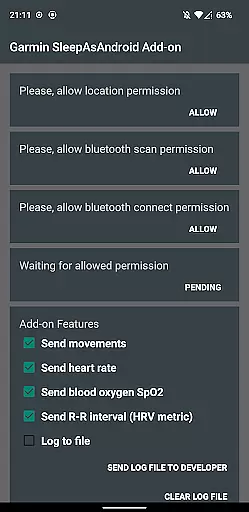
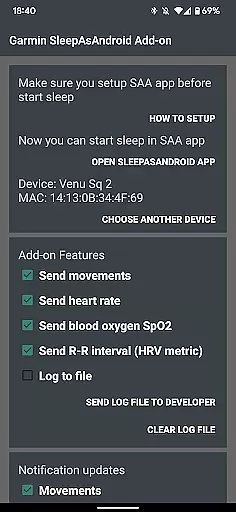
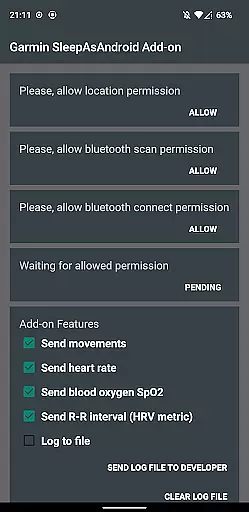
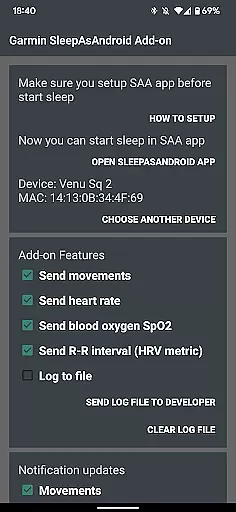
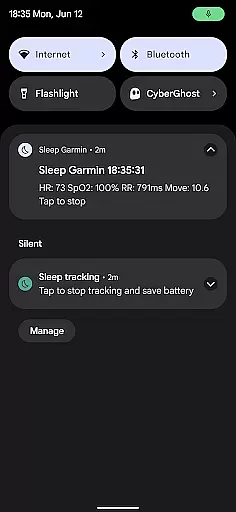
Garmin Sleep Advanced stands out with its robust feature set tailored for comprehensive sleep analysis. The app measures critical health metrics including movements, heart rate, blood oxygen saturation (SpO2), and R-R intervals for heart rate variability (HRV). These measurements provide a detailed overview of the user's physiological state during sleep.
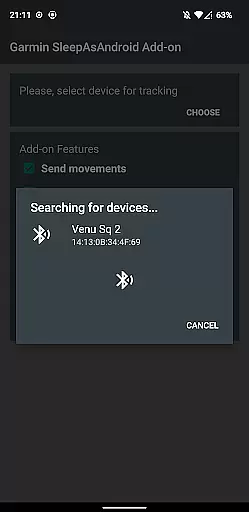
One of the key features is its compatibility with a broad range of Garmin wearables, provided they support Bluetooth streaming. This ensures that users are not limited by device type and can utilize their existing Garmin hardware. Additionally, the app requires permissions to connect with both the Garmin Connect application and Sleep as Android, streamlining the data collection process.
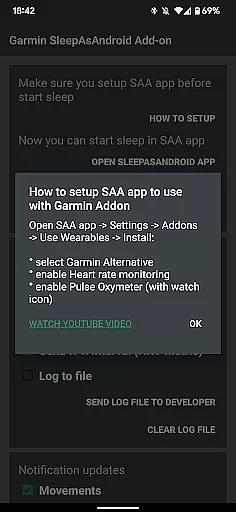
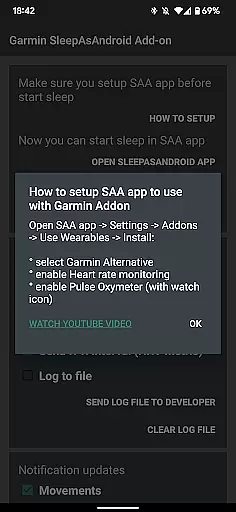
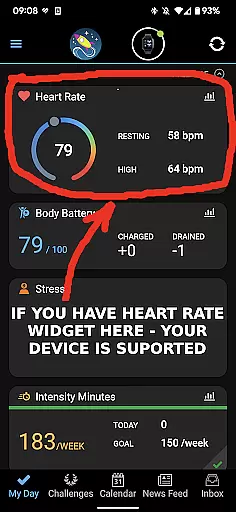
For ease of use, Garmin Sleep Advanced includes a straightforward setup process. Users need to ensure their Garmin device is connected via Garmin Connect, install Sleep as Android, and configure settings to enable features like heart rate monitoring and pulse oximetry. With these integrations, the app delivers a seamless experience that empowers users to take control of their sleep health.
Personalized planning in Garmin Sleep Advanced involves the use of advanced metrics to tailor sleep tracking to individual needs. This app leverages real-time data such as Heart Rate Variability (HRV), blood oxygen saturation (SpO2), heart rate, and motion to offer a customized approach to understanding sleep patterns.
The application's compatibility with all Garmin wearables that support Bluetooth streaming allows for seamless integration and personalized data collection. By connecting your Garmin device with the Garmin Connect app and ensuring that real-time heart rate monitoring is available, you can be confident that your sleep data will be accurately captured and analyzed.
Users benefit from this personalized planning by receiving insights into their sleep quality based on their unique physiological data. The ability to track movements, heart rate, SpO2, and HRV provides a comprehensive overview of factors affecting sleep, empowering users to make informed decisions about their rest and recovery.
This tailored experience ensures that each user's sleep tracking is aligned with their specific health metrics, offering a more accurate and insightful analysis than generic sleep trackers. With these capabilities, Garmin Sleep Advanced stands out as a tool for those seeking to improve their overall wellness through better sleep hygiene.
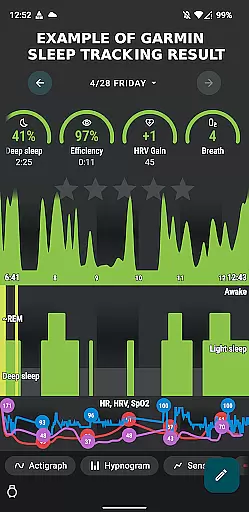
Progress visualization within Garmin Sleep Advanced offers users a clear and intuitive way to monitor their sleep improvements over time. By presenting complex data like HRV, SpO2, and heart rate in an easily digestible format, the app makes it simple for users to understand their sleep trends and make necessary adjustments to their routines.
The app's sophisticated algorithms transform raw data collected from compatible Garmin devices into visual representations that highlight key areas of interest. These visual aids help users quickly identify patterns or anomalies in their sleep data, facilitating a deeper understanding of their nightly rest.
For users, this means having at their fingertips a powerful tool that not only tracks but also illustrates their journey towards better sleep. Whether it's noticing an increase in deep sleep duration or identifying potential issues with oxygen levels during the night, progress visualization empowers individuals to take charge of their sleep health.
By integrating with the Sleep as Android app, Garmin Sleep Advanced ensures that users have access to detailed charts and graphs that depict their progress. This feature underscores the importance of visual feedback in maintaining motivation and fostering a proactive approach to personal health management.
Real-time data streaming
Wide device compatibility
Comprehensive sleep metrics
Seamless app integration
User-friendly setup
No medical use claims
Limited to Garmin devices
Dependent on third-party apps
Requires multiple permissions
Potential data accuracy issues

Your plan in your pocket 24/7
 3.00
3.00
SportWerks - Workout Tracker for Wear OS Watches
3.90
Chair Workout: Women's Edition for safe, flexible, and personalized fitness.
4.40
App to stop smoking slowly or now with a motivational badges and helpful tips
4.80
Build Healthy Habits!
4.60
Effortlessly and naturally release anxiety by harnessing the power of your brain
4.60
Your AI pet BFF. Talk, play, and beat anxiety in this calming game.
4.60
Personal step counter for you, private and accurate
4.50
This is an application that serves as a companion app for smart watch.
4.20
Medbridge GO gets you moving - get back to doing what you love, faster!
4.90
Wall Pilates at home & Pilates workout for beginners for core and weight loss.
4.80
Easy access to health benefits
4.70
A brain game that moves you
4.70
Drink water reminder app. Track water intake. Smart simple hydration tracker.
4.70
Looking to take control of your health? Our psychology-based programs can help.
4.10
Your Health Has Met Its App (℠)
3.90
Live Heart Rate Pro - Real Time Heart & Workout Data For Wear OS & Bluetooth BLE
3.20
Optimization for TRT & Enhanced Athletes
4.2
Using Recognise™ has been shown to reduce pain, and improve performance.
4.2


User Reviews