
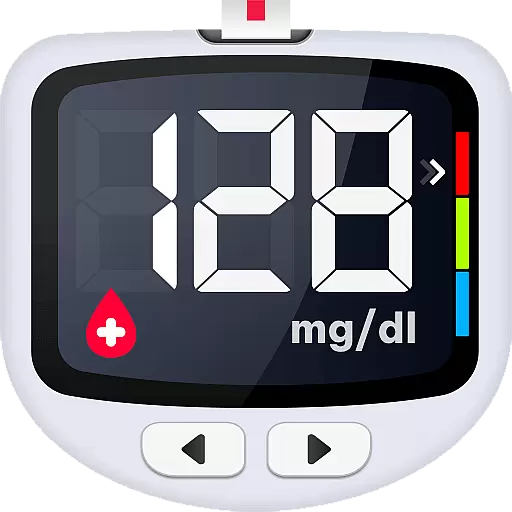
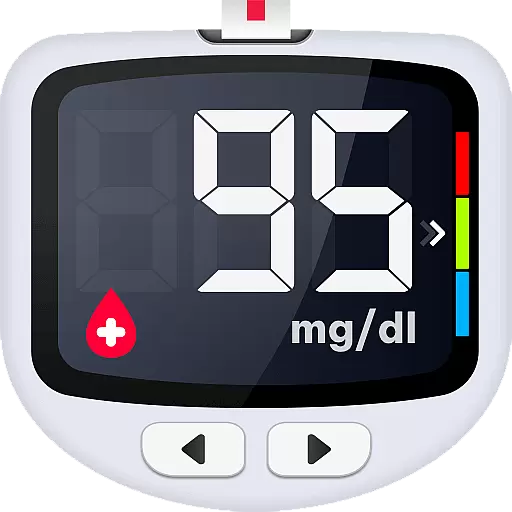
Blood Sugar is a comprehensive health companion app designed specifically for individuals managing diabetes. The app allows users to effortlessly record, monitor, and analyze their blood glucose levels with just a few taps. Its intuitive interface makes it simple to log readings, add detailed tags for different measurement states, and instantly convert between mg/dL and mmol/L units. Beyond tracking, Blood Sugar provides clear graphical representations of your data, helping you identify trends and detect potential abnormalities in glycohemoglobin levels.
What sets this app apart is its focus on user education and preventive care. It offers scientifically-backed knowledge and personalized advice to help users better understand and manage their condition. Whether you're dealing with Type 1, Type 2, or gestational diabetes, the app equips you with tools to take control of your health. From exporting historical reports for doctor consultations to securely backing up your data in the cloud, Blood Sugar ensures that your information is always accessible and safe. This makes it an invaluable tool for anyone looking to maintain optimal blood sugar levels and lead a healthier lifestyle.
Blood Sugar stands out with its robust set of features tailored for effective diabetes management. One of its core functionalities is the ability to quickly log and track blood glucose readings. Users can easily input their data and add customized tags such as 'before meal,' 'after meal,' or 'fasting,' which provide context to each reading. The app then generates clear, easy-to-understand charts that display your blood sugar trends over time, making it simpler to spot any irregularities and take timely action.
In addition to tracking, the app offers rich educational content and expert advice aimed at preventing and controlling diabetes. This includes specific guidance for managing Type 1, Type 2, and gestational diabetes, helping users make informed decisions about their health. Another notable feature is the secure cloud backup, which ensures that all your records are safely stored and can be restored even when switching devices. Furthermore, the app allows users to export comprehensive historical reports, which can be shared directly with healthcare providers for more accurate consultations. These capabilities make Blood Sugar not just a tracking tool, but a holistic health assistant for anyone managing diabetes.
Personalized planning in the Blood Sugar app refers to its ability to provide tailored insights and recommendations based on individual blood glucose readings. This feature is crucial for users managing diabetes, as it helps them understand their health data and make informed decisions.
The app achieves personalized planning through detailed tracking of blood glucose levels, customizable tags for different measurement states, and clear graphs that display historical trends. Users can easily log their readings and add specific tags such as before/after meals or fasting, which allows the app to offer more accurate analysis and advice.
By using this app, users benefit from a comprehensive understanding of their blood sugar patterns. The customized insights enable them to detect abnormalities early and adjust their lifestyle or medication accordingly. This proactive approach supports better diabetes management and overall health improvement.
Ultimately, personalized planning empowers users to take control of their health. With features like quick unit conversion and rich educational content, the app ensures that users have all the tools they need to maintain optimal blood sugar levels and prevent complications associated with diabetes.
Progress visualization in the Blood Sugar app involves presenting users' blood glucose data in an easily digestible graphical format. This feature is essential because it allows users to quickly grasp their health trends and make timely adjustments to their routines.
The app provides clear charts and graphs that display blood sugar history at a glance. These visual aids help users monitor their glycohemoglobin levels and identify any abnormal trends promptly. By observing these patterns, users can take necessary actions to avoid hyperglycemia or hypoglycemia episodes.
Users gain significant advantages from progress visualization. The ability to review changes over time and spot potential issues early leads to improved health outcomes. Additionally, the app's capability to export historical reports offers a valuable resource for consultations with healthcare providers.
In summary, progress visualization enhances user engagement and motivation by making complex health data accessible and actionable. With robust backup options and intuitive design, the Blood Sugar app ensures that users can reliably track their journey towards better health and achieve their diabetes management goals effectively.
User-friendly interface
Comprehensive tracking
Rich educational content
Secure cloud backup
Customizable tags
No direct measurement
Limited offline functionality
Premium features locked
Occasional bugs
Ads in free version

SportWerks - Workout Tracker for Wear OS Watches
 3.90
3.90
Weight loss app: home workout for women to lose weight & burn calories.
4.80
a fun app full of surprises :)
4.70
Optimization for TRT & Enhanced Athletes
4.2
Histamine intolerance, low FODMAP diet and irritable bowel syndrome (IBS)
4.00
Using Recognise™ has been shown to reduce pain, and improve performance.
4.4
Show your support for the development of FitNotes - Gym Workout Log
4.90
The Official Blood Type Diet® App - know your categorized foods anytime.
4.50
Track sleep cycle, relax with white noise, sleep sounds & smart alarm clock
3.80
You deserve easy access to important insurance information. Download for FREE.
4.70
Relax. Sleep Better. Feel Better.
4.50
Raccoon AI Calorie Counter. Intermittent Fasting & Timer. Macro, Carb, Protein
4.50
Relax to calm sounds, white noise, music, guided meditation and bedtime stories
4.40
50 HD sounds to help you relax during the day and sleep great at night!
4.40
Grow with self-tests and personal routine.
4.30
“Overcoming pain based on EMDR” helps you to alleviate chronic pain and stress.
4.10
Pupillary distance PD with camera quick and easy, checking glasses frames on you
3.70
Transform your body and soul with DBFFitness, with a 40-day fitness journey.
4.1
Using Recognise™ has been shown to reduce pain and improve performance
4.4


User Reviews