
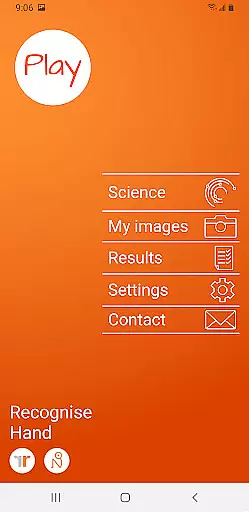
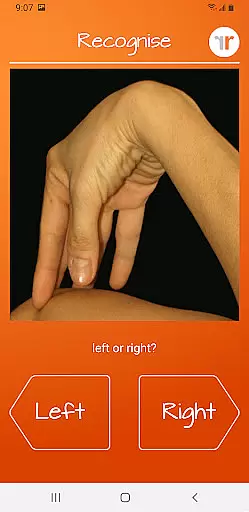
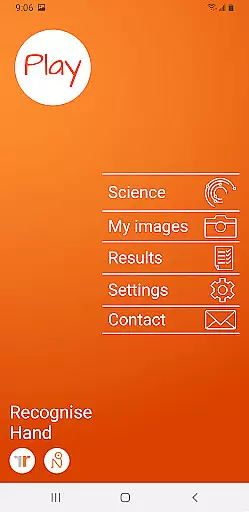
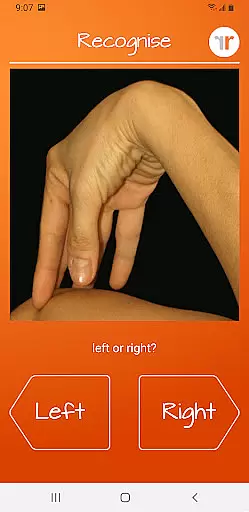
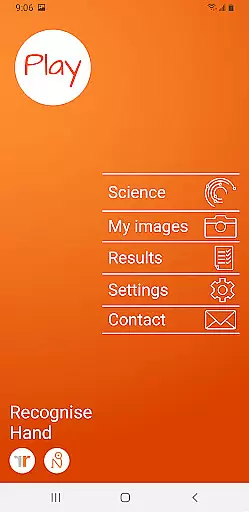
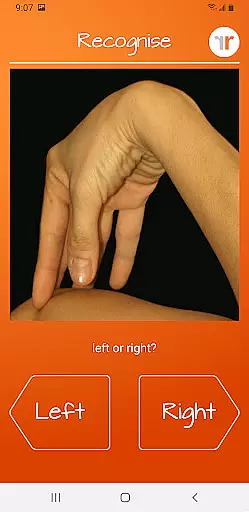
Recognise Hand is a specialized health and fitness application designed to assist users in reducing pain, enhancing performance, and aiding rehabilitation through a structured Graded Motor Imagery program. The app focuses on improving the user's ability to distinguish between left and right body parts, which is crucial for recovery from various complex pain conditions and injuries.
With its scientifically-backed approach, Recognise Hand offers both testing and training modules that challenge the brain's neuroplasticity. Users can capture their own images and incorporate them into personalized training sessions, track detailed progress with onscreen graphs, and even share results with healthcare providers. This makes it an essential tool for anyone engaged in physical therapy or rehabilitation.
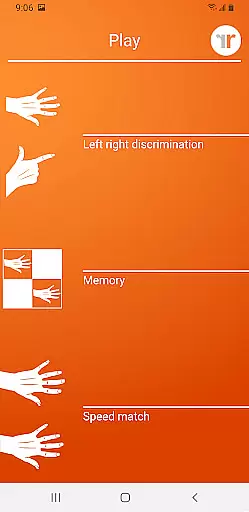
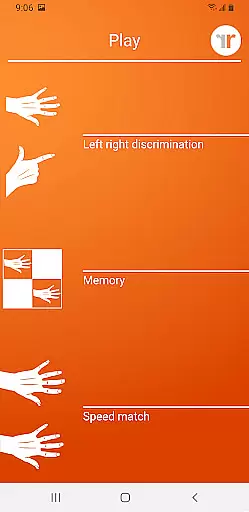
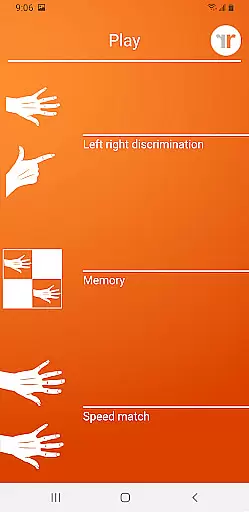
Recognise Hand provides a comprehensive set of features aimed at maximizing the benefits of Left/Right Discrimination training. It includes 'Memory' and 'Speed match' tools that elevate the training experience by offering graded difficulty levels and personal best challenges, ensuring continuous improvement over time.
The app also excels in its clinical integration capabilities. Users can export and email detailed performance reports directly to their clinicians. With options to capture custom images for training, Recognise Hand delivers a personalized and adaptable rehabilitation experience. Its science-based methodology and robust tracking make it a standout choice for those committed to effective recovery.
Recognise Hand offers a personalized approach to motor imagery training, which is crucial for effective rehabilitation. The app's graded difficulty levels and personal best challenges ensure that each user progresses at their own pace.
The TEST and TRAIN features allow users to assess their current abilities and tailor the training accordingly. This customization ensures that every session is relevant and challenging enough to drive progress without causing frustration.
With tools like 'Memory' and 'Speed match', users can take their training to the next level. These features adapt to individual performance, providing a truly personalized experience that harnesses the brain's neuroplasticity.
By capturing your own images and using them in training, you can create a highly personalized rehabilitation plan. This feature allows for targeted exercises that address specific needs, making the recovery process more efficient and engaging.
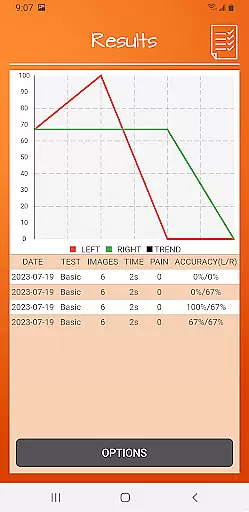
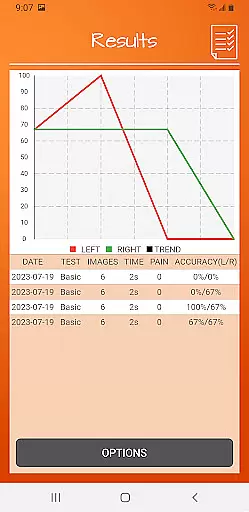
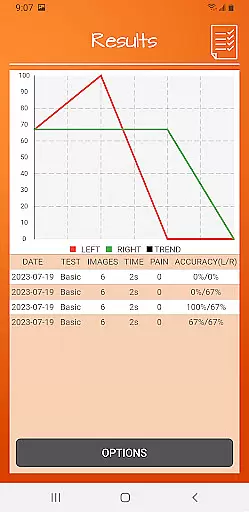
Recognise Hand provides detailed onscreen results and graphs to help users visualize their progress over time. This feature is essential for maintaining motivation and tracking improvements in left/right discrimination skills.
The ability to export and email results directly to a clinician or therapist enhances the progress tracking experience. It facilitates professional guidance and adjustments to the rehabilitation plan based on accurate data.
Visual feedback through graphs and detailed reports allows users to understand their performance trends. This understanding helps in setting realistic goals and celebrating milestones achieved during the rehabilitation journey.
Mapping progress with Recognise Hand not only tracks physical improvements but also boosts psychological well-being. Seeing tangible evidence of improvement can significantly enhance a user's commitment to the rehabilitation program.
User-friendly interface
Customizable training
Detailed progress tracking
Clinical integration
Science-backed methods
Premium pricing
Limited free features
Requires consistent use
Specialized audience
Steep learning curve

Insanity blocks of intense physical activity, short breaks of 30 seconds.
 4.3
4.3
Beauty Care, Makeup & Skin Care Scanner | Pregnancy App For A Mom | Healthy Baby
5.00
Eat smarter with Eato, your personal calorie counter and nutrition tracker!
4.40
Medbridge GO gets you moving - get back to doing what you love, faster!
4.90
You deserve easy access to important insurance information. Download for FREE.
4.70
Blood Pressure Log, HRV & Heartbeat Tracker. Pulse Checker.
4.40
Make sense of your health data.
3.80
beat yesterday.
4.00
Comprehensively record and manage your health
4.50
Easy reconstitution calc for mixing peptides and creating protocols
4.70
The Official Blood Type Diet® App - know your categorized foods anytime.
4.50
Grow with self-tests and personal routine.
4.30
Pack of 66 calming lullabies for smooth fall asleep and relaxation
4.10
Your personal BP tracking companion, focus on helping you achieve wellness goal.
4.10
Your Health Assistant
3.90
Turn your steps into cash, gift cards & rewards with our step counting pedometer
3.80
Dexcom G7 Continuous Glucose Monitoring
3.70
3D Body Measurement System
3.60
Using Recognise™ has been shown to reduce pain and improve performance
4.4


User Reviews