
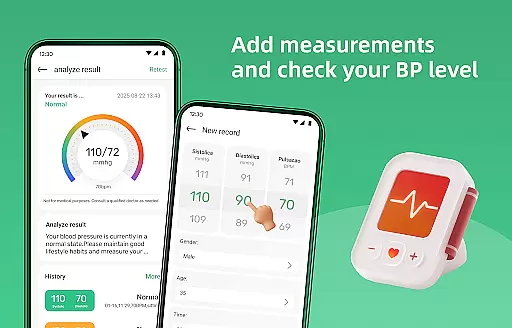
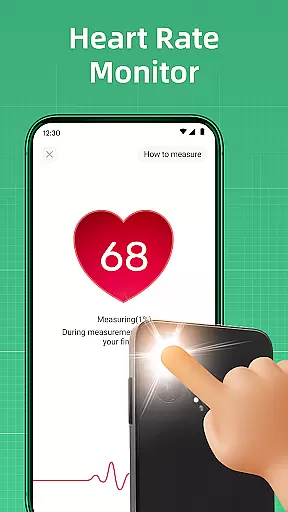
Blood Pressure Log is a comprehensive health tracking application designed to help users monitor and manage their blood pressure effectively. The app features an intuitive interface that allows for effortless recording of blood pressure readings, making it simple to track changes over time.
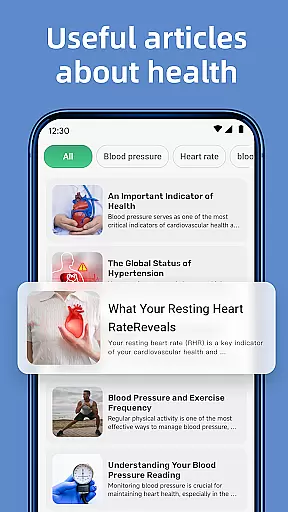
In addition to its core tracking functionality, the app provides access to a wealth of informative articles on blood pressure management. Users can explore topics ranging from lifestyle adjustments to dietary recommendations, empowering them with knowledge to support their wellness journey.
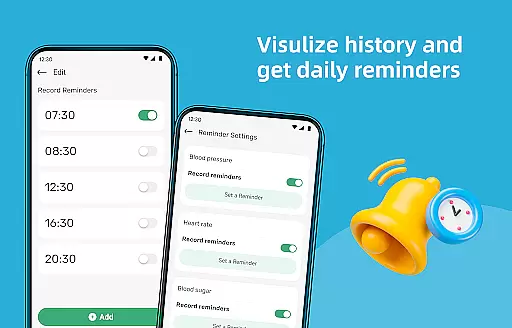
With personalized reminders and detailed history graphs, Blood Pressure Log ensures users maintain consistent monitoring habits while visualizing their progress. This makes the app an essential tool for anyone looking to take control of their cardiovascular health.
Blood Pressure Log stands out with its robust feature set tailored for health-conscious individuals. The app's tracking system is designed for simplicity and efficiency, allowing users to log their blood pressure readings quickly and easily.
A key highlight is the app's extensive library of expert-curated articles. These resources cover various aspects of blood pressure management, providing valuable insights into improving overall well-being through practical tips and advice.
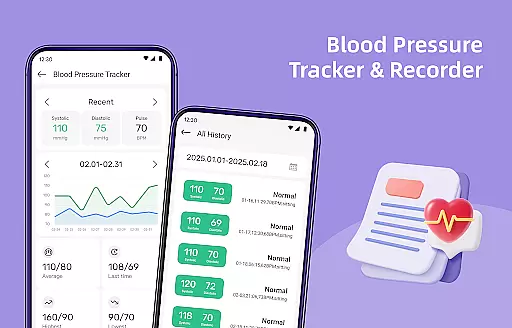
The app also includes advanced visualization tools that display historical data through detailed graphs and trends. This feature enables users to identify patterns in their readings, helping them make informed decisions about their health management strategies.
Personalized planning in health applications refers to the app's ability to tailor health strategies and recommendations based on individual user data. This feature is crucial for creating a targeted approach to managing one's health effectively.
Blood Pressure Log offers personalized planning by analyzing tracked blood pressure readings, lifestyle habits, and other health metrics inputted by the user. The app processes this information to generate customized insights and suggestions aimed at improving the user's cardiovascular health.
Users benefit from personalized planning as it empowers them with actionable steps tailored specifically to their health needs. By following these bespoke plans, users can make informed decisions about their lifestyle choices and monitor the impact on their blood pressure over time.
The true value of personalized planning in Blood Pressure Log lies in its potential to transform generic health advice into a meaningful personal health journey. This increases the likelihood of sustained user engagement and long-term wellness improvements.
Progress visualization is an essential feature in health apps that allows users to see their advancements or setbacks clearly. It involves presenting data in a visually engaging way, which helps users understand complex information at a glance and stay motivated.
In Blood Pressure Log, progress visualization is achieved through detailed graphs and trend analyses that display the history of blood pressure readings. Users can easily interpret fluctuations in their measurements over days, weeks, or months, making it simpler to recognize patterns and assess the effectiveness of their health strategies.
This feature benefits users by providing clear visual feedback on their progress toward better heart health. Seeing tangible results encourages continued adherence to healthy habits and prompts timely adjustments when necessary.
By integrating comprehensive progress visualization tools, Blood Pressure Log not only tracks but also celebrates each milestone with its users, enhancing motivation and reinforcing positive behavior change for a healthier lifestyle.
User-friendly interface
Comprehensive tracking system
Informative health articles
Personalized reminders
Detailed progress reports
Limited device compatibility
No integration with wearables
Premium features require subscription
Occasional syncing issues
Basic UI design

Easy access to health benefits
 4.70
4.70
SportWerks - Workout Tracker for Wear OS Watches
3.90
Sync your activities of the most popular sports tracking services
2.70
50 HD sounds to help you relax during the day and sleep great at night!
4.40
You deserve easy access to important insurance information. Download for FREE.
4.70
Pilates, Calisthenics, Yoga
4.50
This is an application that serves as a companion app for smart watch.
4.20
Dexcom G7 Continuous Glucose Monitoring
3.70
Easy to use step counter, calorie counter helps lose weight, count steps offline
4.80
Weight loss app: home workout for women to lose weight & burn calories.
4.80
App to stop smoking slowly or now with a motivational badges and helpful tips
4.80
Personal Measurements - Track your gains!
4.50
Grow with self-tests and personal routine.
4.30
Your portable blood pressure tracker. Record, monitor, and analyze BP anytime.
4.30
Download MadMuscles to start your positive body transformation!
4.30
Interval timer for High Intensity Interval Training, Tabata and Circuit Training
4.20
Walk, track, and burn calories with step counter & GPS walking tracker
4.20
Pack of 66 calming lullabies for smooth fall asleep and relaxation
4.10
Text notifications, button control, heart monitor & more for your Amazfit.
2.40


User Reviews