
Tools & Amazfit is a comprehensive health and fitness application designed to maximize the potential of your Amazfit smart bracelet. This app offers advanced customization options for notifications, including calls, apps, and even personalized vibration patterns. With features like power nap mode, continuous heart rate monitoring, and integration with Sleep as Android, it caters to both your daily productivity and wellness needs.
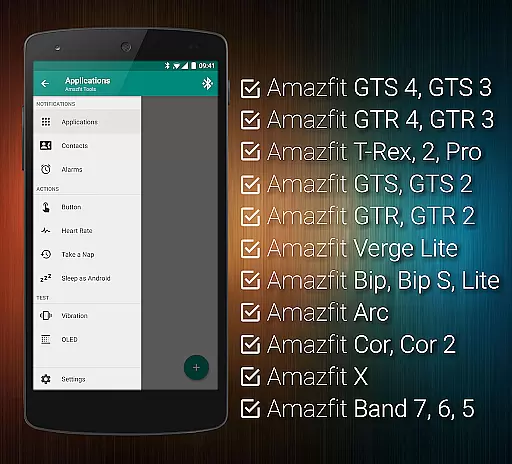
The app supports a wide range of Amazfit devices and works seamlessly with Android versions from 4.3 to 13+, making it versatile for various users. Whether you're looking to fine-tune your notification settings or export/import configurations, Tools & Amazfit provides the tools necessary to tailor your experience specifically to your preferences.
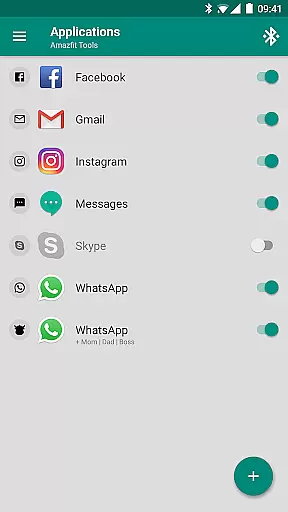
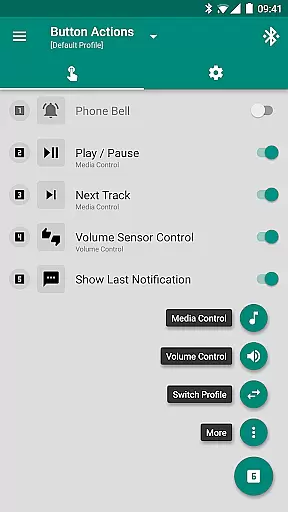
Tools & Amazfit stands out with its extensive feature set tailored for health and fitness enthusiasts. The Display Text Support allows you to see full caller names and notification contents directly on your Amazfit device. Button Control and Sensor Control enable you to assign specific actions to button presses and hand movements, offering unparalleled convenience.
Customization is at the heart of this app, with capabilities such as Button Control Profiles, fully customizable widgets, and Notification Content Filters. These features allow users to create personalized experiences, whether it's setting up hourly reminders, filtering notifications, or configuring advanced settings like shake-to-dismiss. Additionally, the app's compatibility with automation tools like Tasker ensures that power users can integrate their Amazfit devices into complex workflows.
Personalized planning in health and fitness applications refers to the ability to create tailored workout, health, and activity plans that adapt to individual user needs. This feature is crucial as it ensures users receive recommendations that match their fitness levels, goals, and preferences.
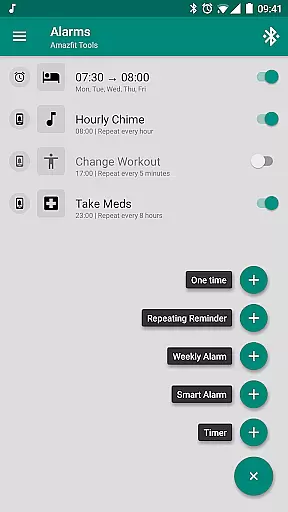
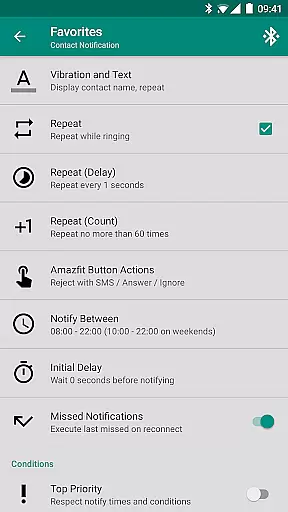
Tools & Amazfit offers personalized planning through advanced customization options for notifications, heart rate monitoring, sleep tracking, and even power naps. Users can configure custom patterns for each notification, set up repeating reminders for workouts or medication, and fine-tune content filters based on their priorities.
By leveraging these capabilities, users benefit from a highly adaptive experience that evolves with their lifestyle. Whether you're focusing on improving your physical fitness, managing stress, or enhancing daily productivity, Tools & Amazfit provides the tools necessary to align your device with your personal objectives.
This personalized approach not only enhances motivation but also increases adherence to health routines by delivering timely and relevant suggestions, ensuring users stay engaged and achieve better outcomes.
Progress visualization is an essential aspect of any health and fitness app, allowing users to track their achievements and monitor improvements over time. Visual representations such as charts, graphs, and milestone markers play a significant role in maintaining user engagement and motivation.
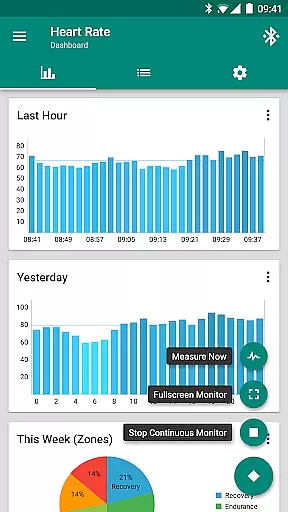
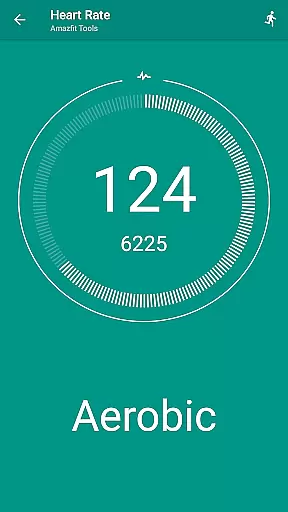
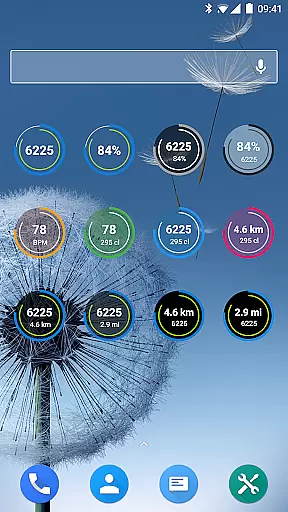
With Tools & Amazfit, progress visualization is comprehensive and customizable. The application supports configurable heart rate dashboard charts, daily fitness goal progress widgets, and detailed sleep analysis reports. These visual tools enable users to see their performance trends, heart rate fluctuations, and overall progress towards fitness goals at a glance.
Users can benefit significantly from this feature by gaining insights into their health data, which helps them make informed decisions about their routines. By visually tracking metrics like steps taken, calories burned, and active minutes, individuals can adjust their efforts to optimize results.
Ultimately, the robust progress visualization offered by Tools & Amazfit empowers users to celebrate milestones, understand their health journey better, and maintain long-term commitment to their fitness aspirations.
User-friendly interface
Extensive customization options
Wide device compatibility
Advanced health monitoring features
Integration with popular apps
Requires Amazfit device
Some features may be complex for beginners
Limited iOS support
Premium features come at a cost
Occasional bugs reported

HRV4Training helps you optimize goals and improve performance. No sensors needed
 3.30
3.30
Histamine intolerance, low FODMAP diet and irritable bowel syndrome (IBS)
4.00
Binaural Beats - Fully Customizable Waves - Pure Sound - No Loops
4.50
Protect your healthy sleep
4.80
Load the bar with this barbell & plate calculator. It's leg day, not brain day!
4.70
Monitor, analyze, track, and convert blood sugar & help you control diabetes.
4.10
Pilates, Calisthenics, Yoga
4.50
Walk, track, and burn calories with step counter & GPS walking tracker
4.20
Your Health Assistant
3.90
App to stop smoking slowly or now with a motivational badges and helpful tips
4.80
You deserve easy access to important insurance information. Download for FREE.
4.70
Mind on steroids - relaxation, productivity, meditation and sleep!
4.60
The simplest way to track your 21 Day Program containers, exercises, and water.
4.50
Relax. Sleep Better. Feel Better.
4.50
Point, scan, and unlock truth in every bite.
4.50
50 HD sounds to help you relax during the day and sleep great at night!
4.40
The most accurate heart rate app to monitor and track your heart rate & pulse.
4.40
Looking to take control of your health? Our psychology-based programs can help.
4.10
Pedometer that gives you sweatcoins for steps. It pays to walk!
4.10


User Reviews