
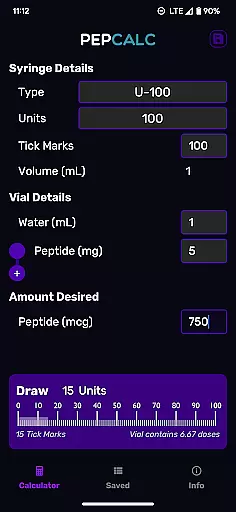
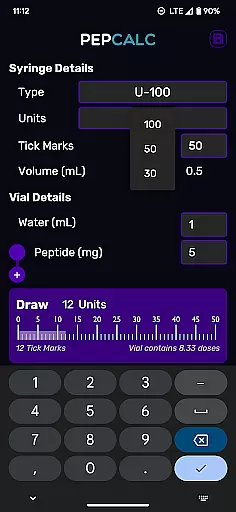
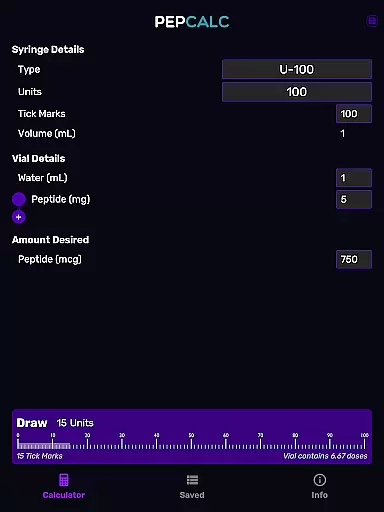
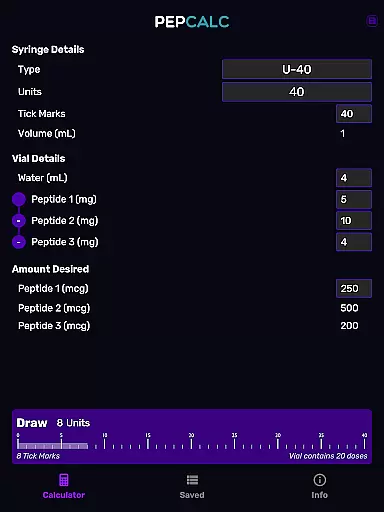
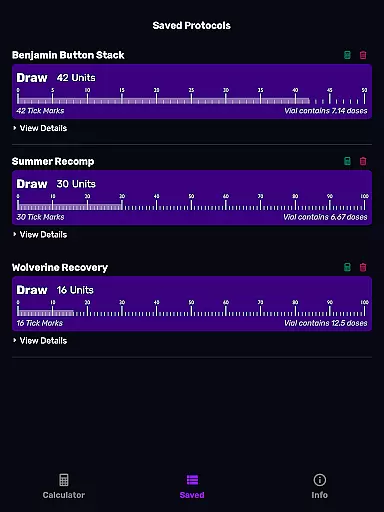
PepCalc is the leading peptide reconstitution calculator app designed for researchers, biochemists, and health professionals. This powerful tool simplifies complex calculations by providing accurate measurements for peptide reconstitution in each unit or tick mark. With its fully configurable inputs, users can customize parameters such as volume, units, tick marks, and water type to suit their specific needs.
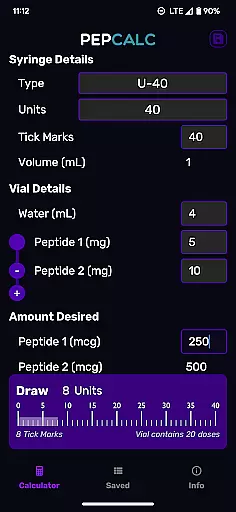
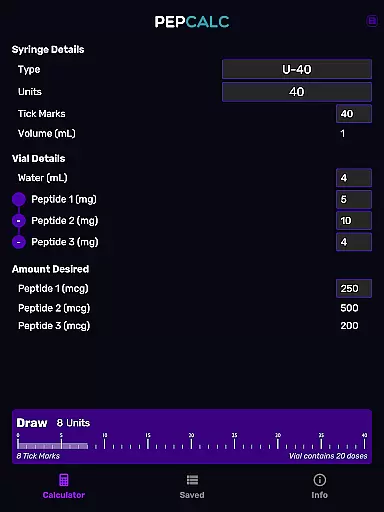
One standout feature is its support for multi-peptide blends, allowing users to calculate precise amounts for blended peptides. Whether you're working with U100, U40, or custom settings, PepCalc adjusts automatically. The app also offers a convenient saved protocols function, enabling users to store their favorite calculations along with notes for future reference. Its intuitive design and professional utility make it an essential tool for anyone involved in peptide research.
PepCalc stands out with its comprehensive set of features tailored for precision and convenience. The app provides fully configurable inputs, letting users specify parameters like volume, units, tick marks, and water type. This flexibility ensures that every calculation matches the exact requirements of your experiment or procedure.
Another key feature is its support for multi-peptide blends. Researchers working with complex mixtures can input multiple peptides, and PepCalc will compute the correct amounts for each component. Additionally, the app supports different instrument types, including U100 and U40, with an 'other' option for complete customization. Saved protocols with notes further enhance usability, allowing users to save time by storing frequently used calculations. Dark mode support and an ad-free experience ensure a seamless and professional user experience.
Personalized planning in PepCalc allows users to configure inputs according to their specific needs for peptide reconstitution. This feature supports fully customizable parameters such as input volume, units, tick marks, and the quantity of peptides.
The app provides options for different instrument types including U100 and U40, automatically adjusting volumes based on selection. For those working with unique setups, an 'other' option grants complete control over these inputs ensuring precision tailored to individual requirements.
Additionally, PepCalc is equipped to handle multi-peptide blends by allowing users to add extra peptides into calculations. The software computes all necessary amounts accurately which streamlines complex processes involved in personalized medical treatments or research activities.
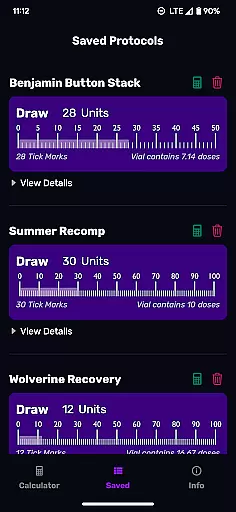
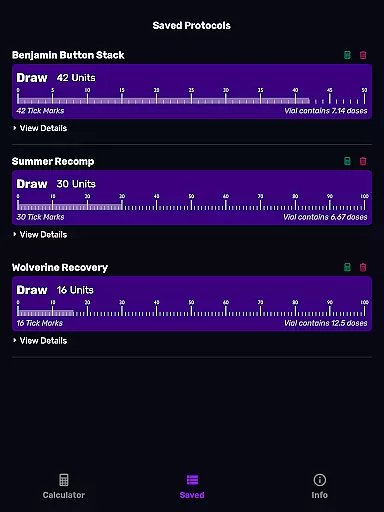
PepCalc offers robust progress visualization through its saved protocols with notes functionality. Users can name and save their favorite peptide reconstitution calculations along with any relevant notes, facilitating easy recall without redundant data entry.
This feature not only saves time but also enhances accuracy by maintaining detailed records of past computations that are readily accessible whenever needed. It ensures consistency across experiments or treatment plans where exact dosages must be replicated over time.
Moreover, the inclusion of dark mode support improves user experience during extended use sessions by reducing eye strainu2014a thoughtful touch for professionals who rely heavily on digital tools throughout their workday.
Accurate calculations
User-friendly interface
Multi-peptide support
Saved protocols feature
No ads or signup required
Limited to peptide use
Advanced options may confuse beginners
Requires manual input
No cloud sync for saved data
Specific to scientific community

Optimization for TRT & Enhanced Athletes
 4.5
4.5
Walk. Earn: Get rewarded for every step! Walk, move, and earn real rewards.
4.70
Step Counter, track steps when you walk or run
4.70
You deserve easy access to important insurance information. Download for FREE.
4.70
Personal step counter for you, private and accurate
4.50
FitCloudPro takes care of your health every minute.
3.70
Your personal BP tracking companion, focus on helping you achieve wellness goal.
4.10
Focus on BP & Health
3.80
Comprehensively record and manage your health
4.50
Meditation app, head space app provides calm music to help you meditate & sleep
5.00
Protect your healthy sleep
4.80
a fun app full of surprises :)
4.70
Mind on steroids - relaxation, productivity, meditation and sleep!
4.60
Chair Workout: Women's Edition for safe, flexible, and personalized fitness.
4.40
Blood Pressure Log, HRV & Heartbeat Tracker. Pulse Checker.
4.40
Create powerful subliminal audio with custom affirmations and background music.
4.00
Your plan in your pocket 24/7
3.00
A simple way to calculate peptide doses and also to convert different units.
4.3
Using Recognise™ has been shown to reduce pain, and improve performance.
4.1


User Reviews