
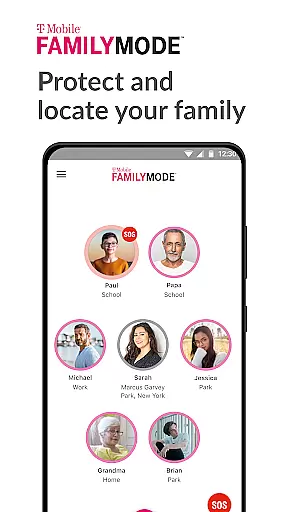
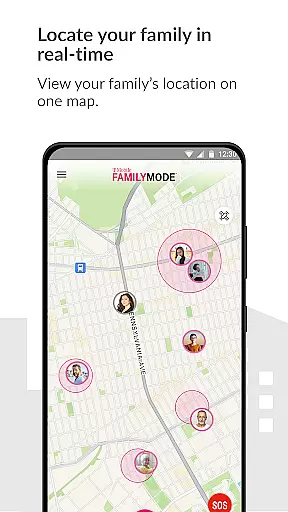
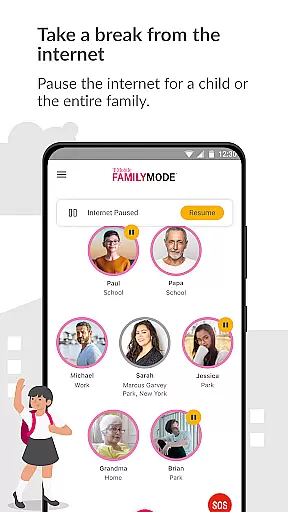
T-Mobile FamilyMode is a comprehensive family safety app designed to help parents manage their children's digital habits while ensuring their safety. The app provides real-time location tracking, allowing you to stay informed about your family members' whereabouts. With features like Internet access control and content filtering, it enables you to set healthy boundaries for screen time and ensure age-appropriate online experiences.
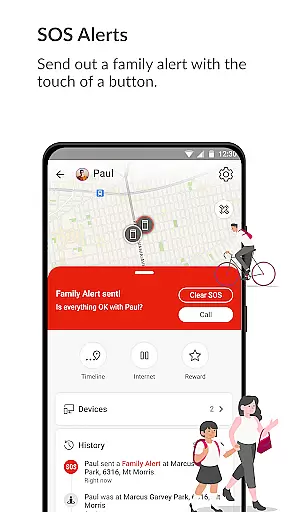
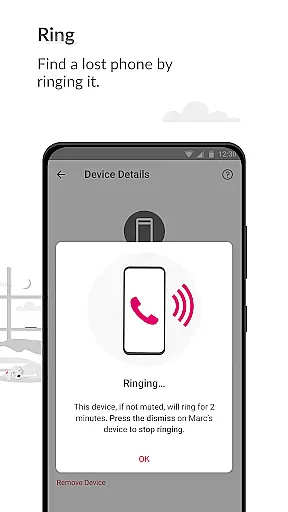
FamilyMode goes beyond basic parental controls by offering practical tools for everyday situations. You can pause Internet access during family meals, reward good behavior with extra screen time, or even locate lost devices. The app also includes an SOS alert feature, making it easy to notify your family in case of emergencies. These robust features make digital parenting more manageable and give you peace of mind.
The true value of FamilyMode lies in its ability to adapt to various parenting needs. Whether you're concerned about online safety, device usage patterns, or simply staying connected with your family, this app provides practical solutions that work across multiple devices. By combining advanced monitoring tools with user-friendly controls, FamilyMode empowers parents to create a safer digital environment for their children.
FamilyMode stands out with its comprehensive set of features designed to address modern parenting challenges. One of its key capabilities is the real-time location tracking system, which not only shows where your family members are but also records their travel paths. This feature is particularly useful for ensuring children's safety during commutes or extracurricular activities.
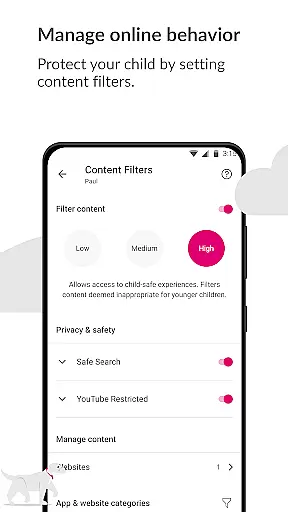
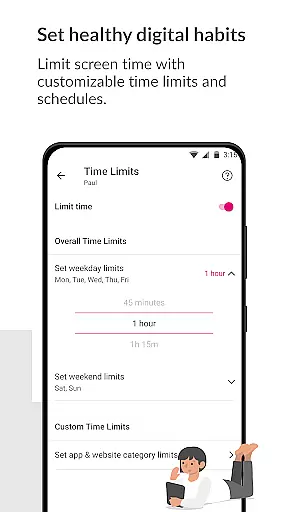
The app's Internet management tools are exceptionally robust. Parents can set specific time limits for device usage, pause Internet access remotely, and even create custom schedules for different family members. The content filtering system is equally impressive, offering both pre-set categories and customizable options to block inappropriate websites and applications. These features work together to create a controlled digital environment that promotes healthy technology habits.
What truly sets FamilyMode apart is its innovative approach to family communication and safety. The one-touch SOS button provides instant emergency notifications, while the location sharing feature helps keep family members connected throughout the day. Additionally, the ability to remotely ring lost devices adds practical value to the app's safety features. These thoughtful additions demonstrate how FamilyMode continuously evolves to meet the changing needs of modern families.
When it comes to parenting apps, the credibility of content and expert validation are paramount. T-Mobile FamilyMode takes these aspects seriously by providing features that are designed with both parental control and child safety in mind. The app allows parents to set healthy digital habits through time limits and content filters, which are crucial for a child's development.
The app includes pre-set and custom filters to ensure children only access age-appropriate content online. This feature is important as it directly impacts a child's digital environment, ensuring they are protected from unwanted or dangerous content. These filters are likely developed based on expert recommendations and industry standards, giving parents peace of mind.
T-Mobile FamilyMode also uses Google Accessibility Services API, allowing parents to establish robust parental controls. This not only enhances the app's reliability but also ensures that the protective measures put in place by parents are effectively enforced, without compromising user privacy since no additional information is collected beyond what is necessary for content blocking.
Growth tracking in parenting applications refers to the ability to monitor and manage various aspects of a child's digital and physical activities. T-Mobile FamilyMode offers accurate growth tracking by providing real-time location services and digital habit management tools. Parents can stay informed about their children's whereabouts and the paths they take, which is essential for ensuring their safety.
In addition to physical location tracking, the app helps parents guide their children's online behavior. By setting time limits and pausing Internet access when needed, such as during family dinners, the app plays a significant role in shaping a child's screen time habits. These capabilities allow parents to reward positive offline behaviors, like good grades, with increased screen time, thus promoting balanced digital consumption.
Furthermore, T-Mobile FamilyMode provides new features that enhance family connectivity, such as SOS alerts and device locating. These functions contribute to the overall accuracy of growth tracking by keeping families connected and safe, enabling parents to respond quickly in emergencies and maintain open lines of communication with their children.
Comprehensive safety features
Real-time location tracking
Customizable content filters
User-friendly interface
Multi-device compatibility
Subscription fees required
Limited third-party integration
Occasional connectivity issues
Steep learning curve
Device compatibility restrictions

Fake call application designed for parents and adults to discipline their children through the children's police.
 4.20
4.20
Magic chalkboard coloring and drawing!
4.20
A simple way to track your baby’s breastfeeding, diaper changes, sleep patterns.
4.90
Limit screen time, Block Apps & Games, Monitor with Parental control app
4.20
Babysitting video camera - Turn your two phones or tablets into a single nanny.
4.40
Track your labor contractions
4.90
Findnumber: Real-time location tracker for ultimate family security
4.20
GeoLog - Real-Time Location Tracker
4.40
The Most Trusted Co-Parenting App.
4.60
FamilyAlbum helps you share, save, and remember your child's special moments.
4.80
Sleep better with white noise app! Discover rain sounds, fan noise and more.
4.70
Live Location, Alerts & 2-Way Voice for Kids and Adults with Special Needs
4.60
App/Game blocker & GPS tracker
4.50
Keep track of your stored breastmilk
4.40
Speech Therapy Exercises For All!
4.40
Find unique + popular baby names for your little peanut.
4.30
Affirmations | Stories | Bible
4.10
Save money on diapers. Get the Pampers Rewards app.
3.90
Track pregnancy health and wellness with pregnant tracker from healthcare advice
4.5


User Reviews