
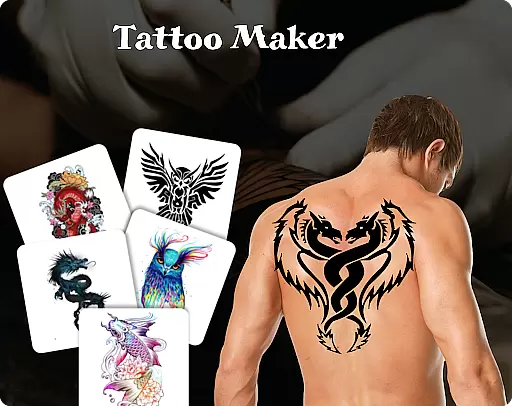
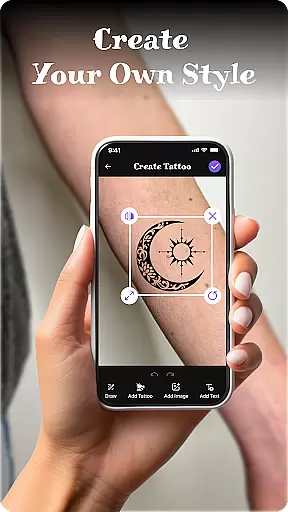
Tattoo Maker: Design & Art is a creative app designed for tattoo enthusiasts and artists alike. This powerful tool allows users to design custom tattoos, preview them on their body through photo uploads, and explore an extensive art library filled with diverse tattoo designs. The app provides professional-grade drawing tools including various brushes, sizes, and vibrant colors, enabling users to craft unique and personalized tattoos.
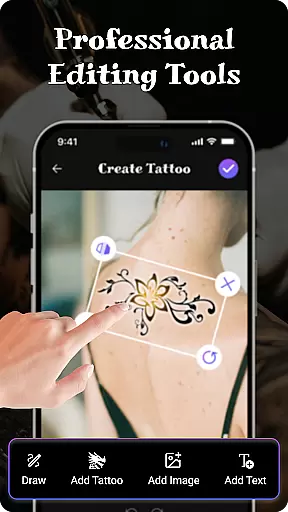
One of the standout features is the ability to add text with customizable fonts and colors, allowing further personalization. Whether you're a beginner or a professional artist, Tattoo Maker caters to all skill levels by offering intuitive controls such as flipping, rotating, and scaling designs. Users can also share their creations easily with friends, making it a fun and collaborative experience. With its realistic AR tattoo preview feature, this app bridges the gap between imagination and reality, helping users visualize their dream tattoos before committing to ink.
Tattoo Maker: Design & Art stands out due to its comprehensive set of features tailored specifically for tattoo creation. At its core, the app offers robust design tools that let users create intricate tattoos from scratch. These include advanced brush settings, color palettes, and layering options that mimic real-world tattooing techniques. Additionally, the app's text insertion feature supports multiple fonts and styles, ensuring every detail aligns with the user’s vision.
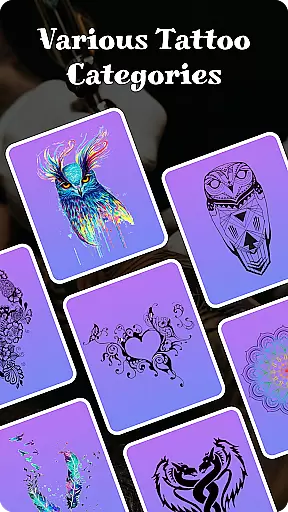
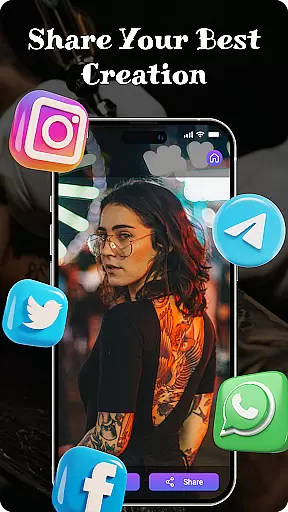
The app also boasts a vast tattoo art library where users can browse thousands of pre-made designs ranging from small minimalist patterns to complex masterpieces. Another innovative aspect is the AR-based body preview functionality, which uses uploaded photos to simulate how a tattoo would look on the user's skin. This feature includes precise scaling and rotation controls for optimal placement. Furthermore, Tattoo Maker emphasizes social sharing, allowing users to showcase their work across platforms effortlessly. Overall, these features combine to deliver a seamless and enjoyable tattoo design experience.
When it comes to designing tattoos, having access to a comprehensive product database is essential. Tattoo Maker: Design & Art offers an extensive collection of tattoo designs and art resources that cater to users of all skill levels. The app provides a vast library of design elements, from simple symbols to intricate patterns, ensuring that users can find inspiration for any style they wish to create.
The depth of the product database in Tattoo Maker allows users to explore various categories and themes. Whether you're interested in floral motifs, tribal patterns, or modern art styles, this app has something for everyone. Each design element within the database is accompanied by detailed information about its cultural significance and artistic context, enhancing the user's understanding and appreciation of their chosen tattoo style.
Users benefit greatly from this rich repository as it empowers them to craft personalized tattoos with confidence. With tools to flip, rotate, and adjust designs, individuals can customize their creations to fit perfectly on their desired body part. This level of detail and personalization ensures that each tattoo not only meets but exceeds the user's expectations.
Personalization is at the heart of the Tattoo Maker experience. The app offers precise customization options that allow users to tailor every aspect of their tattoo design. From selecting specific brushes and colors to adjusting the size and orientation of design elements, Tattoo Maker provides the tools necessary for creating truly unique body art.
One of the standout features of Tattoo Maker is its ability to preview tattoos on a user's body through augmented reality (AR). By uploading a photo, users can see how their design will look in real life, making it easier to scale and rotate the artwork for optimal placement. This feature ensures that the final tattoo matches the user's vision and fits harmoniously with their body contours.
Moreover, the app includes advanced text insertion capabilities, enabling users to add meaningful words or phrases to their tattoos. With a variety of cool fonts and color options, the personalization possibilities are virtually endless. These meticulous customization features ensure that each tattoo reflects the individuality and creativity of its creator, providing a deeply satisfying and engaging design process.
User-friendly interface
Extensive art library
Realistic AR previews
Vibrant color options
Easy sharing capabilities
Limited free resources
Occasional ads
Premium feature costs
Steep learning curve
Inconsistent rendering

This application is for the Luvme Hair official website: shop.luvmehair.com .
 4.30
4.30
Crown Heart Emoji Photo Editor has given you the chance to look cute girl
4.40
Beauty Camera - Selfie Camera with beauty editing tool, makeup, filter, sticker
4.60
Get Smart About Your Skin with Fully Personalized Beauty Tech!
4.80
Beauty camera to take nature selfie with photo filter. Photo makeup face editor.
4.50
Salon appointment booking and scheduling software for beauty pros and barbers.
4.80
Seasonal color palette, my personal color, hair color changer, makeup, wardrobe
4.20
For businesses, Booksy Biz allows you to manage your schedule & more on the go.
4.60
Beauty for every eye, lip & face. Earn rewards, play games, connect with others.
4.30
Monthly Perfume Subscription
4.70
Beauty camera for perfect selfie with makeup, sticker and filter
4.50
A tool that brings skin care and technology together at your fingertips.
4.50
Beauty Camera - Selfie Camera with sweet selfie, makeup, filter, sticker, editor
4.50
Winter picture editor: Christmas stickers, frames for photos & Christmas cards.
4.40
Professional HD Camera App: Capture Bright HD Selfie & Record Stunning Moments
4.40
True mirror app with zoom, LED light, for makeup & shaving anywhere!
4.20
Intelligent Beauty calculator tool! Face scale and face symmetry in one app!
3.80
Edit Your Photos and Videos with Beauty Filters & Get Makeup Artist Tutorials
3.60
Your future self face age old or young from camera selfie into beautify videos
4.2


User Reviews