
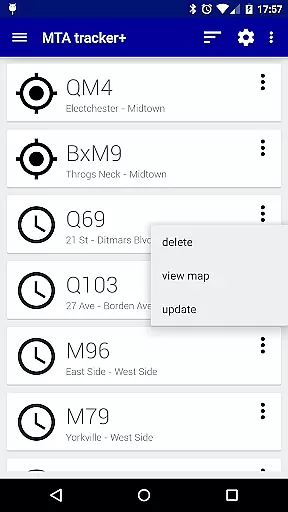
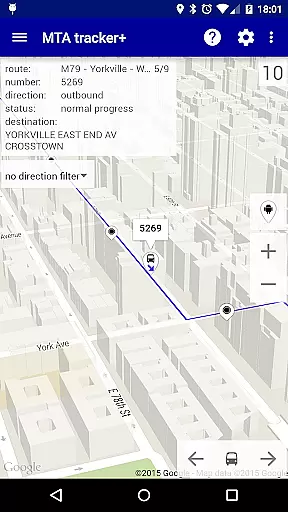
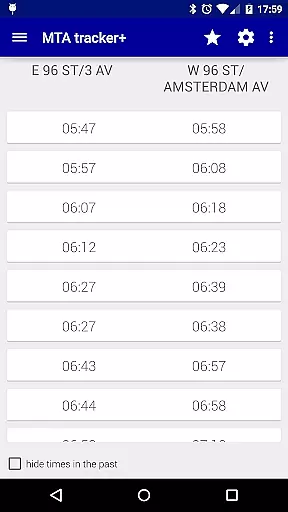
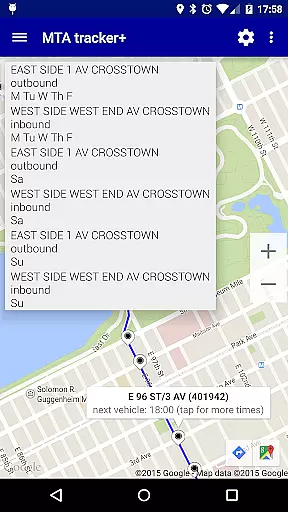
Transit Tracker+ is a comprehensive navigation app designed for New York City's Metropolitan Transportation Authority (MTA) users. This ad-free version offers advanced features such as real-time vehicle tracking, route schedules, and stop alerts. The app utilizes MTA's public APIs to provide accurate data on bus and train movements, ensuring that commuters can efficiently plan their journeys across NYC.
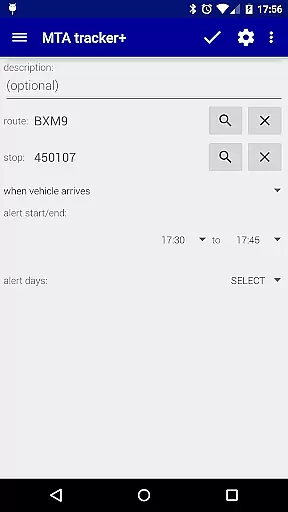
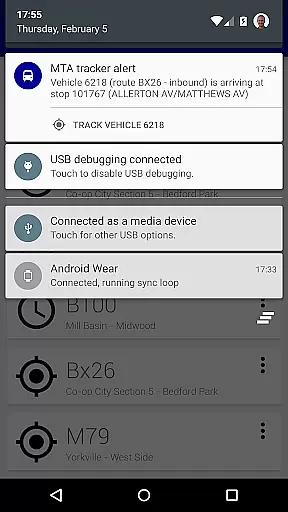
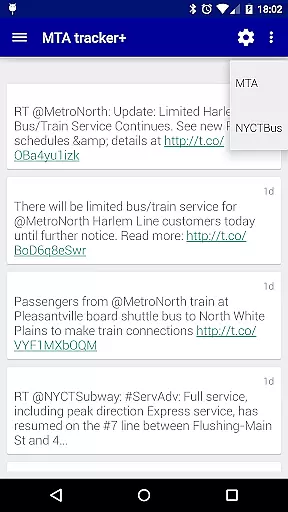
One of the standout features of Transit Tracker+ is its ability to set up custom alerts for specific routes and stops. Users receive notifications when a vehicle is approaching or arriving at a designated stop, enhancing convenience and saving time. Additionally, the app provides detailed route schedules viewable on a map or as origin/destination tables, along with the latest updates from @MTA, making it an indispensable tool for daily commuters.
Transit Tracker+ boasts a variety of features tailored to improve the commuting experience. The real-time tracking system allows users to input route numbers, stop numbers, or individual vehicle numbers to see live locations of buses and trains. This functionality ensures that users are always aware of the proximity of their transport options.
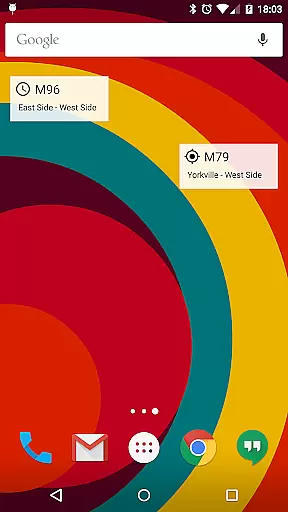
In addition to tracking, the app offers downloadable route schedules and interactive maps. Users can tap on stops to view upcoming arrival times and explore all available times through an info window. The app also supports location-based searches for nearby stops, customizable alert settings based on distance, and optional widgets for quick access to frequently used routes and schedules.
Other notable features include light and dark theme options, satellite imagery, traffic data overlays, adjustable update intervals for vehicle locations, and custom ringtones for alerts. These functionalities collectively enhance user experience by providing both practical and personalized tools for navigating NYC's transit system.
Map accuracy is a critical feature for any navigation app, and Transit Tracker+ - NYC excels in this area. The application uses real-time data provided by the MTA through public APIs to display the location of buses and trains on its map interface. This ensures that users are provided with the most up-to-date information regarding their transit options.
The app goes beyond just showing vehicle locations; it also provides schedule details when you tap on a stop. This functionality allows users to see upcoming departures and plan accordingly. By integrating both live tracking and scheduled times, Transit Tracker+ offers a comprehensive view of the current transit landscape, enhancing the reliability of the user's travel plans.
Moreover, Transit Tracker+ includes features such as satellite imagery and color-coded traffic data overlays on maps. These tools help users understand not only where their transit vehicles are but also how external factors like traffic might affect arrival times. Such insights empower commuters to make informed decisions about their routes and timing.
Route planning is an essential aspect of Transit Tracker+ - NYC, enabling users to efficiently navigate the city's complex transportation network. With the ability to input multiple route numbers or specific stop IDs, the app provides detailed information on all vehicles serving those routes or stops. This feature simplifies the process of finding the best path to oneu2019s destination by aggregating relevant transit data in one place.
In addition to real-time tracking, Transit Tracker+ supports the downloading of route schedules. Users can request schedules for any MTA route and view them either as origin/destination tables or directly on a map. This dual presentation caters to different preferences, whether someone wants a textual overview or a visual representation of their journey.
Another valuable component of route planning within the app is the alert system. Users can set notifications for when a vehicle is approaching or arriving at a particular stop. These alerts are based on the distance from the stop and use the official route shapes defined by the MTA. While detours or unexpected changes may occasionally affect accuracy, these alerts generally provide timely updates, ensuring that users stay informed and can adjust their plans as needed.
User-friendly interface
Real-time tracking
Customizable alerts
Comprehensive route schedules
Ad-free experience
Limited route support
Occasional inaccuracies
No offline mode
Dependent on MTA data
Premium price

Compass is an accurate compass and a great tool for any outdoor activities
 4.1
4.1
Find AI powered cameras, ALPRs, and other surveillance infrastructure near you
4.70
Explore a light pollution map to find suitable dark sky locations for observing.
4.30
"Balad" is a map and navigator with a Persian voice assistant and a complete city guide
4.40
Track accurate speed & distance with GPS Speedometer. Check speed limit & time.
4.50
GPS Navigation: Get map directions and find the shortest routes to avoid delays!
4.00
Park in Chicago, NYC, Boston, SF, Houston & more!
4.70
Navigation, weather, offline maps & tools for smarter, safer travel planning.
4.00
Avoid delays. Get real-time GPS navigation, safety alerts and live traffic.
4.10
Get there with the Waymo Driver — The World’s Most Experienced Driver™
4.90
Offline maps & GPS for hiking, travel, fieldwork & outdoor adventures
4.70
Ride or drive at YOUR price
4.70
Complete offline 1:50k South Island topo map including DOC Hunting Permit Areas
4.60
Rideshare, taxi cabs, and more for your airport travels and everyday trips.
4.50
Instant diesel discounts - save big with each fill up!
4.40
Lets explore the world's famous places by using Live Cams, GPS & Satellite View.
4.20
Drive safe with real-time speed camera radar, police, and traffic alerts
3.80
Play in the outdoors with Android as your Handheld GPS and offline topo maps!
3.50
Off-Roading Navigation App With Trails, Public Lands, & Private Property Info
3.30


User Reviews