
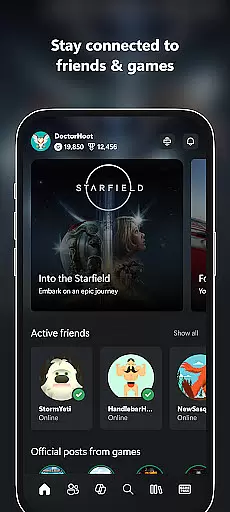
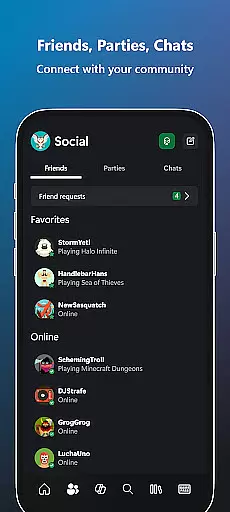
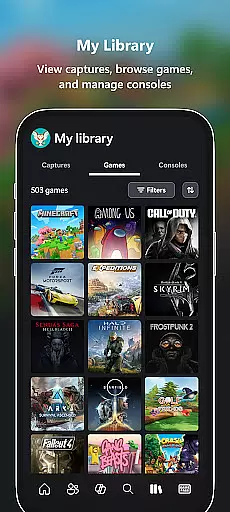
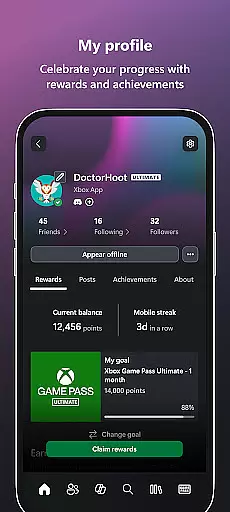
The Xbox app is your ultimate entertainment companion, bringing the power of Xbox gaming to your mobile device. This versatile application allows you to stay connected with your gaming community through integrated voice and text chat, regardless of whether your friends are on console or PC. With real-time notifications for achievements, messages, and game invites, you'll never miss an important update again.
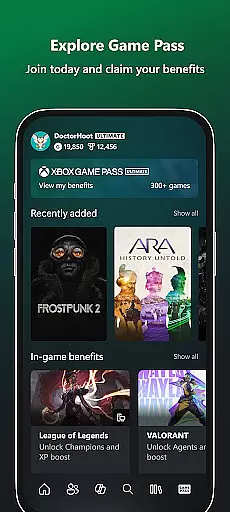
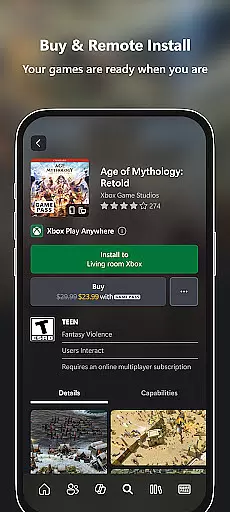
One of the standout features is the ability to browse and purchase games directly within the app. You can also remotely manage your Xbox console by queuing up downloads while on the go. The app provides seamless access to Game Pass content, exclusive Perks, and makes sharing your epic gaming moments effortless through direct integration with popular social networks. Whether you're a casual gamer or a dedicated enthusiast, the Xbox app ensures you're always in touch with your gaming world.
The Xbox app offers an impressive array of features designed to enhance your gaming lifestyle. At its core, the application serves as a communication hub where you can engage in cross-platform voice and text conversations with fellow gamers. The built-in notification system keeps you informed about friend requests, party invites, and new game releases, ensuring you're always in the loop.
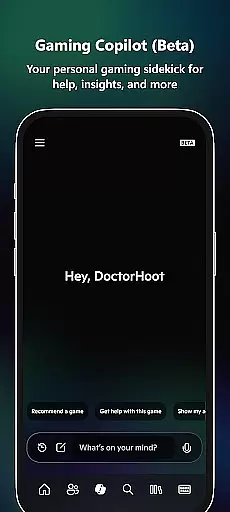
Game management capabilities are particularly noteworthy. Users can browse the extensive Game Pass library, purchase new titles, and even initiate remote downloads to their home console. The recently added Gaming Copilot (Beta) feature provides personalized assistance, offering gameplay tips and helping players overcome challenges. Additionally, the app's media sharing functionality makes it simple to distribute your captured game clips and screenshots across various social platforms, letting you showcase your best gaming moments with ease.
In the realm of digital entertainment, content variety and freshness are paramount. The Xbox app excels in this area by offering a dynamic range of features that keep users engaged with the latest in gaming. From real-time notifications about new game launches to an ever-expanding catalog within Game Pass, the app ensures that there is always something new for gamers to explore.
Moreover, the Xbox app provides integrated voice and text chat, allowing seamless interaction with friends whether they're on console or PC. This connectivity fosters a vibrant community where users can share their latest achievements, discuss strategies, or simply hang out. With Gaming Copilot (Beta), players receive personalized recommendations and insights, further enriching their gaming journey.
The ability to buy games and add-on content directly through the app adds another layer of convenience and freshness. Users can instantly access new releases or expand their current games without interrupting their play session. Additionally, the ease of sharing game clips and screenshots to social networks means that memorable moments can be captured and shared as they happen, keeping content perpetually fresh and engaging.
User engagement duration and retention are critical metrics for any entertainment platform, and the Xbox app addresses these aspects effectively. By providing comprehensive tools that enhance the gaming experience, the app encourages longer and more frequent usage. Features such as integrated voice and text chat enable continuous communication with friends, fostering deeper connections and encouraging extended play sessions.
Notifications for party invites, messages, and new game launches serve as prompts that draw users back into the app regularly. These timely updates ensure that users remain connected to their gaming community and never miss out on exciting opportunities. Furthermore, the presence of Gaming Copilot (Beta) offers in-game assistance that helps players overcome challenges, thus maintaining their interest and involvement over time.
Another significant factor contributing to user retention is the Game Pass catalog. With a diverse selection of games available, users have ample reason to return to the app frequently. The option to download games to their console ensures that they are ready to play whenever the user is, reducing downtime and enhancing overall satisfaction. This combination of features creates a compelling environment that promotes sustained user engagement and loyalty.
User-friendly interface
Seamless cross-platform connectivity
Comprehensive game management tools
Integrated social features
Remote console control capabilities
Limited functionality for non-Xbox games
Some features require Xbox Game Pass subscription
Occasional connectivity issues reported
Interface can feel overwhelming to new users
Certain advanced features are console-specific

Rain and lightning effects for your Philips Hue lights
 4.30
4.30
A wonderful collection of the most beautiful sounds of animals and birds
4.2
Stream over 80 hours of exclusive mashups and remixes by DJ Rehab.
4.2
Underrated short-drama gems that hit hard and keep your heart hooked.
4.50
Christmas Globe: Transform your Wear OS device into a festive timekeeper!
4.0
Himnario LLDM - Fast and Easy to read , updated Hymnal 2019 Edition Official
4.20
Daily immersive workout plan: Body warm up & finger yoga exercises
3.80
Bold original series & hit movies that don't hold back.
4.40
Earn big rewards like PayPal & Amazon gift cards by playing games you love!
4.30
SpiritWave is paranormal ITC application.
5.00
Stories that spark in seconds.
4.80
Classic dynamic pixel art from Mark Ferrari.
4.70
Create, chat & bond with AI souls who truly listen.
4.50
Best of icon for christmas
4.30
Exclusive Short Drama Video! All in HD. Bringe trending reels & enjoy drama time
3.80
Connect. Discover. Control.
3.60
Stream videos to VIDAA & VEWD TVs from Hisense, Sharp, Skyworth, Vestel & TiVo
3.00
See the frequencies! Watch the magic!
4.3
Raise Christmas Magic with daily missions, magical scanners, and kindness.
4.3


User Reviews