
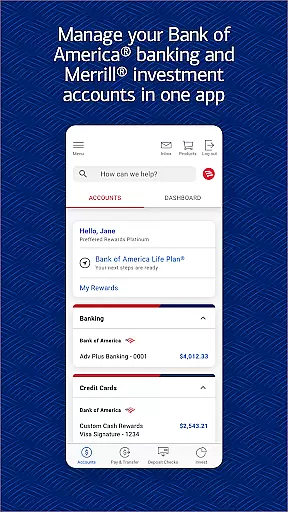
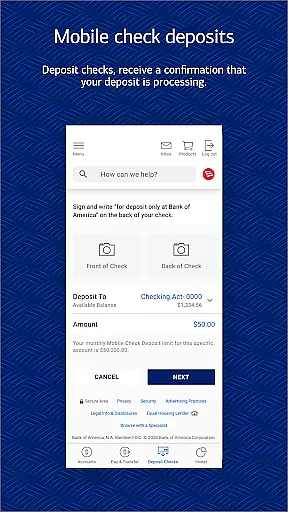
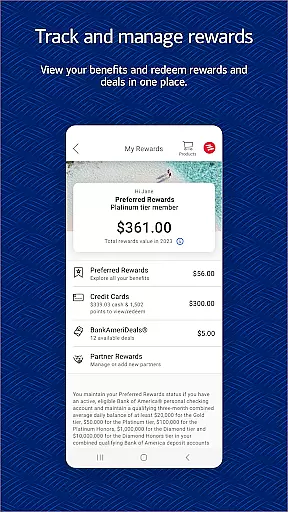
Bank of America Mobile Banking is a comprehensive financial management application designed for U.S.-based customers. The app allows users to conveniently and securely manage their checking, savings, credit card, loan, and investment accounts from their mobile devices. With features like account balance monitoring, bill payments, Zelle® money transfers, and check deposits through photo capture, it provides an all-in-one banking solution.
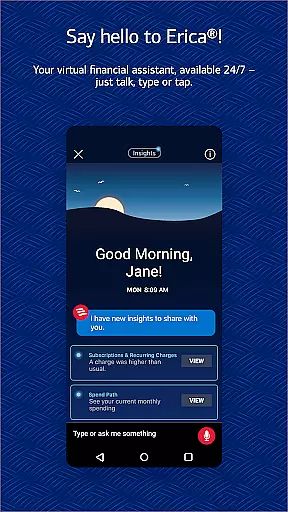
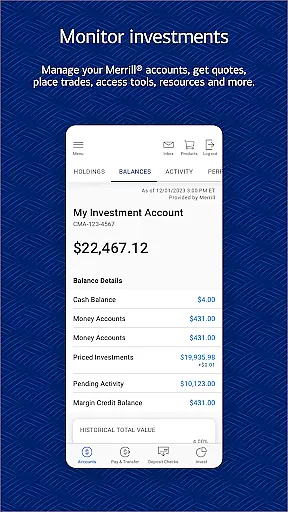
The app also includes Erica, a virtual financial assistant that helps users find transactions, pay bills, and offers valuable insights into their financial habits. Security features such as Touch ID® / Face ID® and instant fraud notifications ensure that user data remains protected. Additionally, the app offers tools for managing investments with Merrill, tracking FICO® credit scores, and utilizing budgeting tools to organize spending by category.
This banking app is particularly useful for individuals who require immediate access to their financial information and need to perform banking tasks on-the-go. Whether depositing checks, transferring funds, or reviewing investment portfolios, Bank of America Mobile Banking delivers significant value by simplifying complex financial operations into an intuitive mobile experience.
Bank of America Mobile Banking stands out due to its extensive range of features tailored for seamless financial management. One of the core functionalities is the ability to manage multiple types of accounts including checking, savings, credit cards, loans, and investments. Users can view balances, review activities, activate or replace cards, set important alerts, and even pay bills directly through the app.
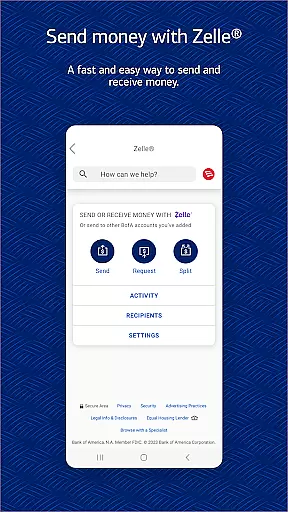
A unique feature is Erica, the virtual financial assistant which adds a layer of personalized service. Erica assists in locating specific transactions, setting up payment reminders, and delivering proactive insights about your finances. Another standout capability is the integration with Zelle®, allowing users to send and receive money using just a U.S. mobile number or email address. This function enhances convenience without compromising security.
For those interested in investment management, the app provides robust tools to trade stocks, ETFs, mutual funds, and view real-time market data. Furthermore, users have access to their FICO® credit scores along with educational resources on maintaining good credit health. These features collectively empower users to take control of their financial future while enjoying top-notch security measures provided by Bank of America.
Account and Fund Security is a critical feature of the Bank of America Mobile Banking app, ensuring that users can manage their finances with confidence. The app incorporates advanced security measures such as Touch ID and Face ID for biometric authentication, providing an additional layer of protection against unauthorized access.
The application actively monitors for any suspicious or potentially fraudulent activities related to your accounts. In cases where such activity is detected, the app promptly notifies you, allowing for immediate action to secure your funds. This proactive approach helps mitigate risks associated with identity theft and financial fraud.
Furthermore, the Mobile Banking Security Guarantee assures customers that they will not be held liable for unauthorized transactions if reported in a timely manner. By adhering to the recommended security practices, users can enjoy peace of mind knowing their assets are safeguarded by industry-leading protocols designed to prevent cyber threats.
With these comprehensive security features, the Bank of America Mobile Banking app empowers its users to take control of their financial safety while enjoying the convenience of digital banking on-the-go.
The Transaction Experience within the Bank of America Mobile Banking app offers a seamless and efficient way for users to handle their financial operations. With functionalities like Zelleu00ae, customers can easily send and receive money using just a U.S. mobile number or email address, streamlining peer-to-peer payments without the need for cash or checks.
For those managing multiple accounts, the app provides tools to transfer funds between different Bank of America and linked Merrill accounts effortlessly. This flexibility allows users to maintain liquidity across their various holdings while keeping track of each transaction's status in real-time, enhancing overall financial oversight.
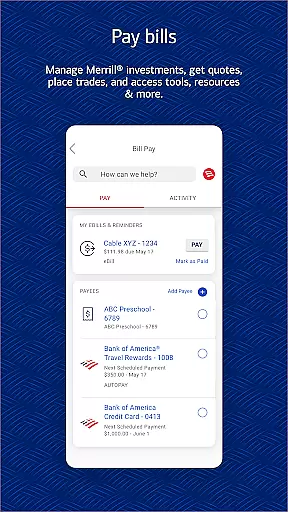
Beyond simple transfers, the app also supports bill payment services, enabling users to settle outstanding balances with service providers directly through the platform. These transactions are executed securely, ensuring that sensitive information remains protected throughout the process.
By integrating these robust transaction capabilities into a user-friendly interface, the Bank of America Mobile Banking app delivers an unparalleled level of convenience and reliability, making everyday banking tasks quicker and more intuitive than ever before.
User-friendly interface
Comprehensive account management
Secure transactions
Virtual assistant support
Investment tracking tools
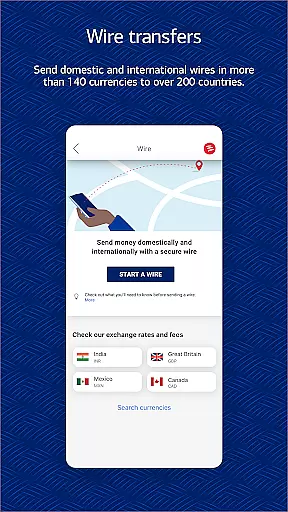
Limited international functionality
Occasional bugs reported
Requires internet connection
Some features need enrollment
Potential wait times for check deposits

Pay rent on your schedule.
 4.70
4.70
Need help before payday? Get cash advances with no interest or credit checks.
4.60
Money transfer made easy. Send money to friends and family with great rates.
4.70
Invest, bank & save in one app. Trade stocks, earn high APY & budget smarter.
4.00
StockTiles lets you view prices & charts of your favorite stock assets
2.30
The US Debt Clock .org App gives you a Real-Time glimpse of US Financial Stats
4.60
Manage budget, save money, or file tax. Build, track & improve your credit score
4.40
Make your paycheck work harder for you with Perpay.
4.10
Earn money as a tester with Testerup, get cash testing apps and games
4.20
All expenses at a glance.
4.80
PayMe helps you claim money from settlements on companies that harmed you.
4.80
Play for fun, earn for real. Collect rent by owning virtual land & get cashback
4.60
Early payday & cash advances with no-fee mobile banking!
4.60
Earn cash & save money daily. Access instant cash advances* - no credit check!
4.50
Read and extract public data on NFC Contactless banking card (VISA, MasterCard
4.30
BTC, Crypto, Stocks & Options.
4.20
Venmo is the fun and easy way to pay and get paid.
4.10
View BSC Transactions for multiple accounts
3.90
Bitcoin gpu app helps you remote mine using your cell phone easily .
3.60


User Reviews