
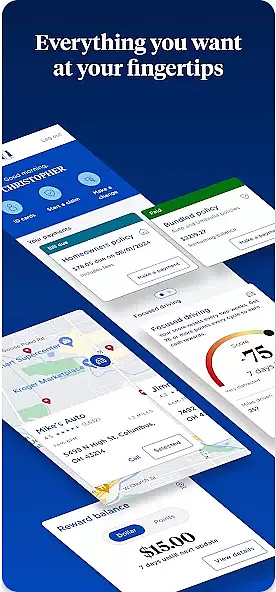

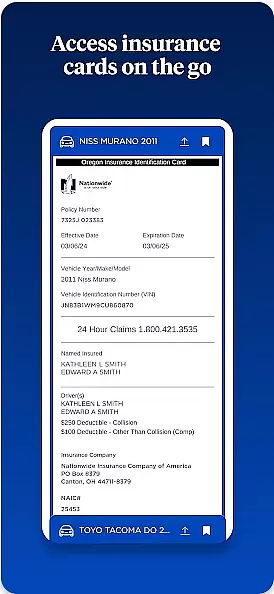
Nationwide Mobile is a finance-focused application designed to provide users with convenient access to their financial information. This app allows customers of Nationwide, a well-known financial institution, to manage their accounts on the go. Users can check balances, transfer funds, pay bills, and locate branches or ATMs through an intuitive interface.
One standout feature is its robust security measures, ensuring that users' financial data remains protected while using the app. Additionally, Nationwide Mobile offers real-time notifications for transactions, helping users stay informed about their account activities. Whether you're at home or traveling, this app provides essential banking services right in your pocket.
The Nationwide Mobile app boasts several key features that enhance the user experience. First and foremost, it provides comprehensive account management tools. Users can view detailed transaction histories, set up recurring payments, and even deposit checks remotely using their smartphone cameras.
Another notable feature is the app's integration with other financial tools. It supports budgeting aids and spending analysis, empowering users to make informed financial decisions. Furthermore, the app includes a branch locator function, which uses GPS to help users find nearby Nationwide locations. These features collectively ensure that Nationwide Mobile stands out as a versatile and reliable financial management tool.
In the realm of mobile banking, security stands as a paramount concern for users. Nationwide Mobile addresses this by implementing top-tier encryption protocols to safeguard user data. Every transaction and personal information stored in the app is protected by advanced encryption standards.
Furthermore, the app incorporates multi-factor authentication processes, ensuring that access to accounts is granted only to verified users. This process typically involves something the user knows, like a password, combined with something the user has, such as a mobile device for receiving OTPs (One Time Passwords).
The application also provides real-time alerts for any suspicious activity detected on an account. Users receive immediate notifications regarding login attempts or transactions that seem out of the ordinary, allowing them to act swiftly in securing their accounts.
A seamless transaction experience is crucial for maintaining user satisfaction in financial applications. Nationwide Mobile excels in offering intuitive and efficient transaction processes. The app's interface is designed to facilitate quick navigation, enabling users to perform transactions with minimal steps.
Real-time notifications play a significant role in enhancing the transaction experience. Users are kept informed about the status of their transactions through instant updates, which contributes to a transparent and trustworthy banking relationship.
Additionally, Nationwide Mobile offers a comprehensive transaction history feature. This allows users to easily track their past transactions, categorize expenses, and manage their finances more effectively. Such features not only improve usability but also empower users with greater control over their financial activities.
User-friendly interface
Secure login options
Comprehensive account tools
Real-time alerts
Remote check deposit
Limited to Nationwide members
No investment tracking
Occasional bugs reported
Geolocation required
Android only

Over 180 currencies conversion rates with live exchange rates and offline mode.
 4.60
4.60
Download the MySynchrony App to manage your accounts securely and conveniently!
4.60
Easily invest, save, and plan—all in one app.
4.60
Car Insurance Made For You.
4.50
Invest, bank & save in one app. Trade stocks, earn high APY & budget smarter.
4.00
No credit checked needed.
4.80
Currency Converter (200+ currencies) with live exchange rates and offline mode.
4.70
Amazing Financial Calculator. Based on HP 10bII, but easier to use!
4.40
SuperQi, Your all-in-one Super App.
1.30
All expenses at a glance.
4.80
Managing your money just got easier. Get the new Mobile app.
4.70
Get 250$ Cash Advance to solve emergencies instantly in loan app called LendMe
4.70
No credit check, no interest, no worries.
4.70
Cash Advance, Credit Cards, Credit Lines, Score Monitoring, Saving, Budgeting
4.70
Send money and bitcoin easily. Invest, bank and do more with your money
4.70
Mine Bitcoin in the cloud! Earn BTC daily with high-speed mining power.
4.30
Registration of your debts and Mdionatk and assembled, as well as a significant reports
4.30
Read and extract public data on NFC Contactless banking card (VISA, MasterCard
4.30
Earn money as a tester with Testerup, get cash testing apps and games
4.20


User Reviews