
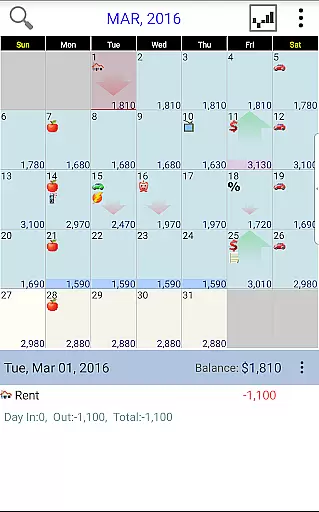
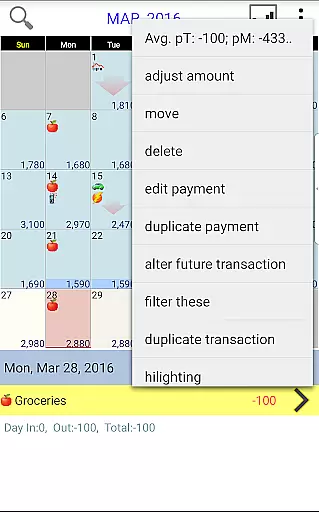
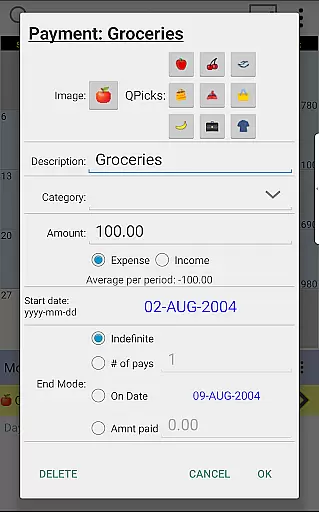
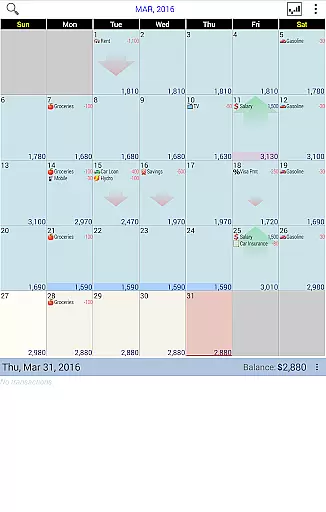
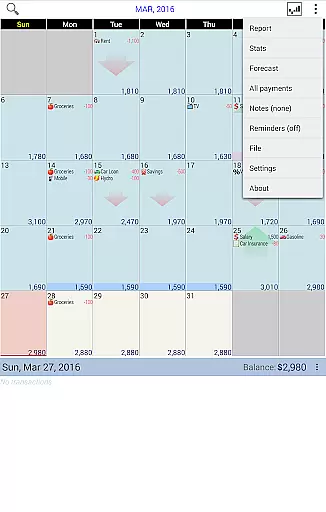
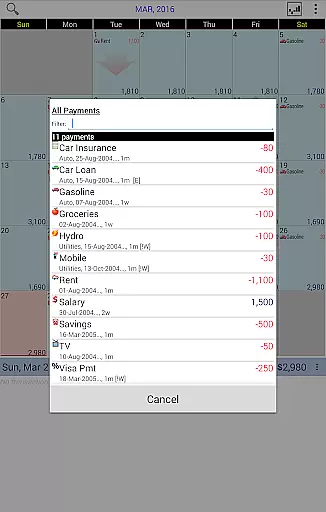
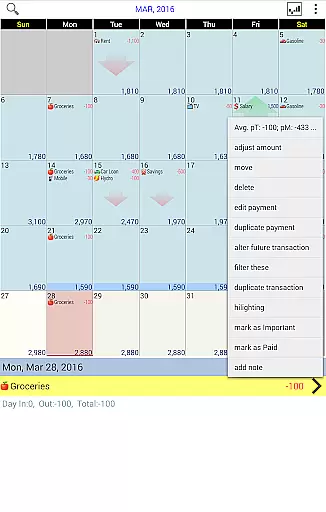
Budget Calendar is a comprehensive financial planning tool designed to simplify budget management through an intuitive calendar-based interface. Unlike traditional ledger systems, this Finance app visualizes all transactions directly on a calendar, providing users with a clear overview of their financial activities. Each payment entry can be customized with unique icons, allowing for easy categorization and recognition. The app's drag-and-drop functionality enables users to effortlessly reschedule transactions to better fit their financial plans.
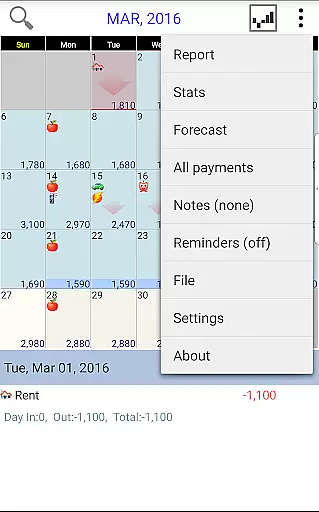
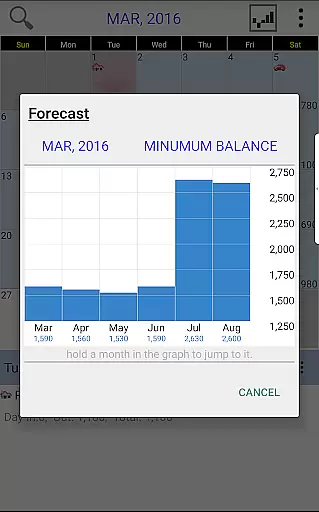
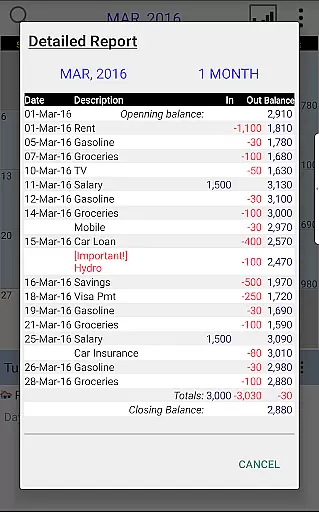
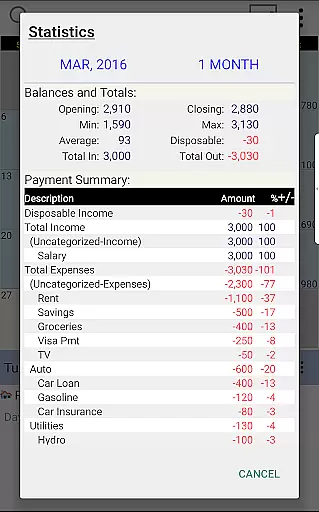
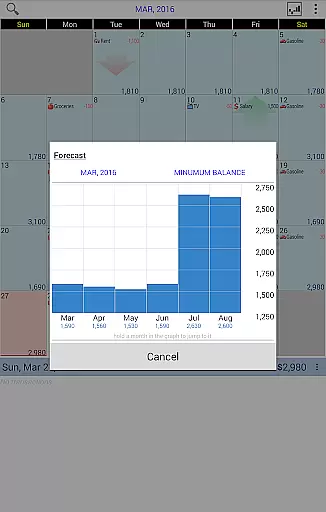
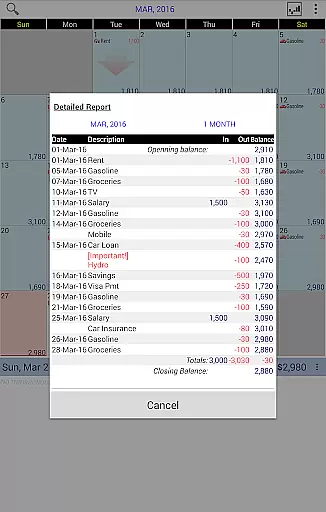
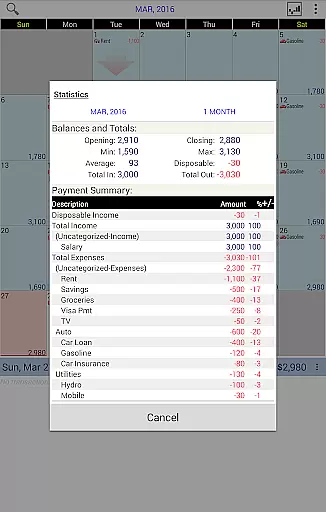
The application goes beyond basic transaction recording by offering robust reporting features. Users can generate detailed statistics and reports spanning single or multiple months, helping them identify spending patterns and plan future expenses. The smart balance adjustment feature allows users to reconcile their budgeted amounts with actual account balances. With cross-platform compatibility between smartphone and desktop versions, and seamless Google Drive integration for device syncing, Budget Calendar provides a unified financial management solution that adapts to modern users' needs.
Budget Calendar distinguishes itself through several innovative features that enhance the financial management experience. The calendar-based transaction system revolutionizes how users interact with their financial data, replacing complex ledgers with an intuitive visual representation. This approach not only simplifies daily money management but also helps users better anticipate and plan for future expenses. The customizable icon system for payments adds another layer of personalization and organization, making it easier to identify different types of transactions at a glance.
Advanced reporting capabilities are another key feature, allowing users to analyze their spending habits through comprehensive statistics and multi-month reports. The app's ability to synchronize data across devices using Google Drive ensures that users can access their financial information from both mobile devices and desktop computers. Additionally, the TRIAL desktop version provides potential users with an opportunity to explore the app's full capabilities before committing to purchase. These features collectively create a powerful yet user-friendly financial management tool that caters to both casual users and those requiring more sophisticated budgeting solutions.
Budget Calendar ensures robust account security through multiple layers of protection. The app employs advanced encryption protocols to safeguard your financial data, ensuring that all transactions and personal information remain confidential.
Authentication mechanisms are in place to verify user identity, preventing unauthorized access. With features like password protection and optional biometric login, users can trust that their budgeting data is secure from external threats.
The synchronization with Google Drive for backup purposes is executed with utmost care, ensuring that all data transfers between devices are encrypted and tamper-proof. This way, users can seamlessly sync their financial plans across devices without compromising on security.
By prioritizing account and fund security, Budget Calendar provides peace of mind, allowing users to focus on effective financial planning without worrying about data breaches or privacy concerns.
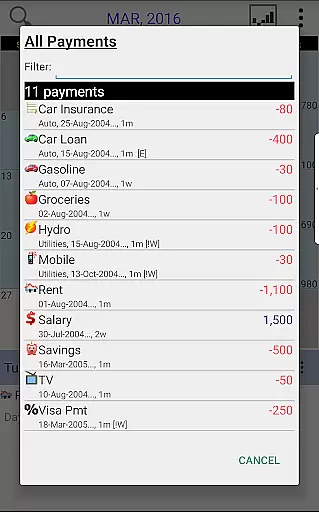
The transaction experience in Budget Calendar is designed to be intuitive and user-friendly. By visualizing all transactions on a calendar, the app simplifies the process of tracking income and expenses, making it easier for users to manage their finances effectively.
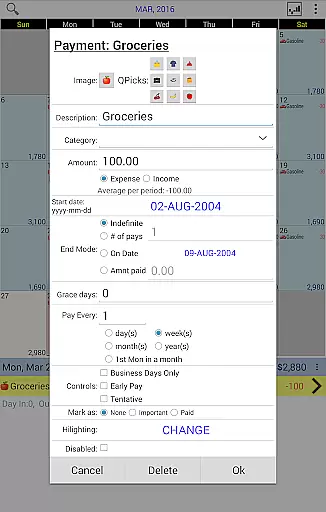
Each transaction can be customized with unique icons, providing a clear and engaging way to categorize different types of payments. Users have the flexibility to move transactions to different days, accommodating changes in their financial schedule effortlessly.
Real-time updates and clear statistics offer users insights into their spending habits, empowering them to make informed financial decisions. The ability to adjust the budget balance ensures that the app remains aligned with the user's actual financial situation.
With its seamless integration across devices and compatibility with desktop versions, Budget Calendar delivers a consistent and reliable transaction experience, enhancing the overall efficiency of personal financial management.
User-friendly interface
Customizable icons
Powerful reporting tools
Cross-platform sync
Intuitive calendar view
Premium desktop version
Limited free features
Requires Google account
Separate purchases needed
Learning curve present

Currency Converter, Exchange Rates, Widgets
 4.90
4.90
Download the MySynchrony App to manage your accounts securely and conveniently!
4.60
Bitcoin gpu app helps you remote mine using your cell phone easily .
3.60
Manage your prepaid cards and add to Google or Samsung Wallet.
4.60
Early payday cash advance up to $150 a day with a max of $1,000 per pay period
4.70
Save, spend & get paid faster²
4.50
Get up to 500, get paid early, earn interest and find work with no hidden fees.
4.40
Keep track of your subscriptions with no limitations
4.80
Real-time tracking: Stocks, Indices, Futures, Commodities, ETF, & Funds prices.
4.60
PayMe helps you claim money from settlements on companies that harmed you.
4.80
The Citi Mobile® App lets you manage your accounts virtually anytime, anywhere
4.80
Check EBT, SNAP, WIC balances, manage food stamps, and save money with benefits
4.80
Pay rent on your schedule.
4.70
Currency Converter (200+ currencies) with live exchange rates and offline mode.
4.70
Navigate your unique financial path confidently with help from Credit Karma.
4.70
Easily invest, save, and plan—all in one app.
4.60
Earn cash back. Build credit.
4.60
Manage budget, save money, or file tax. Build, track & improve your credit score
4.40
Change the way you money with Credit Genie
4.30


User Reviews