
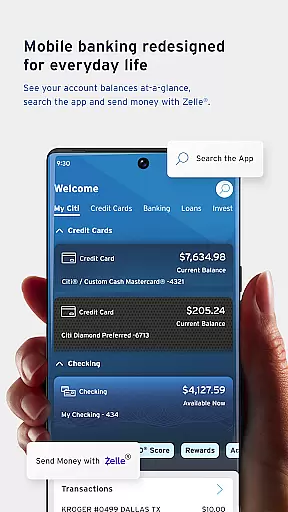
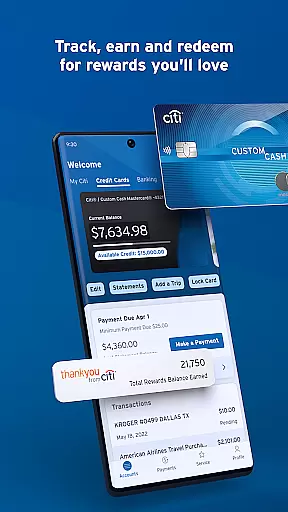
Citi Mobile is a comprehensive financial management application designed to simplify banking activities. The app allows users to open checking or savings accounts directly from their mobile devices without visiting a bank branch. With features like fast navigation, intuitive menus, and smart shortcuts, users can quickly access their favorite functions.
One of the standout features is Citi Mobile® Snapshot, which lets users review key account information without signing in every time. Additionally, services like Zelle® provide a fast, fee-free method to pay and split payments with trusted contacts. Users can also deposit checks, locate ATMs, view statements, and make same-day or scheduled payments easily.
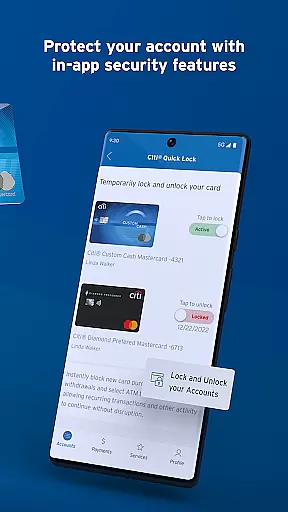
The app is not only simpler but also smarter. It offers aggregation capabilities that allow users to link virtually all their financial accounts for a holistic view. Spending insights help track spending habits, while bill management consolidates bills and recurring payments in one place. Security features include Citi® Quick Lock, PIN Reset, and Fingerprint Authentication, ensuring user data remains protected.
Citi Mobile boasts an array of features tailored to enhance user experience. Fast Navigation ensures users can swiftly reach their preferred features through an intuitive menu and smart shortcuts. Card Replacement services allow users to request a new card if their original is lost, stolen, or damaged.
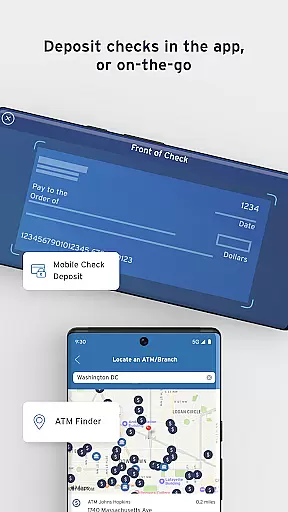
Citi Mobile® Snapshot provides quick access to essential account information without the need for frequent sign-ins. Zelle® facilitates fast, fee-free payments and easy splitting of bills with trusted individuals. Mobile Check Deposit enables users to deposit checks directly from their mobile devices, while Find an ATM helps locate over 60,000 fee-free ATMs across the U.S.
For smarter financial management, the app offers Aggregation, allowing users to link various financial accounts for a comprehensive overview. Spending insights track spending habits, and Bill Management consolidates bills and recurring payments. Enhanced security features include Citi® Quick Lock, PIN Reset, and Fingerprint Authentication, ensuring robust protection of user data.
Account and Fund Security is a critical aspect of any financial application, ensuring that users' personal and financial information remains protected at all times. Citi Mobile takes this responsibility seriously by implementing advanced security measures such as Citiu00ae Quick Lock, which allows users to instantly lock or unlock their misplaced or lost cards, providing peace of mind in case of emergencies.
In addition to card security, the app offers PIN Reset functionality, enabling users to reset their debit card PIN directly from their mobile device without visiting a branch. This feature not only enhances convenience but also ensures that users can quickly regain access to their funds when needed. Furthermore, the app supports Fingerprint Authentication, allowing for a fast and secure way to access account information, thus reducing the risk of unauthorized access.
The combination of these features demonstrates Citi Mobile's commitment to maintaining the highest standards of security. By integrating multiple layers of protection, the app ensures that users can manage their finances with confidence, knowing that their accounts and funds are safeguarded against potential threats.
A seamless transaction experience is essential for any banking app, and Citi Mobile excels in providing users with efficient and intuitive tools to manage their finances. The app offers Fast Navigation, allowing users to quickly access their favorite features through an intuitive navigation menu and smart shortcuts. This streamlined interface ensures that users can perform transactions swiftly and effortlessly, enhancing overall satisfaction.
Citi Mobile also includes innovative features like Zelleu00ae, which enables users to make fee-free payments and split bills with trusted contacts directly within the app. Additionally, the Mobile Check Deposit function lets users deposit checks using their mobile devices, eliminating the need for physical visits to the bank. These features collectively contribute to a frictionless transaction process, saving users time and effort.
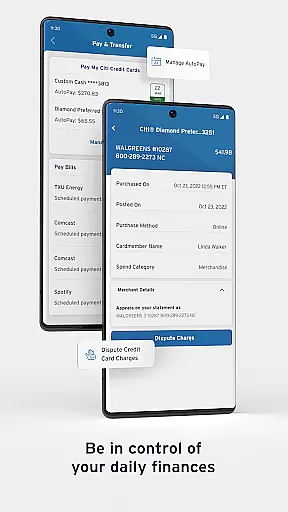
Moreover, the app provides comprehensive Account Information, enabling users to view statements, check balances, and review recent activities. With the ability to schedule payments and manage payees easily, Citi Mobile ensures that users have full control over their financial transactions, resulting in a superior banking experience.
User-friendly interface
Comprehensive account management
Advanced security features
Fast and intuitive navigation
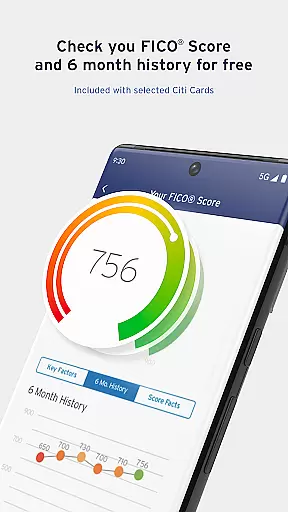
Free FICO® Score access
Limited feature availability
Occasional bugs reported
Requires stable internet
Some features are region-specific
Initial setup can be complex

Download the MySynchrony App to manage your accounts securely and conveniently!
 4.60
4.60
Get a cash advance instantly. File taxes & cover unexpected bills in minutes.
4.60
Debt pay off. Build credit history. AI budget tool. Loan offers.
4.60
Retirement plan, IRA, retail and HSA customers serviced by Empower.
3.10
Payday cash advance & Instant cash advance: Borrow money instantly, Get cash now
4.60
Simple & secure international money transfers - for personal & business needs.
4.80
Save, spend & get paid faster²
4.50
Easy budgeting planning on a calendar!
4.80
Earn money as a tester with Testerup, get cash testing apps and games
4.20
Wells Fargo Mobile allows you to access your investment and bank accounts.
4.80
Early payday cash advance up to $150 a day with a max of $1,000 per pay period
4.70
Get 250$ Cash Advance to solve emergencies instantly in loan app called LendMe
4.70
Loan Calculator, Mortgage Calculator, Compound Interest Calculator
4.70
Our Chase Mobile App makes it easy for you to bank on the go 24/7.
4.60 4.50
4.50
Earn cash & save money daily. Access instant cash advances* - no credit check!
4.50
Amazing Financial Calculator. Based on HP 10bII, but easier to use!
4.40
Registration of your debts and Mdionatk and assembled, as well as a significant reports
4.30
Secure Amex Account Access: View Balance, Make Payments, Redeem Rewards & more
3.60


User Reviews